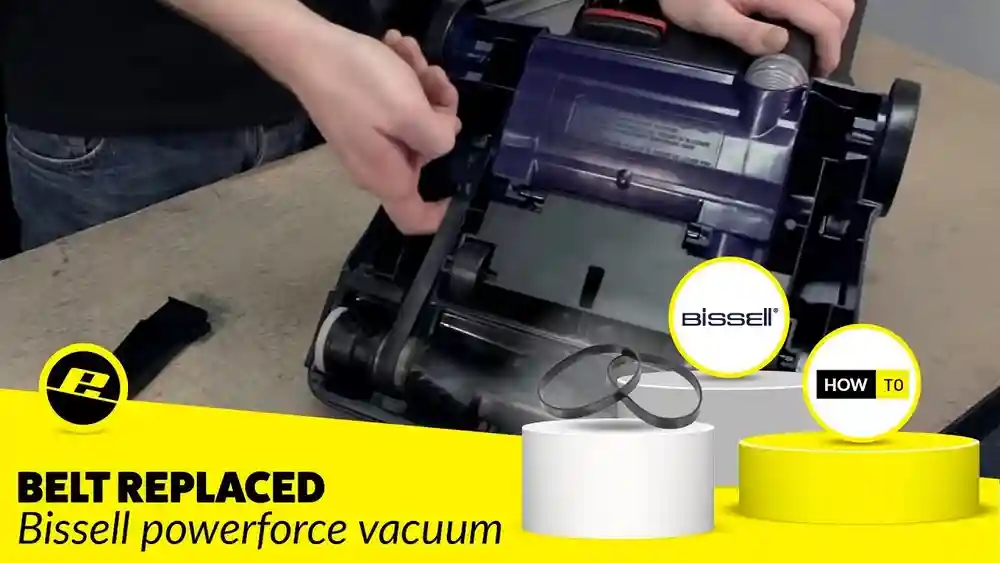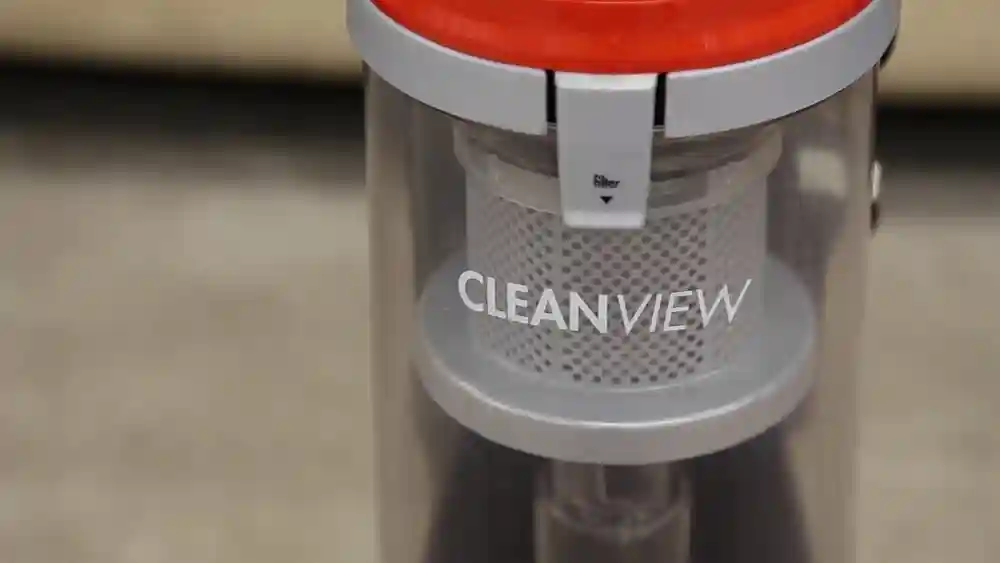
If you own a Shark Ion Robot, you already know how much easier it makes cleaning your floors. This small but powerful vacuum moves around your home, picking up dust, hair, and debris. But to keep your Shark Ion Robot working at its best, you need to pay attention to its filter. A dirty or clogged filter can reduce cleaning performance, spread dust back into the air, and even shorten the robot’s life. Many people overlook this simple part of maintenance, but changing the filter is one of the easiest ways to keep your robot running smoothly. If you’ve never changed the filter before, don’t worry. This guide will walk you through every step, explain why it matters, and help you avoid common mistakes. By the end, you’ll feel confident about taking care of your Shark Ion Robot—and you might even notice your home feels fresher, too.
Why The Filter Matters In Your Shark Ion Robot
The filter is a small but crucial part of your robot vacuum. Its main job is to trap fine dust, pet dander, pollen, and other small particles. Every time your robot cleans, it sucks up not only large debris but also tiny bits that you can’t see. The filter stops these particles from blowing back into your home.
A clean filter helps your robot:
- Keep suction strong: When the filter is clean, air moves easily through the vacuum, allowing strong suction.
- Improve air quality: The filter catches fine dust, so less goes back into your room.
- Protect the motor: Dust and dirt can clog the motor if the filter is too dirty, leading to breakdowns.
- Last longer: Regular filter changes mean less strain on your robot, so it works well for years.
If you have allergies or pets, the filter becomes even more important. Pet hair and dander can clog the filter quickly. Even if your floors look clean, your air may not be—unless the filter is in good shape.
When To Change The Filter On A Shark Ion Robot
Knowing when to change the filter is as important as knowing how. Shark recommends changing the filter every two months for average use, but the right timing can depend on several factors:
- Pets in the home: If you have cats or dogs, change the filter more often—about every month.
- Allergies: If anyone in your home is sensitive to dust or pollen, change the filter monthly for best results.
- High traffic: Busy homes with kids, lots of shoes, or frequent guests may need filter changes every month.
- Visible dirt: If you notice the filter is gray, dusty, or full of debris, don’t wait—change it right away.
Some robot models have a reminder light or notification in their app, but not all do. If you notice your Shark Ion Robot is not picking up as well as before, or if it sounds louder than usual, the filter may be clogged.
What Filter Does Your Shark Ion Robot Use?
There are several models of Shark Ion Robot vacuums, and they may use slightly different filters. The most common types are:
- Foam filters: These are spongy and washable, designed to catch larger particles.
- Felt filters: Thinner and usually white, these catch fine dust.
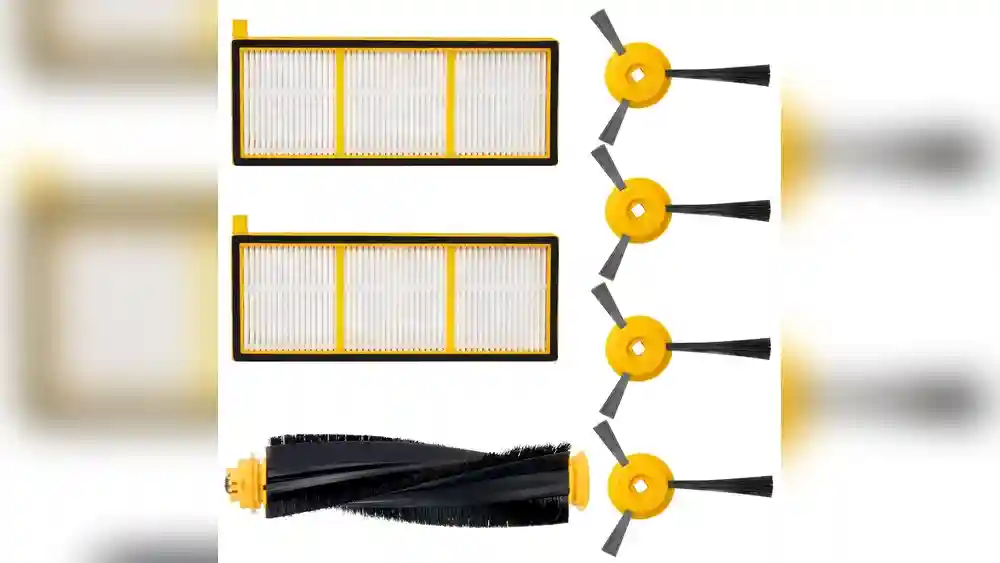
- HEPA filters: High-Efficiency Particulate Air filters, found in some advanced models, trap even tinier particles.
You can find out which filter your model uses by:
- Checking the user manual.
- Looking at the filter currently in your robot.
- Visiting the official Shark website and searching for your model number.
It’s important to buy the right filter. Some filters are washable, but others are not—using the wrong one can reduce cleaning or even damage your robot.
Here’s a quick comparison of the main filter types:
| Filter Type | Washable? | Traps | Replacement Frequency |
|---|---|---|---|
| Foam | Yes | Hair, large dust | Every 2 months |
| Felt | Sometimes | Fine dust | Every 2 months |
| HEPA | No | Allergens, tiny particles | Every 1-2 months |
Pro tip: If you’re unsure, always buy genuine Shark filters or those approved by Shark. Cheap knock-offs may not fit well or trap dust as effectively.
Tools And Preparation: What You’ll Need
Changing the filter is simple and does not require many tools. Here’s what you should prepare before you start:
- Replacement filter: Make sure it matches your Shark Ion Robot model.
- Soft brush or cloth: To wipe away dust near the filter compartment.
- Small trash bag: To throw away the old filter.
- Mild soap and water (if you have a washable filter).
- Dry towel (if washing a filter).
Before starting, turn off your robot and, if possible, remove it from the charging dock. Place the robot on a flat surface with good lighting.
Step-by-step Guide: How To Change The Filter On Shark Ion Robot
Changing the filter only takes a few minutes. Let’s walk through the process step by step, using a practical, clear approach.
1. Turn Off And Unplug Your Robot
Safety comes first. Press the power button to turn off your Shark Ion Robot. If your model charges through a dock, remove it from the dock before you start. This prevents accidents and stops the robot from moving while you work.
2. Remove The Dust Bin
The dust bin is usually found at the back or top of the robot. Most Shark Ion Robots have a button or latch you press to release the dust bin.
- Look for a button labeled “Dust Bin Release” or just a small tab.
- Press and gently pull the dust bin out.
- Hold the dust bin over a trash can and open the lid to empty out any dirt or debris.
3. Find And Remove The Filter
Inside the dust bin, you’ll find the filter. The filter may be slotted into a holder or just resting at one end.
- Grasp the filter gently.
- Pull it out, being careful not to spill dust.
- If the filter is stuck, wiggle it gently—never use force.
4. Inspect The Old Filter
Look at the old filter before throwing it away. Is it very dark, dusty, or clogged with hair? If so, your timing was good. Noticing what the filter looks like can help you decide when to change it next time.
If you use washable filters (foam or some felt), check if they are worn out or torn. If so, replace them.
5. Clean The Filter Compartment
Before putting in a new filter, use a soft brush or cloth to wipe out the inside of the dust bin and the filter compartment. Dust can build up in corners, so give it a quick clean. This helps the new filter work better.
Non-obvious tip: Use a can of compressed air (the kind for cleaning keyboards) to blow out fine dust from tight corners. Just make sure to do this outside or over the trash.
6. Insert The New Filter
Take your new filter out of its package. Make sure it matches the shape and size of the old one.
- Place the filter in the same spot and direction as before.
- Push gently until it fits snugly—do not force it.
If you have a washable filter, make sure it is completely dry before inserting. A wet filter can grow mold and damage your robot.
7. Reinsert The Dust Bin
Once the new filter is in place:
- Close the dust bin lid.
- Slide or snap the dust bin back into your robot.
- Listen for a click or check that it feels secure.
8. Turn On And Test
Turn the robot back on. Run it for a few minutes to make sure it sounds normal and is picking up dirt as usual. If you notice any error messages, check that the dust bin and filter are installed correctly.
Common mistake: Forgetting to close the dust bin lid fully. This can cause your robot to stop working or show an error.
Tips For Washing And Reusing Filters
Some Shark Ion Robot filters are washable, but not all. Here’s how to safely wash a filter if yours allows it:
- Tap out dust: Gently tap the filter over a trash can to remove loose dust.
- Rinse with water: Hold the filter under running cold water. Do not use hot water, as it may damage the filter.
- Mild soap: If the filter is very dirty, add a small amount of mild soap and gently rub.
- No harsh scrubbing: Never scrub hard or use brushes with stiff bristles.
- Rinse well: Make sure all soap is rinsed out.
- Dry completely: Place the filter on a towel in a warm, dry spot for at least 24 hours. Do not put it back if it is even slightly damp.
Important: Never put a wet filter back into the robot. Even a little moisture can cause mold or damage the motor.
If you have a HEPA filter, do not wash it. These are designed for single use and should be replaced, not washed.
How To Tell If Your Filter Needs Changing
Sometimes, you might not remember the last time you changed the filter. Here are signs that it’s time for a new one:
- Robot sounds louder than usual.
- Suction is weak or the robot leaves behind dust.
- Bad smell comes from the vacuum.
- Visible dirt or hair is stuck in the filter.
- Error messages on the robot or app.
If you notice any of these, change the filter right away.
How To Buy The Right Filter For Your Shark Ion Robot
Buying the correct filter is important for both performance and safety. Here’s how to avoid mistakes:
- Check your model number: Find it on the bottom of your robot or in the app.
- Buy genuine Shark parts: These fit best and last longer.
- Avoid generic filters: Cheaper filters may not trap dust as well or may not fit tightly.
- Read reviews: Other users often share if a filter works well for their robot.
- Look for multi-packs: Buying several at once can save money and ensures you always have a spare.
Some online shops sell filters labeled for many brands and models. Always double-check the fit for your exact model number.
Here’s a helpful overview comparing filter options for different Shark Ion Robot models:
| Robot Model | Filter Type | Washable? | Where to Buy |
|---|---|---|---|
| Shark Ion R75 | Foam & Felt | Yes | Official Shark website, Amazon |
| Shark Ion R87 | Foam & Felt | Yes | Official Shark website, Walmart |
| Shark Ion R101AE | HEPA | No | Official Shark website, Best Buy |
Extra insight: Some filters sold online come with extra foam or felt pre-filters. These can extend the life of your main filter if you change them regularly.
How Often Should You Clean Other Parts Of Your Shark Ion Robot?
Changing the filter is important, but it’s also wise to clean other parts of your robot regularly.
- Dust bin: Empty after every cleaning cycle.
- Brush roll: Clean every 1-2 weeks or more often if you have pets.
- Sensors and wheels: Wipe with a dry cloth every month.
Doing all these tasks together makes your filter last longer and keeps your robot working better.
Common Mistakes When Changing The Filter
Even experienced users sometimes make mistakes. Here are a few to watch out for:
- Using the wrong filter: Not all filters fit every model. Double-check before buying or installing.
- Putting in a wet filter: This can cause mold, bad smells, or even break your robot.
- Forgetting to clean the dust bin: Dust in the bin can quickly clog a new filter.
- Ignoring the filter for too long: Waiting too long reduces cleaning power and can shorten the robot’s life.
- Not pushing the filter in fully: If the filter is loose, dust will escape and the robot might not work.
A good habit is to check your robot’s filter every time you empty the dust bin. It only takes a few seconds and helps you avoid bigger problems later.
Benefits Of Regular Filter Changes
Changing the filter may seem like a small task, but it has big benefits:
- Cleaner floors: Your robot picks up more dust and debris.
- Healthier air: Less dust and allergens in your home.
- Longer robot life: The motor and sensors stay cleaner.
- Better battery life: Your robot doesn’t have to work as hard, so the battery lasts longer.
- Quieter operation: A clean filter means less noise.
Many people notice their robot works like new after a fresh filter. If you’ve been disappointed by performance, try changing the filter before replacing the whole robot.
How To Make Filter Changes Easier
Sometimes, small tricks make a big difference. Here are some tips to keep filter changes simple:
- Set a reminder: Use your phone or a calendar to remind you every month.
- Buy filters in advance: Keep extras in a drawer so you’re always ready.
- Keep a small cleaning kit: A brush, cloth, and spare filters can be stored near your robot.
- Teach everyone: If others use the robot, show them how to change the filter.
Non-obvious tip: Attach a small sticky note to your robot or charging dock with the date of the last filter change. This quick trick helps you remember, especially if you don’t use the robot’s app.

Credit: www.ebay.com
Troubleshooting: Problems After Changing The Filter
If your Shark Ion Robot doesn’t work right after a filter change, don’t panic. Most issues are easy to fix.
- Robot won’t start: Check that the dust bin and filter are seated properly.
- Error message: Remove the dust bin and filter, then reinsert them. Make sure the filter is not upside down.
- Reduced suction: Make sure the filter is not blocked by packaging or installed backward.
- Unusual noise: Check for loose debris around the filter or in the bin.
If you’ve tried these steps and the problem continues, look up your model’s troubleshooting guide on the Shark website or contact their customer service for help.
Extending The Life Of Your Shark Ion Robot
Changing the filter is just one part of caring for your robot. Here are a few more tips to help your Shark Ion Robot last longer:
- Keep floors tidy: Pick up large objects and cords before running the robot.
- Clean brushes and wheels: Hair and threads can wrap around moving parts.
- Update firmware: Some robots have software updates—check the app or website.
- Store in a dry area: Avoid humid spots, which can damage the filter and electronics.
Regular care means fewer repairs and better cleaning every day.

Credit: szigetsuli.hu
Environmental Impact: Disposing Of Old Filters
Changing your filter creates waste, but there are ways to reduce the impact.
- Recycle packaging: Most filters come in cardboard boxes or plastic bags—recycle these when possible.
- Reuse washable filters: Wash and reuse filters instead of buying new ones every time.
- Proper disposal: Throw away used filters with household trash. Do not burn them or flush them.
Some cities have special recycling for small appliances—check local rules if you want to recycle your old robot or parts.
Using Third-party Filters: Pros And Cons
Some people use non-Shark filters to save money. Here are the pros and cons:
Pros:
- Cheaper than official filters.
- Often sold in bulk packs.
Cons:
- May not fit perfectly.
- Can allow dust to escape.
- Shorter lifespan.
- Possible risk to warranty.
If you choose third-party filters, read reviews and make sure they’re made for your exact model. For best performance and safety, official Shark filters are recommended.
Filter Replacement And Allergies
If someone in your home has allergies, filter changes are even more important.
- HEPA filters are best for allergy sufferers, as they trap the smallest particles.
- Change filters monthly during pollen season or if you have pets.
- After changing a dirty filter, wash your hands to avoid spreading allergens.
A fresh filter can make a big difference in reducing sneezing, coughing, and stuffy noses.
How To Find Help: Manuals And Support
If you’re ever unsure about changing your filter, help is easy to find:
- Shark’s official website offers manuals and how-to videos for most models.
- Many YouTube channels show step-by-step filter changes.
- Customer support can answer questions or help with problems.
For reliable information, check the Shark Official Support page.

Credit: www.amazon.com
Frequently Asked Questions
How Often Should I Change The Filter On My Shark Ion Robot?
For most homes, change the filter every two months. If you have pets or allergies, or if your home is very dusty, change it every month. If you notice reduced suction or a bad smell, change it right away.
Can I Wash The Filter Instead Of Replacing It?
Some filters (like foam and some felt filters) are washable. Rinse with cold water and let dry completely before putting back. HEPA filters are not washable and must be replaced.
What Happens If I Don’t Change The Filter?
A dirty filter can cause weaker suction, more dust in the air, bad smells, and even damage the robot’s motor over time. It also makes the robot work harder, which can drain the battery faster.
Where Can I Buy Replacement Filters?
You can buy genuine Shark filters from the official Shark website, as well as online stores like Amazon, Walmart, and Best Buy. Always check your model number to buy the right filter.
My Shark Ion Robot Still Isn’t Picking Up Dirt After Changing The Filter. What Should I Do?
Check that the filter is installed correctly and that the dust bin is closed tightly. Clean the brush roll and sensors, and make sure nothing is blocking the air path. If the problem continues, contact Shark support for help.
Taking care of your Shark Ion Robot’s filter is one of the simplest ways to keep your home cleaner and your robot running smoothly. Make filter changes part of your routine and you’ll enjoy better air quality, cleaner floors, and fewer headaches—one small step at a time.