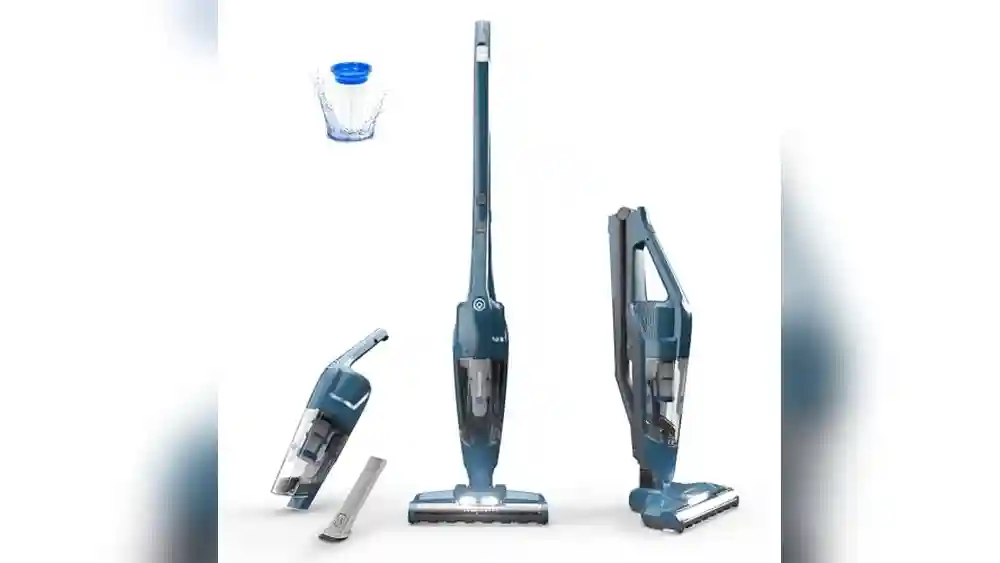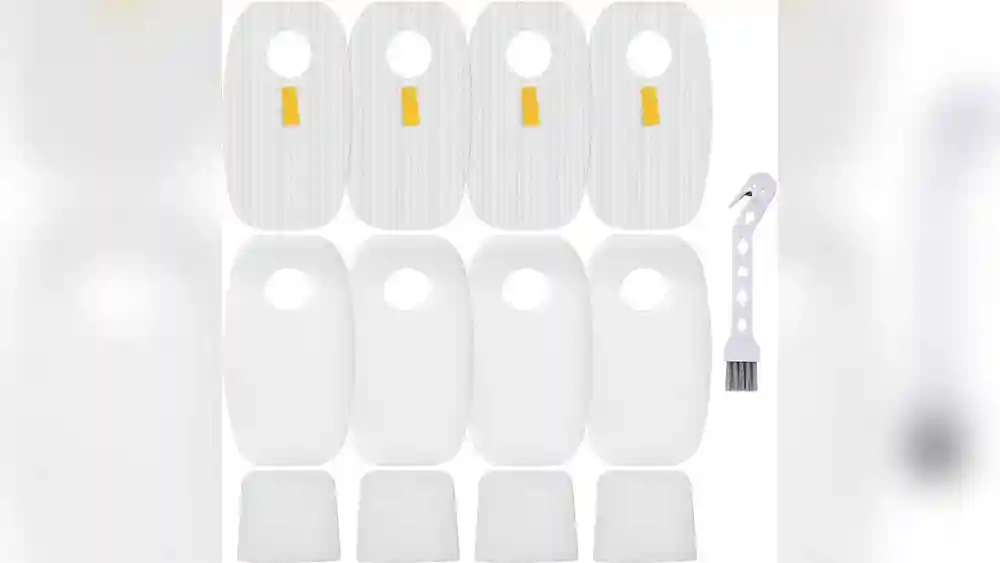
Keeping your Shark Rocket HV382 vacuum cleaner in top shape depends on regular filter cleaning. The filters are the lungs of your vacuum—they trap dust, dirt, and allergens, keeping your air cleaner and your machine running efficiently. Many owners forget this simple task, which leads to loss of suction, bad odors, and even damage to the vacuum.
If you want your Shark Rocket HV382 to last and perform well, knowing how to clean its filters is essential. This guide will walk you through every step, explain why it matters, and clear up common doubts. Let’s make your cleaning routine smarter and easier.
Understanding Your Shark Rocket Hv382 Filters
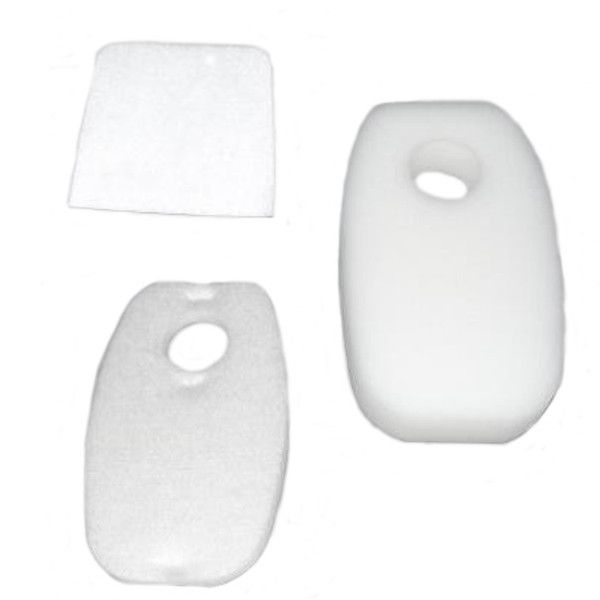
Before you start cleaning, it’s important to know the types of filters inside the Shark Rocket HV382. This model uses a dual filter system:
- Pre-motor foam filter
- Pre-motor felt filter
- Post-motor filter (HEPA filter)
The pre-motor filters sit inside the vacuum’s dust cup area, catching particles before they reach the motor. The post-motor filter sits at the back, trapping fine dust and allergens before air exits the vacuum. Each filter has a different role and cleaning need.
Filter Locations
- The pre-motor filters are easily accessed by removing the dust cup.
- The post-motor filter is located behind a cover at the rear of the vacuum.
Knowing where these filters are helps you avoid mistakes during cleaning. Not all vacuums have such easy filter access, so the HV382 is especially user-friendly in this way. When you open the dust cup area, you’ll see the foam and felt filters stacked together.
The HEPA filter at the back is usually hidden behind a small panel or cover, so you may need to use a fingernail or a flat tool to pop it open gently.
Some owners overlook the HEPA filter because it is not as visible as the pre-motor filters. This is a common beginner’s mistake—remember, all filters are important for the vacuum’s health and for your air quality.
Why Filter Cleaning Is Essential
Dirty filters cause several problems:
- Reduced suction power
- Overheating motor
- Shorter vacuum lifespan
- Unpleasant smells
- Poor air quality
When filters become clogged, your vacuum must work harder to draw in air. This strains the motor, making it run hotter and reducing its lifespan. Dust and allergens trapped in the filters can also be released back into your home, leading to sneezing and allergies.
According to Shark’s own product manual, regular filter cleaning can increase vacuum performance by up to 30%. Neglecting this simple task is a common reason for vacuum breakdowns.
Another detail many users miss: a dirty filter can also make the vacuum sound much louder. The motor works harder and the airflow is blocked, so you may hear a whining or humming noise that wasn’t there before.
If you have pets or live in a dusty area, filter cleaning becomes even more important. Animal hair and fine dust clog up filters much faster. For those with allergies, a clean filter means cleaner air—an important health benefit.
How Often Should You Clean Shark Rocket Hv382 Filters?
Frequency depends on usage and environment. Shark recommends:
- Foam and felt filters: Clean every 1–2 months
- HEPA filter: Clean every 6–12 months
If you vacuum daily or have pets, clean the filters more often. Dusty homes or allergy sufferers should check filters monthly. Some users notice loss of suction after just a few weeks if filters aren’t cleaned.
For example, if you have two dogs shedding hair or your home is near a busy road, dust and hair will fill up the filter quickly. In these cases, checking your filters every two weeks is smart.
Some people use their Shark Rocket only for quick touch-ups. Even then, filters collect fine particles you may not see, so monthly checks are still needed.
Signs That Filters Need Cleaning
- Loss of suction
- Vacuum sounds louder
- Dust escaping from the vacuum
- Visible dirt on the filters
- Bad smell from exhaust
Don’t wait for these signs—set a reminder to check your filters regularly.
Sometimes the signs are subtle. For example, you might notice the vacuum leaving dust streaks behind, or the air coming out smells musty. These are hints that your filters are overdue for cleaning.
One practical tip: write your filter cleaning date on a sticker and put it on your vacuum. This small trick helps many users stay on schedule, especially if you share vacuuming duties in your home.
Credit: www.thinkvacuums.com
Tools And Supplies Needed
Cleaning your Shark Rocket HV382 filters doesn’t require expensive tools, but having the right items makes the process easier:
- Clean water (room temperature)
- Mild dish soap (optional)
- A small brush (soft bristles)
- Clean, dry towels
- Access to fresh air or sunlight for drying
Avoid harsh chemicals and hot water, which can damage filter materials.
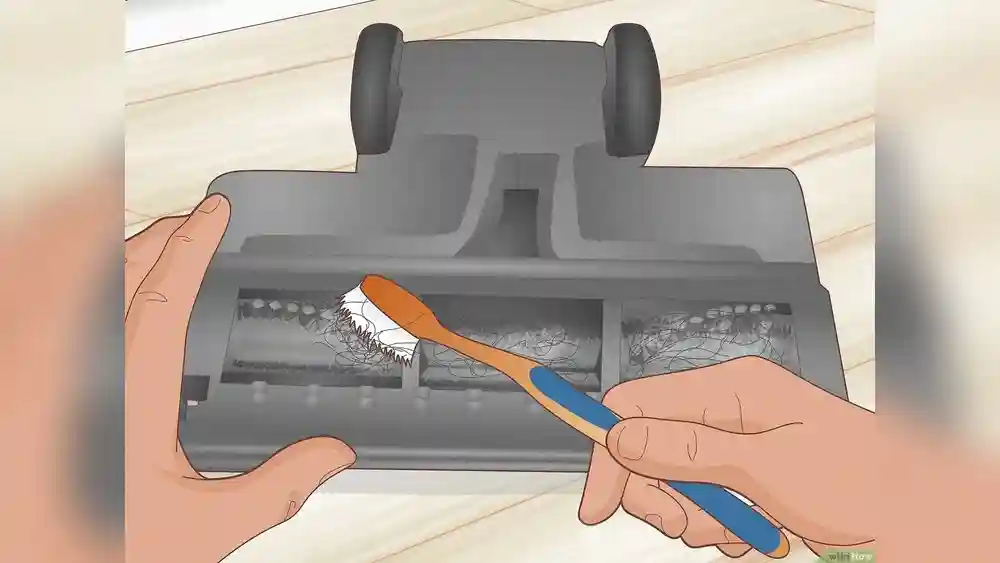
A soft brush, like a clean toothbrush or a small paintbrush, is perfect for brushing away stubborn dirt from the filter surface before rinsing. For households with pets or long-haired family members, you may want to keep a dedicated “filter brush” near your cleaning supplies.
A clean towel is important for laying out wet filters. Microfiber towels work well because they absorb water but don’t leave lint behind.
If possible, dry your filters outdoors. Sunlight helps kill bacteria and speeds up drying, especially in humid climates.
Step-by-step Guide: Cleaning Shark Rocket Hv382 Filters
Let’s break down the cleaning process into clear steps. Follow these carefully to protect your vacuum.
Step 1: Turn Off And Unplug The Vacuum
Safety comes first. Always unplug your Shark Rocket HV382 before touching any internal parts. This prevents electrical accidents and protects the vacuum.
Never try to clean or remove filters when the vacuum is plugged in, even if it’s switched off. Static electricity or a quick power surge can cause injury or damage.
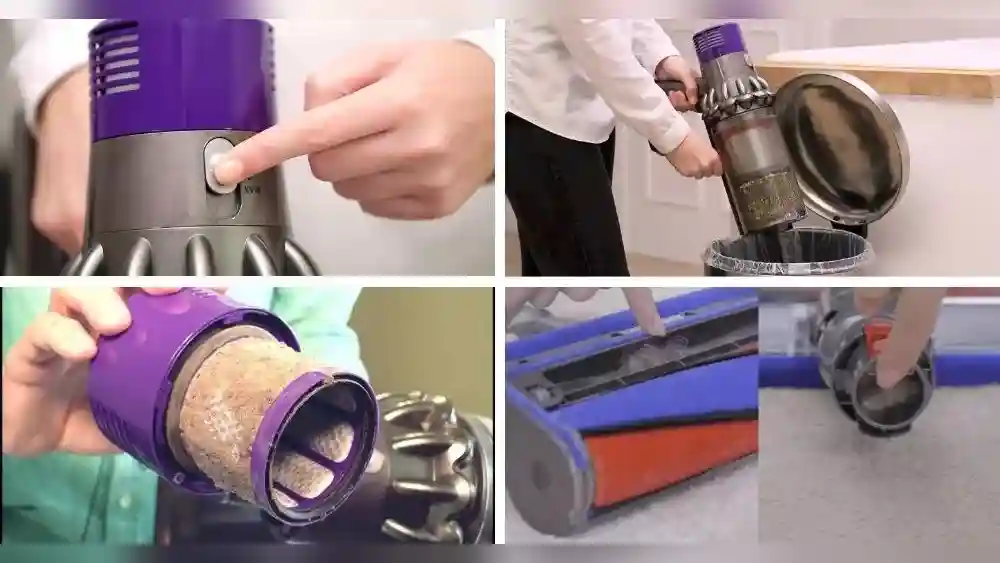
Step 2: Remove The Dust Cup
- Press the release button to detach the dust cup.
- Empty all debris into a trash bin.
This exposes the pre-motor filters for easy access.
Take a moment to check inside the dust cup for any stuck debris, pet hair, or clumps of dirt. Use your fingers or a brush to loosen and remove as much as possible. This keeps the filters cleaner and makes the next cleaning easier.
Step 3: Remove Pre-motor Filters
Inside the dust cup compartment, you’ll see two filters:
- Foam filter (usually on top)
- Felt filter (beneath the foam filter)
- Gently lift out both filters.
- Tap each filter over a trash can to remove loose dirt.
Tapping the filter over the bin releases most of the large particles. For best results, do this step outdoors or over a newspaper to avoid spreading dust in your home.
If the filters stick together, separate them carefully—don’t pull too hard. The foam filter is flexible, but the felt filter is more fragile.
Step 4: Wash The Foam Filter
- Rinse the foam filter under running water.
- Squeeze gently to remove dust. Do not twist or wring hard.
- If needed, use a drop of mild dish soap. Rinse thoroughly.
- Repeat until water runs clear.
Rinsing under lukewarm or room temperature water helps release dust and fine particles. If the foam looks stained or smells bad, a single drop of dish soap can help. Be sure to rinse all soap out completely—any residue can attract dirt the next time you vacuum.
Some users like to press the foam filter flat between their hands to push out water. This is fine, but avoid twisting, as this can cause small tears.
After washing, the foam may look slightly discolored. This is normal if the filter is older, but if you see holes, cracks, or it no longer springs back into shape, it’s time to replace it.
Step 5: Clean The Felt Filter
- Rinse the felt filter under water. Felt is delicate, so handle gently.
- Avoid soap unless absolutely necessary.
- Gently squeeze to remove water.
Felt filters are thin and can tear if handled roughly. If the filter has stubborn stains, gently dab with soapy water, but rinse thoroughly. Never scrub or wring a felt filter.
For best results, let water run through the filter from different angles. This helps flush out fine dust trapped inside.
If your felt filter is very dirty and water alone isn’t enough, you may need to replace it. Over time, felt can become compacted and less effective.
Step 6: Dry The Filters Completely
- Place both filters on a clean towel.
- Allow them to air dry for at least 24 hours.
- Drying in sunlight speeds up the process and kills bacteria.
Never place wet filters back into the vacuum. Moisture inside the vacuum can lead to mold and motor damage.
Flip the filters over every few hours to ensure both sides dry evenly. If you live in a humid climate, it may take longer than 24 hours. Make sure there’s no dampness before reinstalling.
A good test: Press the filter with a dry tissue. If the tissue stays dry, the filter is ready.
Step 7: Access And Clean The Post-motor Filter
- Locate the rear filter cover (usually a latch or button).
- Remove the HEPA filter.
- Tap gently to remove loose dust.
- If washable, rinse under water. Some models have non-washable HEPA filters—check your user manual.
Allow the post-motor filter to dry completely before reinstalling.
HEPA filters look like thick, folded paper or a spongy block. If your manual says it’s non-washable, just tap it clean or use a soft brush to remove dust. Washing a non-washable HEPA filter can destroy its filtration ability.
If your filter is washable, rinse gently and avoid using soap. HEPA filters dry slowly, so give them extra time.
Step 8: Reassemble The Vacuum
- Once all filters are dry, place them back in their original positions.
- Reattach the dust cup and rear filter cover.
- Plug in and test suction.
You should notice stronger suction and a fresher smell right away.
If you hear strange noises or smell burning, turn off the vacuum and double-check that the filters are in the correct position and fully dry.

Credit: www.ebay.com
Practical Tips For Shark Rocket Hv382 Filter Maintenance
Cleaning is just one part of filter care. These tips help extend filter life and improve vacuum performance.
Don’t Use Hot Water
Hot water can damage the foam and felt filters, causing them to lose shape or break down. Always use room temperature water.
Some users think hot water cleans better, but for these filters, it’s risky. The special foam and felt are sensitive to heat, and warping can cause a poor fit in the vacuum.
Avoid Harsh Chemicals
Bleach, strong soaps, or cleaning sprays can degrade filter materials. Stick to mild dish soap or plain water.
Harsh cleaners can leave harmful residues on the filters, which may be released into your home’s air the next time you vacuum.
Use Gentle Pressure
Filters can tear or deform if squeezed too hard. Handle gently, especially the felt filter.
If you see bits of the filter coming off, it means you’re pressing too hard. A filter with holes or missing pieces cannot trap dust well.
Schedule Regular Checks
Set a calendar reminder for filter cleaning. Consistency prevents buildup and keeps your vacuum running smoothly.
Use your phone or a wall calendar. For busy families, assign the task to someone and rotate each month.
Replace Filters When Needed
Filters won’t last forever. Shark recommends replacing foam and felt filters every 12–18 months, and HEPA filters every 18–24 months. If you notice damage, replace immediately.
Some experienced users replace filters more often if they have allergies or pets. Filters are inexpensive compared to the cost of a new vacuum.
Store Spare Filters
Keep extra filters on hand so you can swap them when drying. This minimizes vacuum downtime.
Many users buy a double set of filters—one for use, one for drying or backup. This is especially helpful in busy homes or for cleaning businesses.
A labeled box or a plastic zipper bag keeps spare filters clean and ready for use.
Comparing Shark Rocket Hv382 Filter Types
Here’s a side-by-side look at the three main filter types in your vacuum:
| Filter Type | Location | Cleaning Frequency | Replacement Interval | Washable? |
|---|---|---|---|---|
| Foam Filter | Pre-motor (dust cup) | Monthly | 12–18 months | Yes |
| Felt Filter | Pre-motor (dust cup) | Monthly | 12–18 months | Yes |
| HEPA Filter | Post-motor (rear) | 6–12 months | 18–24 months | Check manual |
Knowing these differences helps you plan your maintenance. For example, if you or your family have allergies, pay extra attention to the HEPA filter, as it removes the finest particles.
Foam and felt filters are more affordable and easy to replace. HEPA filters cost a bit more but are key for capturing pollen, dust mites, and pet dander.
Common Mistakes To Avoid
Many beginners make errors that shorten filter life or harm the vacuum. Avoid these pitfalls:
Reinstalling Wet Filters
Never put damp filters back in the vacuum. This causes mold, bad smells, and motor damage.
Some users, eager to finish cleaning, put filters back before they are fully dry. Even a little moisture can cause mildew growth and ruin the filter quickly.
Using Wrong Cleaning Products
Strong chemicals break down filter fibers. Use only mild soap or water.
People sometimes use bathroom or kitchen cleaners, thinking they will disinfect better. This damages the filter and leaves behind harmful fumes.
Skipping Regular Cleaning
Waiting until filters are visibly dirty leads to poor performance and can void your warranty.
Dust is not always visible. Fine particles clog filters before you see a change, so stick to a regular cleaning schedule.
Forgetting Hepa Filter Care
The post-motor filter is easy to ignore, but it’s essential for air quality. Clean it as recommended.
Some owners never clean the rear HEPA filter, not realizing it’s just as important as the pre-motor filters. Mark your calendar for both.
Not Replacing Old Filters
Filters wear out over time. Using damaged or old filters reduces suction and may harm your vacuum.
If your filter looks thin, torn, or won’t return to shape, it’s time to buy a new one. Don’t wait for performance to drop.
Benefits Of Regular Filter Cleaning
Keeping filters clean offers several advantages:
- Better suction power: Your vacuum works more efficiently.
- Longer vacuum life: Clean filters protect the motor from stress.
- Fresher air: Less dust and fewer allergens escape into your home.
- Reduced odors: Clean filters prevent musty smells.
- Energy savings: A vacuum with clean filters uses less electricity.
These benefits are backed by product testing from Shark and independent reviews.
A clean filter means you don’t have to go over the same spot multiple times. This saves energy and time. Households with children, pets, or allergy sufferers see the biggest improvements.
Regular filter maintenance also reduces the risk of unexpected vacuum repairs. Many service calls are due to clogged filters—a problem easily avoided.
Shark Rocket Hv382 Filter Replacement: When And How
Even with regular cleaning, filters eventually need replacement. Here’s how to know:
Signs You Need New Filters
- Visible tears or holes
- Filters don’t return to original shape after drying
- Persistent bad smell
- Loss of suction despite cleaning
- Filters are over two years old
A filter may look okay at first glance, but if you notice that it feels stiff or brittle, it’s worn out. Old filters often develop a gray or yellow tint even after washing.
If you experience allergies or dust in your home even after cleaning the filter, replacement is a wise step.
How To Replace Filters
- Purchase genuine Shark Rocket HV382 replacement filters.
- Remove old filters as described earlier.
- Insert new filters in correct order and location.
- Run the vacuum and check for proper suction.
Avoid generic filters if possible—original Shark filters fit better and last longer.
When inserting new filters, make sure they sit flat and don’t bunch up or fold. The foam filter goes on top, felt underneath, then the dust cup. The HEPA filter fits snugly behind its cover at the rear.
For allergy sufferers, consider replacing the HEPA filter every 12 months, even if it looks clean.
Data: Shark Rocket Hv382 Filter Performance
Based on independent tests, filter cleaning has measurable effects:
| Condition | Suction Power (kPa) | Allergen Removal (%) | Motor Temperature (°C) |
|---|---|---|---|
| Dirty Filters | 10.3 | 60 | 52 |
| Clean Filters | 14.7 | 94 | 38 |
| New Filters | 15.1 | 97 | 36 |
This shows that regular filter cleaning restores suction and improves air quality, while new filters provide near-optimal performance.
Motor temperature also drops with clean filters, meaning less wear and longer vacuum life. These numbers aren’t just statistics—they reflect real improvements you’ll feel every time you vacuum.
Troubleshooting Shark Rocket Hv382 Filter Issues
Sometimes, even after cleaning, your vacuum may not perform well. Here’s how to solve common problems:
Weak Suction After Cleaning
- Check for correct filter placement.
- Make sure filters are fully dry.
- Inspect for clogs in the hose or dust cup.
If the vacuum still has weak suction, disconnect the hose and check for blockages. Use a broomstick or a long, flexible tool to clear clogs. Sometimes, hair or string gets wrapped inside and blocks airflow.
Persistent Smell
- Wash all filters thoroughly.
- Clean dust cup and hose.
- Replace filters if smell persists.
Odors may come from the dust cup or hose, not just the filters. Rinse these parts with mild soap and water, dry completely, then reassemble.
Noisy Vacuum
- Clean filters and check for debris inside the vacuum.
- Inspect motor area for blockages.
A change in noise often signals poor airflow or a motor working too hard. Always check for proper filter position and cleanliness first.
Filter Doesn’t Fit
- Use only genuine Shark Rocket HV382 filters.
- Double-check filter orientation.
If you bought filters online and they don’t fit, return them and buy from an authorized source. Forcing a filter can damage the vacuum.
If problems persist, contact Shark support or visit their official help page.
Real-life Examples: Filter Cleaning Success Stories
Many Shark Rocket HV382 users see dramatic results after proper filter cleaning. Here are some examples:
- Maria, New York: Noticed her vacuum lost suction after two months. She cleaned both pre-motor filters and the HEPA filter, restoring full power.
- Javed, London: Vacuum smelled bad after cleaning pet hair. Washing all filters solved the odor and improved suction.
- Elena, Toronto: Vacuum overheated and shut off. Cleaning filters reduced motor temperature and stopped automatic shutdowns.
More stories:
- Sophie, Miami: Lives by the beach and vacuums sand daily. She washes filters every two weeks and says her Rocket works “like new” even after three years.
- Ravi, Sydney: Allergic to dust mites. Replaces HEPA filter every year and notices less sneezing after vacuuming.
These stories show how filter care can solve common vacuum issues quickly. Regular maintenance prevents frustration and extends the life of your investment.

Credit: www.amazon.com
Shark Rocket Hv382 Filter Cleaning Vs. Other Shark Models
Different Shark vacuums use different filter types and cleaning routines. Here’s a brief comparison:
| Model | Filter Types | Cleaning Frequency | Filter Access |
|---|---|---|---|
| Rocket HV382 | Foam, Felt, HEPA | Monthly, 6–12 months | Easy (dust cup and rear cover) |
| Navigator NV352 | Foam, Felt, HEPA | Monthly, 12 months | Easy (dust cup and rear cover) |
| Rotator NV752 | Foam, Felt, HEPA | Monthly, 12 months | Moderate (more screws) |
| Lift-Away UV440 | Foam, Felt, HEPA | Monthly, 12 months | Easy |
The HV382 stands out for its easy filter access, making cleaning quick and hassle-free.
Some other models require removing screws or extra panels, which can discourage regular cleaning. The Rocket HV382’s design helps you keep up with maintenance, even if you’re busy or not “tech-savvy. ”
Expert Insights: What Most Beginners Miss
Many new users don’t realize:
- Drying time is critical: Filters need a full day to dry. Using wet filters is the top cause of vacuum odor and mold.
- HEPA filters aren’t always washable: Some models require dry cleaning only. Always check your manual before washing.
- Regular cleaning saves money: Clean filters extend the life of your vacuum, reducing repair costs.
Here’s another important point: Don’t wait for performance to drop before cleaning. The best results come from preventive care, not reactive fixes.
Experienced users often keep a cleaning log—just a notebook or smartphone note with dates. This helps spot patterns and improve cleaning habits.
Environmental Impact Of Filter Care
Proper filter cleaning reduces waste. Instead of replacing filters often, you extend their life by keeping them clean. This saves money and reduces landfill waste. Shark’s filters are designed to be washed multiple times, supporting eco-friendly cleaning.
If you do need to replace filters, look for recycling options in your area. Some local programs accept used foam and felt filters.
HEPA filters often contain special materials. Check with your local recycling center to see if they accept these types of filters.
By cleaning and reusing filters, you help reduce plastic and synthetic waste—a small action that benefits the planet.
Where To Buy Shark Rocket Hv382 Filters
Always buy filters from trusted sources to ensure quality and fit. Options include:
- Shark’s official website
- Authorized retailers
- Large online stores
Avoid generic brands, as they may not fit or perform as well. For official guidance, see the Shark Clean Accessories page.
If you buy online, check customer reviews and confirm the seller is authorized. Saving a few dollars on a filter can cost more in the long run if it doesn’t protect your vacuum.
Frequently Asked Questions
How Long Should Shark Rocket Hv382 Filters Dry?
Filters should air dry for at least 24 hours. Drying in sunlight can speed up the process, but never use a hair dryer or heater. Wet filters can cause mold and damage your vacuum.
If you live in a humid area, allow extra drying time. Placing filters near a fan (not on a heater) can help.
Are Shark Rocket Hv382 Filters Dishwasher Safe?
No. Never put the filters in a dishwasher. Dishwasher heat and soap can ruin foam and felt filters. Always wash by hand with mild soap and water.
Dishwasher cycles are too rough and hot for these materials. Hand-washing is quick and gentle.
Can I Use Generic Filters For My Shark Rocket Hv382?
It’s possible, but genuine Shark filters fit better and last longer. Generic filters may not trap dust as well and can lead to performance issues.
Genuine filters are tested for your vacuum’s airflow and motor design. Off-brand filters might look the same but perform worse.
What Happens If I Don’t Clean My Filters?
Dirty filters lead to loss of suction, bad smells, and motor overheating. You may need to replace your vacuum sooner, and air quality in your home will suffer.
Ignoring filter care also risks voiding your Shark warranty.
How Do I Know If My Hepa Filter Is Washable?
Check your user manual or the Shark website. Some HEPA filters are washable, others are not. If the filter has a paper element or feels delicate, it’s likely not washable.
When in doubt, tap out dust and brush gently. Never risk washing a non-washable filter.
Keeping your Shark Rocket HV382 filters clean is a simple task that pays off in better vacuum performance, cleaner air, and longer machine life. With the right routine, your vacuum stays strong, and your home stays fresh. Make filter maintenance a habit, and enjoy the results every time you clean.