If your cordless vacuum suddenly stopped working, you’re not alone. Many people experience this frustrating problem. You may have been cleaning and, out of nowhere, the motor stopped, the lights went off, or the vacuum simply lost power. It’s easy to think the vacuum is broken for good, but often, the cause is something small you can fix yourself. Understanding why this happens can save you time, money, and unnecessary stress.
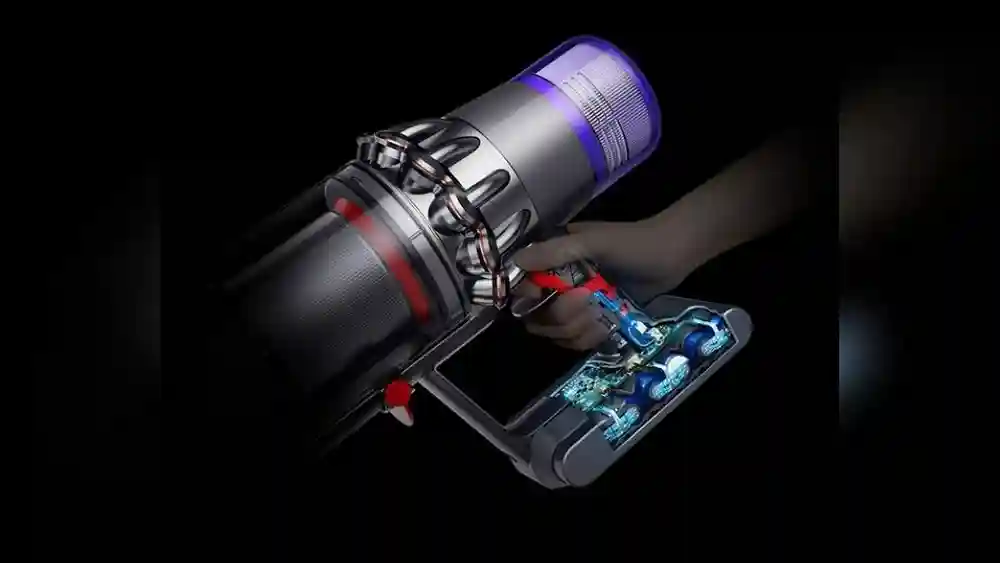
Cordless vacuums are convenient, but they depend on batteries, electronic parts, and motors. When one part fails, the whole machine can stop. Let’s look at the main reasons your cordless vacuum might suddenly stop working, how to fix them, and what you can do to prevent future problems.
Common Causes Of Sudden Cordless Vacuum Failure
Several things can cause your cordless vacuum to stop working without warning. Most are easy to check and fix at home.
1. Battery Problems
The most common reason for a cordless vacuum to stop is battery failure. Over time, batteries lose their ability to hold a charge. In some cases, the battery may have drained completely or become disconnected.
Signs of battery issues:
- The vacuum won’t turn on, even after charging.
- The vacuum runs for a few seconds and stops.
- The charging light does not appear.
Quick checks and solutions:
- Make sure the charger is plugged in and the power outlet works.
- Remove the battery (if possible) and reinsert it to ensure it’s seated correctly.
- Try charging the vacuum for several hours.
- If the battery is old (over 2-3 years), it may need replacement.
Non-obvious insight: Some batteries have built-in safety features that stop them from charging or powering the vacuum if they get too hot or too cold. If your vacuum was left in a hot car or a cold garage, let it reach room temperature before trying again.
2. Blocked Filters Or Air Pathways
Cordless vacuums rely on clean air flow. Clogged filters or blocked tubes will cause the vacuum to shut down to prevent overheating.
What to look for:
- Reduced suction before the vacuum stopped.
- Dust, hair, or debris packed inside the filter or tubes.
- A burning smell or the motor feels hot.
How to fix:
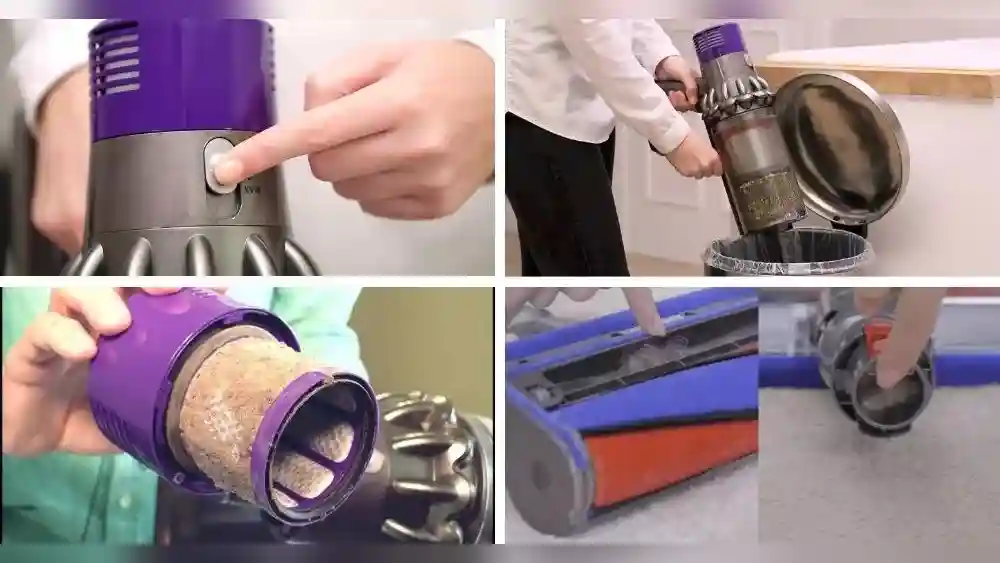
- Remove and clean all filters (refer to the manual for locations).
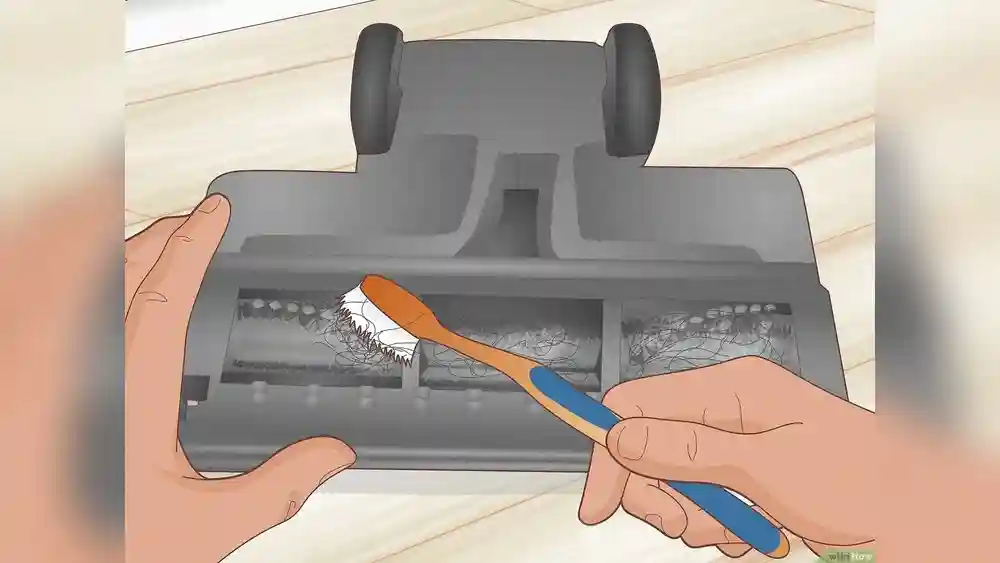
- Check for blockages in the suction tube, dustbin, and brush head.
- Wash filters if they’re washable and let them dry fully before reinstalling.
Pro tip: Even a small piece of debris can trigger the vacuum’s sensors to shut it off. Shine a flashlight through the tubes to check for hidden blockages.
3. Overheating Protection
Most modern cordless vacuums have a safety feature that turns them off if they get too hot. This helps prevent damage to the motor.
Possible triggers:
- Running the vacuum for a long time without breaks.
- Using it in a hot environment.
- Blocked air paths causing the motor to work harder.
How to respond:
- Let the vacuum cool down for at least 30 minutes.
- Check and clean filters and airways.
- Avoid using the vacuum on thick carpets for long periods.
4. Electrical Or Connection Issues
Loose or damaged wires inside the vacuum can cut off power. This is less common but can happen if the vacuum is dropped or handled roughly.
What you might notice:
- The vacuum cuts out when you move it or shake it.
- The charging light flickers or does not come on.
What to do:
- Inspect the battery contacts and terminals for dirt or corrosion.
- Gently clean contacts with a dry cloth.
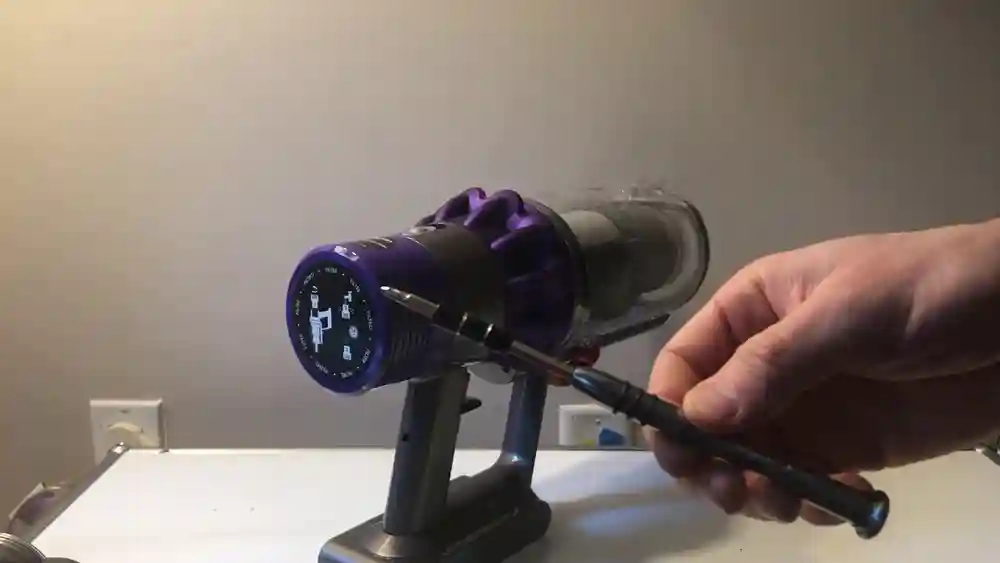
- If you feel confident, check for loose wires (only if the vacuum is out of warranty).
Safety tip: Do not open the vacuum if you are not sure what you’re doing. This can void your warranty and may be dangerous.
5. Faulty Charger Or Charging Dock
Sometimes, the vacuum is fine, but the charger or dock is the problem.
Check for:
- Damaged charging cable or plug.
- Docking station lights do not turn on.
How to check:
- Try a different outlet.
- Test the charger with another device, if possible.
- Borrow a charger from a friend with the same vacuum model.
Hidden cause: Occasionally, power surges can damage chargers. Using a surge protector can help prevent this.
How To Diagnose The Problem
If your cordless vacuum stopped working, a step-by-step approach helps you find the cause quickly.
- Check the battery and charger first. These are the easiest parts to test.
- Look for blockages in the dustbin, tubes, and filters.
- Let the vacuum cool down if you suspect overheating.
- Inspect for loose parts or damaged wires if nothing else works.
This method saves time and prevents unnecessary part replacements.

Credit: urbanclap.ae
Comparing Cordless Vacuum Troubleshooting Steps
To make it easier, here’s a comparison of what to check based on the symptom your vacuum shows.
| Symptom | Most Likely Cause | First Step to Try |
|---|---|---|
| Won’t turn on at all | Battery or charger problem | Check charger and battery seating |
| Turns on, then stops | Blockage or overheating | Clean filters and airways |
| No charging light | Faulty charger/dock | Try different charger/outlet |
| Runs for short time only | Old or weak battery | Test or replace battery |
How To Fix A Cordless Vacuum That Stopped Suddenly
Once you know the cause, fixing it is usually simple. Here’s what to do for each main problem.
Fixing Battery Problems
- If the battery is not charging, try cleaning the battery contacts.
- Replace the battery with a new one that fits your model.
- Never force a battery into place; check for correct alignment.
Clearing Blockages And Cleaning Filters
- Remove the dustbin and empty it.
- Take out all filters. Tap them gently to remove dust. Wash if possible.
- Use a long stick or pipe cleaner to push out blockages in tubes or the brush head.
Resetting After Overheating
- Let the vacuum rest in a cool, dry place for 30 minutes or more.
- After cooling, test the vacuum.
- Avoid using the vacuum on thick carpets or for long periods without breaks.
Fixing Charger Or Dock Issues
- Inspect the charger and cord for visible damage.
- Try charging another device, if compatible, to test the charger.
- Replace the charger if it’s not working.
Dealing With Loose Or Damaged Parts
- If the vacuum only works when you hold it a certain way, there may be a loose wire.
- If under warranty, contact the manufacturer for a repair or replacement.
- If out of warranty and you have technical skills, open the vacuum and check for disconnected wires.
When To Repair Vs. Replace
Sometimes, a cordless vacuum stops working because a part has failed permanently. Here are signs you might need a new one:
- The battery won’t hold a charge, and a new battery is almost as expensive as a new vacuum.
- The motor is making grinding noises or smells burnt.
- Replacement parts are unavailable for your model.
Tip: If your vacuum is more than five years old, buying a new model may be more cost-effective.
How To Prevent Future Problems
A little maintenance can keep your cordless vacuum working for years.
- Clean filters regularly—at least once a month, more often with heavy use.
- Don’t let the battery fully discharge every time. Charge before it’s empty.
- Store the vacuum indoors and avoid extreme hot or cold temperatures.
- Empty the dustbin after every use to prevent blockages.
- Avoid vacuuming up large objects that can clog tubes.
These habits will extend the life of your vacuum and reduce sudden failures.
Comparing Battery Lifespans Of Popular Cordless Vacuums
Here’s a quick look at average battery lifespans for top cordless vacuum brands:
| Brand | Average Battery Lifespan | Replacement Cost |
|---|---|---|
| Dyson | 3-5 years | $60-$120 |
| Shark | 2-4 years | $40-$80 |
| Tineco | 2-3 years | $50-$90 |
Insight: Some vacuums let you swap batteries easily, while others require tools or a service center. Choose a model with easy battery access if you want lower long-term costs.
Why Cordless Vacuums Fail More Often Than Corded Models
Cordless vacuums have more parts that can fail. Here’s a side-by-side comparison:
| Type | Main Failure Points | Ease of Repair |
|---|---|---|
| Cordless | Battery, charger, electronics | Moderate to difficult |
| Corded | Motor, cord, switch | Easy to moderate |
Cordless models are convenient but need more care. Batteries wear out over time, and complex electronics can develop faults.

Credit: www.youtube.com
When To Contact Customer Support
If you’ve tried all the steps above and your vacuum still doesn’t work, it’s time to contact the manufacturer. Most brands offer help online or by phone. Have your model number, purchase date, and a description of the problem ready. For more detailed support, you can check Consumer Reports for expert advice.
Frequently Asked Questions
Why Does My Cordless Vacuum Only Run For A Few Seconds And Then Stop?
Usually, this means the filter or air pathway is blocked. The motor shuts off to prevent overheating. Clean the dustbin, filters, and tubes thoroughly. If the vacuum still stops, the battery may be weak.
How Do I Know If My Cordless Vacuum Battery Is Dead?
If the vacuum won’t turn on, even after a full charge, or only runs for a very short time, the battery is likely dead. Try a new battery if possible. If the problem continues, the vacuum’s electronics may be at fault.
Can I Replace The Battery Myself?
Many cordless vacuums have removable batteries you can replace at home. Check your manual for instructions. If the battery is built-in, you may need a service center to replace it.
Why Did My Vacuum Stop After Overheating, And How Long Should I Wait?
Most vacuums have thermal cut-off protection. If the vacuum overheats, it turns off and will not restart until it cools down. Wait at least 30 minutes, then try again. Clean the filters and airways to prevent future overheating.
My Vacuum Charger Shows A Green Light, But The Vacuum Won’t Start. What’s Wrong?
A green light usually means the battery is charged. If the vacuum won’t start, the battery may be faulty or the vacuum has an internal problem. Try another battery if possible, or contact customer service for help.
A cordless vacuum can stop working suddenly for many reasons, but most problems are simple to fix. By checking the battery, cleaning filters, and looking for blockages, you can solve most issues yourself. Regular maintenance prevents future surprises. If nothing works, don’t hesitate to ask for expert help or consider an upgrade.
With the right care, your vacuum will keep your home clean for years to come.

Credit: www.wikihow.com