The Dyson Cyclone V10 Animal Cordless Vacuum Cleaner is a favorite for many homes because of its powerful suction and flexible design. However, after years of use, the battery can lose its charge or fail completely. Replacing the battery is not just about restoring cleaning power—it also extends the life of your vacuum and saves you money. This guide will help you understand when and how to replace the battery, what to look for when buying a new one, and common mistakes to avoid. If you’ve never done a battery replacement before, don’t worry. With the right steps, the process is straightforward and safe.
Why Battery Replacement Matters
Batteries do not last forever. Over time, the Dyson V10 Animal's battery will charge less fully and run out faster. You might notice that a full charge lasts for only a few minutes, or the vacuum won’t start at all. Instead of buying a new vacuum, you can simply replace the battery and get back full cleaning power. This is both cost-effective and better for the environment.
Signs Your Dyson V10 Animal Needs A New Battery
It’s important to know when your vacuum’s battery is truly the problem. Look for these clear signs:
- Short Run Time: Even after a full charge, the vacuum runs for much less than the stated 60 minutes (on low power).
- Won’t Hold Charge: The vacuum does not charge or loses charge quickly.
- Flashing Red Light: A blinking red light on the vacuum often means battery failure.
- Sudden Power Loss: The vacuum shuts off suddenly, even though you just charged it.
If you notice these issues, a new battery is likely needed.
Credit: www.dyson.com
What To Know Before You Buy A Replacement Battery
Not all replacement batteries are the same. Here’s what really matters:
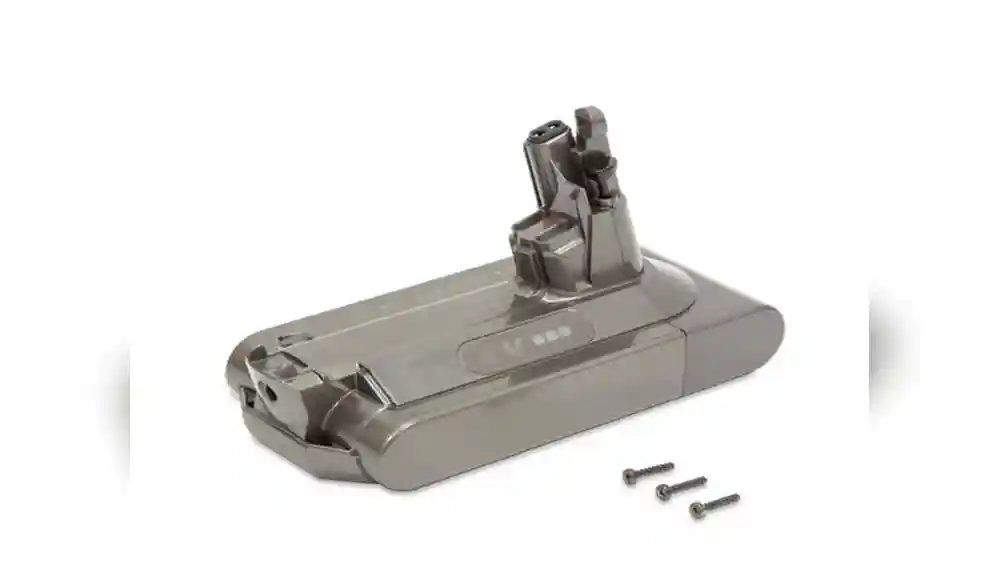
- Compatibility: Only buy batteries made for the Dyson Cyclone V10 Animal. Check the model number carefully.
- Capacity (mAh): Higher mAh (milliamp hours) means longer run time. Original batteries are around 2600mAh. Some third-party batteries offer up to 4000mAh, but not all are safe.
- Warranty: A good battery should have at least a 6–12 month warranty.
- Certifications: Look for safety marks like CE, UL, or RoHS.
Never buy a very cheap or generic battery. These can be unsafe, damage your vacuum, or perform poorly.
Tools And Preparation
You do not need many tools to change the battery, but you do need the right ones:
- Small Phillips screwdriver (most replacements use these screws)
- New compatible battery
- Clean, flat workspace
- Safety gloves (optional, but recommended)
Before you begin, unplug the charger and make sure the vacuum is completely off.
The 10 Key Steps To Replace The Dyson V10 Animal Battery
Replacing the battery is easier than you might think. Here are the 10 essential steps:
1. Power Off And Unplug
Make sure your Dyson V10 Animal is switched off. If it’s charging, unplug it to avoid any electric shock.
2. Remove The Vacuum Wand And Attachments
Press the red release button to disconnect the wand and any cleaning attachments. This makes handling the vacuum easier.
3. Locate The Battery Screws
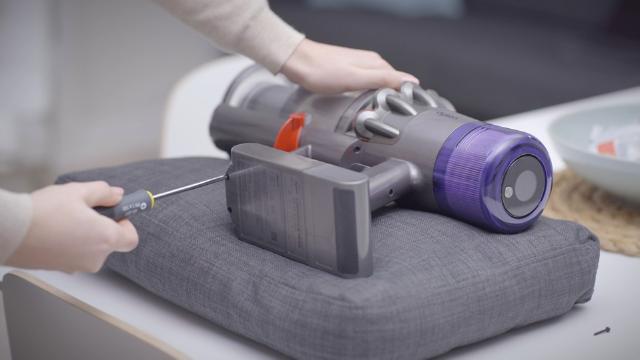
Turn the vacuum upside down. You’ll see the battery at the handle’s base, secured by three small screws. Two are on each side of the handle; one is at the back near the trigger.
4. Unscrew The Battery
Using your Phillips screwdriver, carefully remove the three screws. Keep them in a small container so you don’t lose them.
5. Detach The Old Battery
Gently slide the battery out of the handle. If it sticks, wiggle it slightly—do not force it.
6. Inspect The Battery Bay
Check for any dust, debris, or corrosion where the battery connects. Wipe with a dry cloth if necessary. This ensures a good connection for your new battery.
7. Insert The New Battery
Slide the new battery into the handle until it clicks or fits snugly. Make sure the screw holes line up.
8. Replace And Tighten Screws
Put the screws back in and tighten them gently. Do not overtighten, as this can damage the plastic.
9. Reattach The Wand And Attachments
Click the wand and any attachments back into place. The vacuum should look just as it did before.
10. Charge Fully Before First Use
Plug in your Dyson V10 Animal and let the new battery charge completely (usually 3. 5 hours). This helps the battery reach its full capacity.
Comparison: Genuine Vs. Third-party Batteries
Choosing between a genuine Dyson battery and a third-party option can be confusing. Here’s a simple comparison:
| Feature | Genuine Dyson Battery | Third-Party Battery |
|---|---|---|
| Price | Higher ($80–$120) | Lower ($35–$70) |
| Warranty | 12 Months | 6–12 Months |
| Compatibility | Guaranteed | Sometimes varies |
| Safety Certifications | Always present | Check carefully |
| Battery Capacity | 2600mAh | 2600–4000mAh |
Genuine batteries offer peace of mind, but some third-party batteries are reliable if you check reviews and certifications.
Battery Life Expectancy And Maximizing Performance
A Dyson V10 battery lasts typically 3–5 years with regular use. Some users get even more if they follow good practices:
- Do not always run the vacuum on “Max” power, as this drains the battery faster.
- Store the vacuum indoors, away from extreme heat or cold.
- Charge the battery after each use, but avoid leaving it plugged in for weeks.
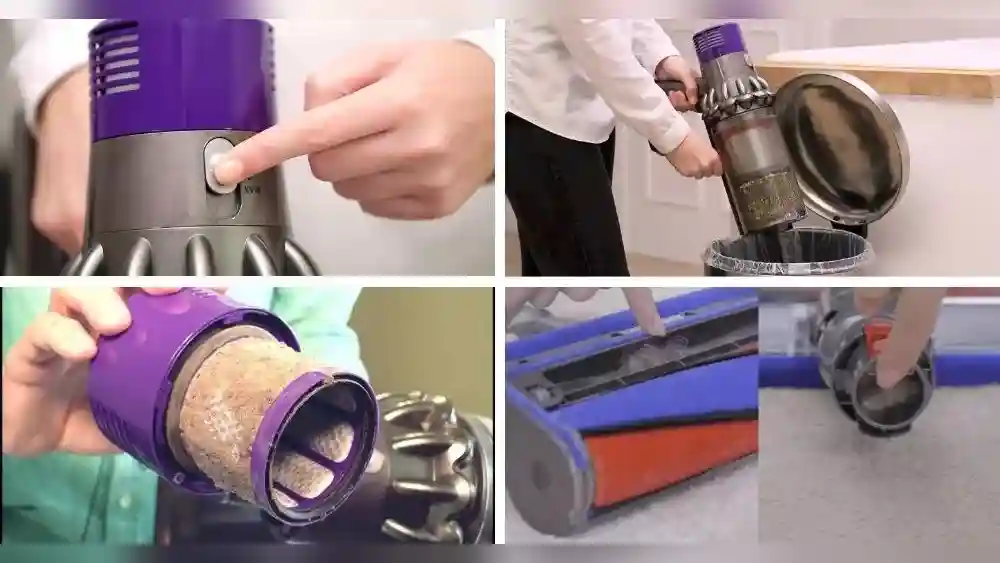
- Clean the vacuum filter monthly to reduce stress on the battery.
If you notice power loss, check the filter and brush bar for blockages before replacing the battery.
Common Mistakes To Avoid
Battery replacements are simple, but many users make avoidable errors:
- Buying the Wrong Battery: Not all V10 batteries fit every V10 model. Double-check your serial number.
- Forgetting to Unplug: Always disconnect from power before starting.
- Overtightening Screws: This can crack the handle.
- Not Charging the New Battery: Skipping the first full charge reduces battery life.
- Ignoring Compatibility Warnings: Some batteries may not work with newer firmware.

Credit: www.amazon.com
Real-world Example: Cost And Time Savings
A Dyson V10 Animal vacuum costs around $500 new. A battery replacement costs $40–$120, depending on the brand. Most people finish the replacement in under 10 minutes. For many, this saves hundreds and extends the vacuum’s life by years.
Safety Tips
- Only use batteries with proper safety certifications.
- Do not open, crush, or puncture batteries.
- If a battery feels hot or swells, stop using it immediately.
- Recycle old batteries at a certified drop-off point.
Environmental Impact
By replacing the battery instead of buying a new vacuum, you reduce electronic waste. Proper recycling of old lithium-ion batteries prevents toxic chemicals from entering landfills.
Troubleshooting After Replacement
If your vacuum still doesn’t work after installing a new battery, try these steps:
- Check that the battery clicks in fully.
- Inspect the charger and cord for damage.
- Make sure the filter and bin are correctly installed.
- If the vacuum flashes a red light, the battery may be faulty or the vacuum needs servicing.
Quick Reference: Dyson V10 Battery Replacement Process
Here’s a summary for quick recall:
| Step | Action |
|---|---|
| 1 | Power off and unplug |
| 2 | Remove wand and attachments |
| 3 | Locate battery screws |
| 4 | Unscrew battery |
| 5 | Detach old battery |
| 6 | Inspect battery bay |
| 7 | Insert new battery |
| 8 | Replace and tighten screws |
| 9 | Reattach wand and attachments |
| 10 | Charge fully before use |
Where To Buy Genuine Replacement Batteries
The safest place to buy a new battery is directly from the Dyson official website or certified retailers. While online marketplaces offer cheaper options, always check reviews, ratings, and certifications. For more information on battery safety and recycling, visit the US Environmental Protection Agency.

Credit: www.amazon.com
Frequently Asked Questions
How Long Does A Dyson V10 Animal Battery Last?
A well-maintained Dyson V10 Animal battery usually lasts 3–5 years. With heavy use or regular “Max” mode, life can be shorter. Signs like fast power loss or charging failure mean it’s time for a new one.
Can I Use Any V10 Battery For My Dyson Cyclone V10 Animal?
No, you must buy a compatible battery. Some V10 models have different connectors. Always check your vacuum’s serial number and match it with the battery listing.
Is It Safe To Use Third-party Batteries?
Many third-party batteries are safe if they have proper safety certifications (CE, UL, RoHS) and good reviews. Avoid very cheap, unbranded batteries. Always buy from trusted sellers.
What Should I Do With My Old Battery?
Recycle your old lithium-ion battery at a local electronics or battery recycling center. Never throw it in the trash. Proper recycling protects the environment and follows local laws.
My Vacuum Still Won’t Work After Battery Replacement—what Now?
Double-check that the battery is fully inserted and charged. Make sure all parts, like the filter and bin, are in place. If problems continue, contact Dyson support for help.
Replacing the battery in your Dyson Cyclone V10 Animal Cordless Vacuum Cleaner is a smart way to restore cleaning power, save money, and help the environment. With the right steps, tools, and safety practices, anyone can do it at home—no special skills required.