When your vacuum cleaner stops working, it can be frustrating and inconvenient. It often happens at the worst moment—right before guests arrive, or when you’re halfway through cleaning. But don’t panic or rush to buy a new vacuum just yet. Most vacuum cleaner problems are simple and can be fixed at home with basic tools and a little patience. This guide will help you diagnose and repair the most common vacuum cleaner issues, saving you time and money. You’ll also learn how to prevent these problems in the future, so your vacuum lasts longer and performs better.
Understanding The Basics: How A Vacuum Cleaner Works
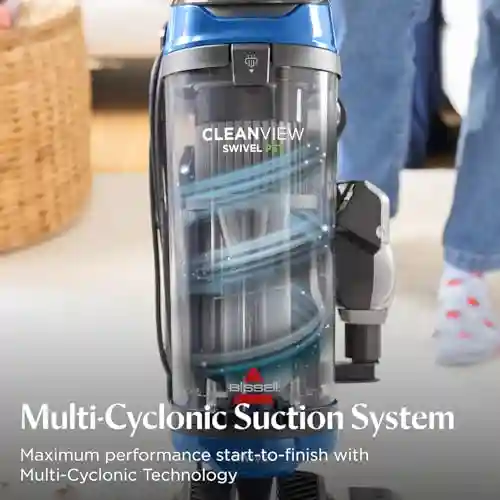
Before you start fixing your vacuum cleaner, it’s helpful to know how it works. A vacuum cleaner uses a motor to create suction. This suction pulls in dirt and dust, which are collected in a bag or canister. Air passes through a filter to trap fine particles, and then the clean air is released back into your room. Some vacuums have additional features, like a rotating brush roll for carpets or different attachments for various surfaces.
If one part fails, the whole system may stop working. Knowing the main parts—motor, power cord, brush roll, filters, hoses, belts, and switches—makes it easier to find and fix problems.
Safety First: What To Do Before You Start Repairs
Whenever you repair electrical appliances, safety comes first. Always:
- Unplug the vacuum from the power outlet before opening or touching any part.
- Wait for the vacuum to cool down if it was recently used.
- Have a clean workspace and keep small screws or parts in a container so they don’t get lost.
- Use proper tools: A screwdriver, small brush, scissors, and replacement parts if needed.
If you’re unsure about any step, or if your vacuum is under warranty, check the manual or contact the manufacturer for advice.
Quick Checks: Is The Problem Simple?
Some vacuum cleaner problems have obvious solutions. Start by checking these:
- Is the vacuum plugged in? Sometimes the cord is loose or the outlet isn’t working.
- Is the power switch on? It’s easy to forget, especially with newer models that have multiple switches.
- Is the bag or canister full? A full bag/canister blocks airflow and reduces suction.
- Are the filters clogged? Dirty filters can stop the vacuum from working properly.
- Are there blockages in the hose or brush? Hair, string, or debris can stop the vacuum from picking up dirt.
These simple checks often solve the issue quickly. If the vacuum still doesn’t work, it’s time to dig deeper.
Common Vacuum Cleaner Problems And How To Fix Them
Vacuum cleaners can have many types of problems, from loss of suction to strange noises. Here’s how to fix the most common ones.
Loss Of Suction Power
This is one of the most frequent problems. If your vacuum isn’t picking up dirt as it should, try these steps:
- Empty the bag or canister. Even if it’s only half full, debris can block airflow.
- Clean or replace the filters. Most vacuums have a pre-motor and a HEPA filter. Washable filters should be cleaned with water and left to dry completely. Replace non-washable filters as needed.
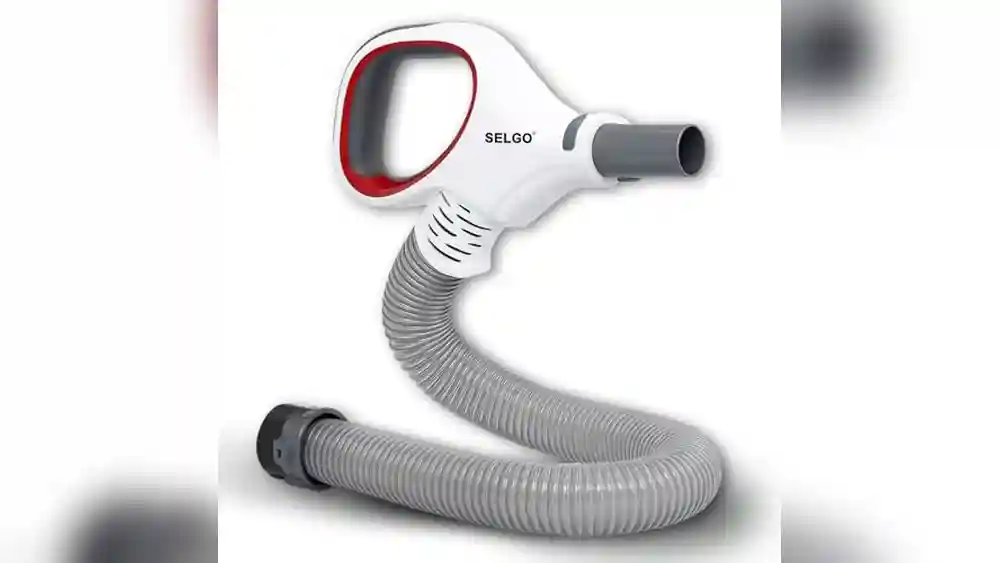
- Check for clogs in the hose, wand, or brush. Disconnect the hose and look through it. Push a broom handle through to remove blockages. If the brush roll is tangled with hair, cut it away with scissors.
Example: Fixing A Clogged Hose
You notice the vacuum is barely picking up dirt. After emptying the canister and cleaning the filter, the problem remains. You detach the hose and see it’s blocked with a sock. Removing the sock restores suction instantly.
Vacuum Won’t Turn On
If the vacuum is completely dead, try these steps:
- Check the power outlet by plugging in another device, like a lamp.
- Test the power cord for damage. If the cord is frayed or broken, it may need to be replaced.
- Inspect the power switch. Sometimes the switch wears out. You may need to open the housing to check for loose wires or a faulty switch.
- Look for a tripped thermal cut-out. Many vacuums have a safety feature that shuts off the motor if it overheats. Wait 30 minutes, then try again.
Data: Causes Of “won’t Turn On” Faults
| Cause | Frequency (Approx.) | Repair Complexity |
|---|---|---|
| Power Cord Fault | 45% | Medium |
| Thermal Cut-Out | 25% | Easy |
| Switch Failure | 20% | Medium |
| Motor Failure | 10% | Difficult |
Strange Noises Or Smells
Loud noises, rattling, or a burning smell usually means something is wrong.
- Rattling: Check if something hard (like a coin or small toy) is stuck in the brush or hose.
- High-pitched squeal: This often means the belt is slipping or broken. Open the brush head, check the belt, and replace if needed.
- Burning smell: Stop using the vacuum immediately. This could be a sign of a jammed brush roll or a burnt belt. Unplug the vacuum, remove the brush, and clear any hair or debris.
Brush Roll Not Spinning
If the vacuum’s brush doesn’t turn, it won’t clean carpets well.
- Check for obstructions. Hair and string can wrap around the brush roll and stop it from moving.
- Inspect the belt. If the belt is loose, stretched, or broken, replace it. Belts are inexpensive and easy to change.
- Test the brush motor (on models with a separate motor). If the main motor works but the brush doesn’t, the brush motor may be faulty.
Example: Replacing A Broken Belt
You notice the brush is not spinning even though the vacuum motor runs. Opening the brush compartment, you find the belt snapped. You buy a replacement belt (less than $10) and install it in minutes. The vacuum is back to normal.
Vacuum Cleaner Shuts Off During Use
If your vacuum stops after a few minutes, it may be overheating.
- Clean all filters and remove blockages. Restricted airflow causes the motor to get hot.
- Let the vacuum cool for 30–60 minutes before restarting.
- Check for faulty thermal cut-out. If it keeps tripping, the cut-out or motor may need professional repair.
Loss Of Suction In Attachments Only
Sometimes the main floor head works, but the attachments have weak suction.
- Inspect the wand and hose for clogs. Detach each section and clean them out.
- Check for cracks or leaks in the hose. Even a small hole can cause a big loss in suction.
- Ensure attachments are fitted tightly. Loose connections reduce performance.
Vacuum Cleaner Leaves Dirt Behind
If your vacuum runs but the floor still looks dirty:
- Check the brush roll. It may be dirty, clogged, or not spinning.
- Make sure the height setting is correct. For carpets, set the brush head lower; for hard floors, raise it slightly.
- Inspect the suction path. Dirt could be stuck in the intake.
Unusual Vibrations Or Shaking
Excessive vibration often means an imbalance:
- Remove and clean the brush roll. Uneven buildup of debris can cause shaking.
- Check the wheels. A broken or missing wheel can make the vacuum wobble.
- Inspect for loose parts. Tighten any screws or bolts in the housing.
Loss Of Power After Short Use
Your vacuum starts but loses power quickly.
- Check for overheating. Clean all airflow parts to prevent the motor from working too hard.
- Test the power cord. Worn cords can make the vacuum cut in and out.
- Ensure the plug fits snugly. Loose plugs can cause intermittent power.

Credit: www.ecovacs.com
Fixing Problems By Vacuum Type
Different vacuums have unique issues. Let’s look at upright, canister, stick, and robot vacuums.
Upright Vacuums
- Common problems: Clogged brush roll, broken belts, loss of suction.
- Special tips: Clean the underside regularly and check the handle connections.
Canister Vacuums
- Common problems: Hose blockages, leaks at the canister seal.
- Special tips: Inspect the hose ends for cracks and replace if needed.
Stick Vacuums
- Common problems: Battery issues, blocked airways, worn rollers.
- Special tips: Charge the battery fully before use. Clean the dustbin after every session.
Robot Vacuums
- Common problems: Stuck wheels, dirty sensors, battery problems.
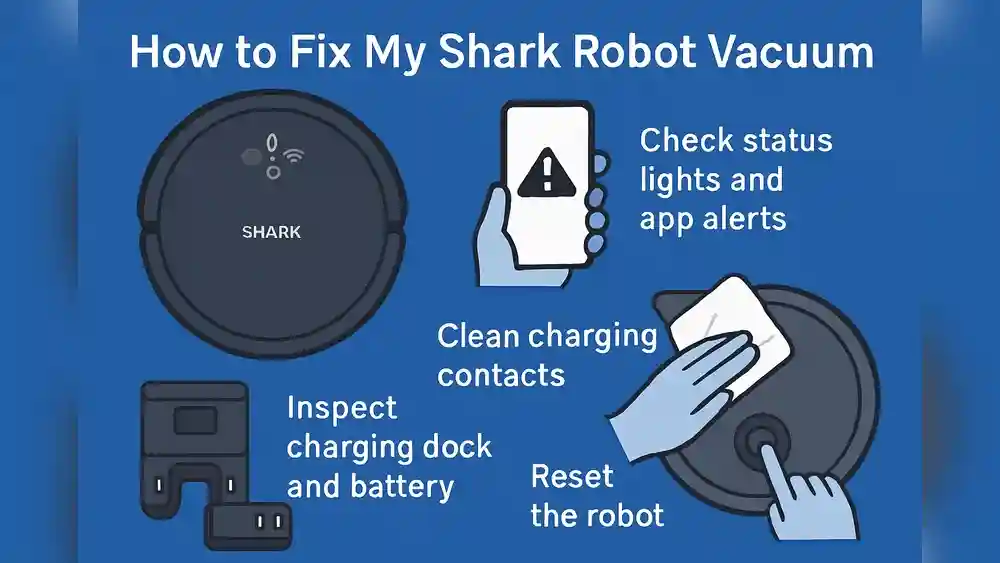
- Special tips: Clean the wheels and sensors regularly. Update the robot’s software if possible.
Comparison: Vacuum Type Vs. Common Failure Points
| Vacuum Type | Frequent Issues | Repair Difficulty |
|---|---|---|
| Upright | Belt, brush roll, suction | Easy to Medium |
| Canister | Hose, filter, seals | Easy to Medium |
| Stick | Battery, dustbin, filter | Easy |
| Robot | Wheels, sensors, battery | Medium to Difficult |
Preventive Maintenance: Keep Your Vacuum Running Longer
Regular maintenance is the best way to avoid problems. Here’s what you should do:
- Empty the bag or canister often. Don’t wait until it’s full.
- Clean or replace filters every 1–3 months, depending on use.
- Inspect the brush roll for hair and debris weekly. Clean as needed.
- Check the belt every few months. Replace if stretched or cracked.
- Wipe the vacuum body and attachments with a damp cloth.
- Store the vacuum properly in a dry place.
Many owners forget to clean behind the brush roll or inside the motor filter. These areas can collect dirt even if you clean the main parts. Take a few minutes every month to check all hidden spots.
When To Replace Parts Or Call A Professional
Some vacuum problems are cheap and easy to fix at home. Others require buying parts or professional help.
Parts You Can Replace Easily
- Belts: Most cost $5–$15 and are installed in minutes.
- Filters: HEPA filters may cost $10–$25.
- Brush rolls: $15–$40 depending on the model.
- Hoses: $10–$30, easy to fit on most vacuums.
- Power cords: $15–$25, but require careful installation.
When To Call A Pro
- Motor replacement: Complex and expensive.
- Faulty circuit boards (especially in robot vacuums).
- Electrical short circuits.
- Broken plastic housing that affects structure.
Getting professional help is smart if your vacuum is still under warranty or you’re not comfortable working with wires and motors.
Table: Diy Vs. Professional Repair Costs
| Repair Type | DIY Cost | Professional Cost |
|---|---|---|
| Belt Replacement | $5–$15 | $30–$50 |
| Filter Replacement | $10–$25 | $30–$60 |
| Motor Replacement | $40–$90 | $100–$200 |
| Power Cord Repair | $15–$25 | $40–$70 |
Advanced Troubleshooting: Solving Unusual Problems
Sometimes, vacuums have less obvious issues. Here are a few examples and how to solve them.
Static Shocks When Using The Vacuum
Some users report a mild static shock, especially in dry weather. This is due to friction between the vacuum and your carpet.
- Solution: Run a humidifier in the room, or spray carpets with anti-static spray.
Vacuum Cleaner Smells Bad
After months of use, your vacuum may develop a musty or sour smell.
- Solution: Wash or replace all filters, empty the canister, and clean the inside with a mild detergent. Let all parts dry completely before reassembling.
Cordless Vacuum Battery Doesn’t Hold Charge
If your stick or robot vacuum runs for only a few minutes:
- Solution: Check the charger and wall outlet. If the battery is old (over 2–3 years), it may need replacing. Use only the recommended battery type.
Vacuum Cleaner Trips Circuit Breaker
If the vacuum causes your home’s breaker to trip:
- Solution: Try another outlet. If the problem continues, the motor or wiring may be shorting out. Stop using the vacuum and get it checked by a technician.
Real-world Examples: How People Fixed Their Vacuums
To help you understand common fixes, here are stories from actual users.
- Anna’s canister vacuum lost suction. She discovered a hidden clog in the extension wand. After cleaning, her vacuum worked perfectly.
- James’ upright vacuum made a loud squeal. He opened the brush head and found the belt had slipped off. Reinstalling the belt fixed the noise.
- Maria’s robot vacuum kept getting stuck. She wiped the wheels and cleaned the sensors, and now it runs smoothly again.
These examples show that most problems have simple solutions, if you know where to look.
Vacuum Cleaner Brands: Are Some Easier To Fix?
Popular brands like Dyson, Shark, Hoover, and Miele have different designs. Some are easier to repair than others.
- Dyson: Known for powerful suction and washable filters, but some parts are tricky to access.
- Shark: Parts are usually easy to find and replace.
- Hoover: Classic design, simple to open and maintain.
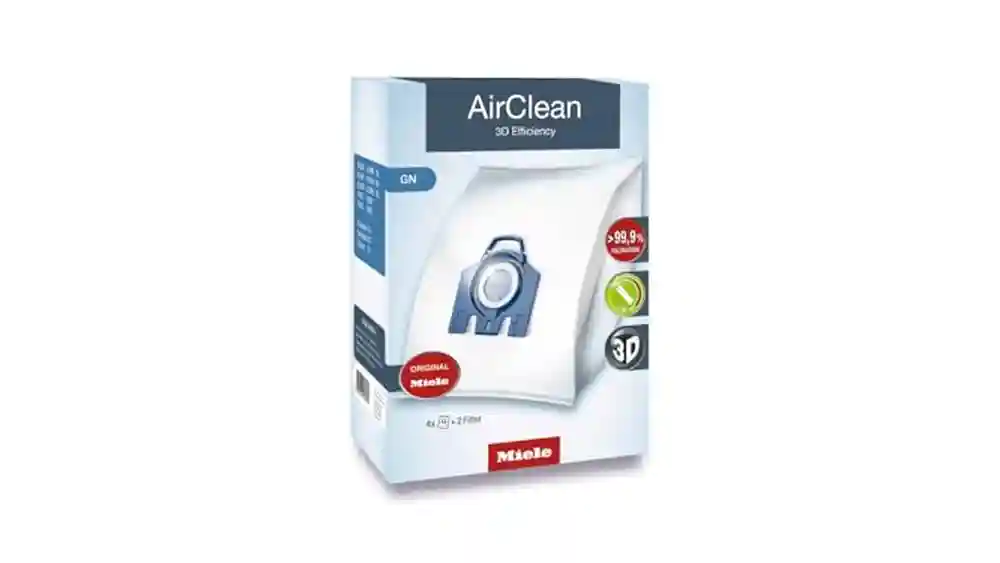
- Miele: High quality, but filters and bags are more expensive.
Before you buy parts, check your model number and look for guides specific to your brand. Many companies offer online manuals and videos.

Credit: www.youtube.com
Common Mistakes To Avoid When Fixing A Vacuum Cleaner
Many beginners make small mistakes that can cause more harm than good. Here’s what to watch out for:
- Forcing parts apart. If a section won’t open, check for hidden screws or clips.
- Using water on electrical components. Never wash the motor or wires.
- Skipping the manual. Your vacuum may have special steps for repair.
- Ignoring the warranty. Opening the housing may void it.
- Not letting filters dry. Wet filters can damage the motor.
Taking your time and reading instructions carefully prevents damage and keeps you safe.
How To Find The Right Replacement Parts
Getting the right parts is important for a successful repair.
- Check the model and serial number. Usually found on a sticker near the power cord or under the vacuum.
- Buy from trusted stores. Avoid generic parts that may not fit.
- Compare prices online. Manufacturer websites and large retailers often have the best selection.
- Read reviews. Other users can tell you if a part is easy to install or lasts a long time.
If you’re not sure, bring the old part to a store or call customer support.

Credit: www.eufy.com
When It’s Time To Replace Your Vacuum Cleaner
Even with good maintenance, all vacuums wear out eventually. Here are signs that it may be better to buy a new one:
- The motor is dead and repairs cost more than half the price of a new vacuum.
- Plastic housing is cracked and affects suction or safety.
- Parts are no longer available for your model.
- You need better features, like HEPA filtration, for allergies.
A typical vacuum cleaner lasts 8–12 years with good care. If yours is older and needs frequent repairs, a new vacuum may save money in the long run.
Tips For Choosing A Durable Vacuum Cleaner
If you decide to buy a new vacuum, here’s what to look for:
- Strong suction power (measured in air watts or kPa).
- Easy-to-clean filters and brush rolls.
- Sturdy hose and attachments.
- Good warranty (at least 2 years).
- Positive user reviews for reliability.
Avoid models with hard-to-find parts or poor customer service. For more details on choosing a vacuum, see this Consumer Reports guide.
Frequently Asked Questions
Why Does My Vacuum Cleaner Lose Suction Suddenly?
Sudden loss of suction is usually caused by a full bag or canister, clogged filters, or blockages in the hose or brush roll. Empty the dust container, clean or replace the filters, and remove any debris from the hose and attachments.
How Often Should I Clean Or Replace Vacuum Filters?
Filters should be cleaned or replaced every 1–3 months, depending on how much you use your vacuum. Washable filters should be rinsed with water, dried completely, and reinstalled. HEPA or non-washable filters need to be replaced as recommended by the manufacturer.
Can I Fix A Broken Vacuum Power Cord Myself?
If you have basic electrical skills, you can replace a damaged power cord. Always unplug the vacuum first, and follow the instructions in your manual. If you are unsure, it’s safer to have a professional do it.
What Should I Do If My Vacuum Smells Bad?
A bad smell is usually caused by dirt, hair, or moisture trapped inside. Wash or replace the filters, empty and clean the dustbin, and wipe down the inside with a mild cleaner. Make sure all parts are completely dry before using the vacuum again.
How Do I Know If My Vacuum Motor Is Broken?
Signs of a broken motor include: the vacuum won’t turn on even after checking the cord and switch, a burning smell, or loud grinding noises. Motor replacement is usually best handled by a professional, especially if your vacuum is under warranty.
Vacuum cleaners are reliable tools, but they do need attention from time to time. By following these steps, you can fix most problems yourself and keep your vacuum running smoothly for years. And if the job is too big, don’t hesitate to ask for expert help—your clean home is worth it.