How Do You Know When a Dyson Vacuum Cleaner is Fully Charged
If you own a Dyson vacuum cleaner, you know how important the battery is to your cleaning routine. Many models are cordless, which means you need to keep them charged to enjoy full suction power and cleaning time. But sometimes, it’s not clear how to tell when your Dyson is fully charged, especially if you’re new to the brand or have just upgraded to a new model. Understanding the charging process can save you time, protect your battery, and help your vacuum last longer.
This guide explains every detail you need to know about Dyson vacuum charging. You’ll learn the signs of a full charge, differences between models, how to avoid common mistakes, and how to keep your vacuum in top condition. Whether you have a Dyson V7, V8, V10, V11, or V15, or even a smaller handheld model, you’ll find answers here.
How Dyson Charging Works
Dyson cordless vacuums use lithium-ion batteries. These batteries are lighter, charge faster, and last longer than older battery types. When you plug your Dyson into the charger, it starts filling the battery with energy. Each model has its own way to show charging progress, but the basics are similar.
Charging Indicators
Most Dyson vacuums have LED lights or a display screen to show charging status. These indicators change color, blink, or turn off when the vacuum is fully charged. Knowing what to look for will help you avoid overcharging or unplugging too soon.
Automatic Shutoff
A helpful feature of Dyson chargers is automatic shutoff. When the battery is full, the charger stops sending power. This protects the battery and saves energy. You don’t have to worry about damaging your vacuum if you leave it plugged in overnight.
How To Tell When Your Dyson Is Fully Charged
The signs of a full battery depend on your model. Here’s how the most popular Dyson vacuums show a full charge:
Dyson V7 And V8
- LED Lights: Three blue lights under the handle indicate charging. When all three lights stay solid (not blinking), the battery is full.
- No Light: The lights turn off completely when you remove the vacuum from the charger. If you check while charging, all three should be solid blue.
Dyson V10, V11, And V15
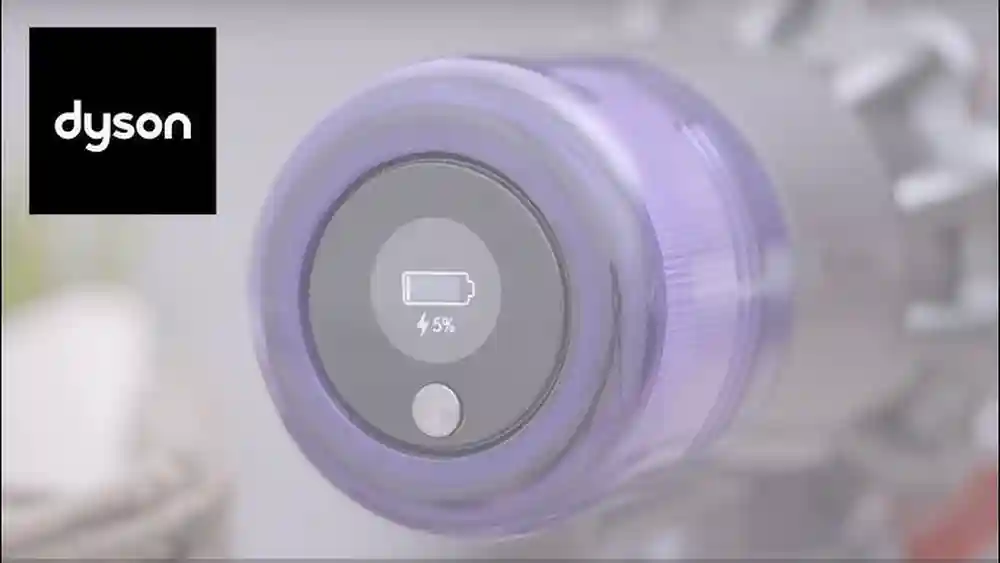
- LCD Screen: These models have a small screen near the handle. While charging, the screen shows a battery icon that fills up.
- Full Battery Message: When charging is complete, the screen says “Fully Charged” and shows a solid battery icon.
- Blue Light: Some models also show a blue light near the battery pack. When the light turns off, charging is complete.
Dyson Handheld Models (v6, Dc16, Etc.)
- Single LED: One light near the charging port. It’s solid blue during charging, and turns off when fully charged.
Older Corded Dyson Models
- No Charging Needed: If your Dyson plugs into the wall during use (like the Ball or Animal), you don’t need to charge it. This guide is for cordless models.
Typical Charging Times
How long does it take to fully charge a Dyson vacuum? Charging times depend on the battery size and model.
| Model | Charging Time | Run Time (Max) |
|---|---|---|
| Dyson V7 | 3.5 hours | 30 minutes |
| Dyson V8 | 5 hours | 40 minutes |
| Dyson V10 | 3.5 hours | 60 minutes |
| Dyson V11 | 4.5 hours | 60 minutes |
| Dyson V15 | 4.5 hours | 60 minutes |
Most Dyson vacuums take 3.5 to 5 hours to fully charge. If you use your vacuum daily, it’s safe to keep it on the charger overnight.
Charging Light Patterns: What They Mean
Understanding the charging light patterns can help you spot problems before they start. Here’s what different lights mean:
| Light Color/Pattern | Meaning | What to Do |
|---|---|---|
| Solid Blue | Charging | Let it continue charging |
| All Blue Lights Solid | Fully charged | Unplug or leave on charger |
| Blinking Blue | Charging in progress | Wait for solid lights |
| No Light | Not charging or fully charged | Check power if not fully charged |
| Flashing Red/Amber | Error or battery issue | See troubleshooting section |
Non-obvious insight: If your Dyson is plugged in but you see no lights and the battery is not charging, try a different outlet or check the charging cable for damage. Sometimes, the issue is with the wall socket, not the vacuum.
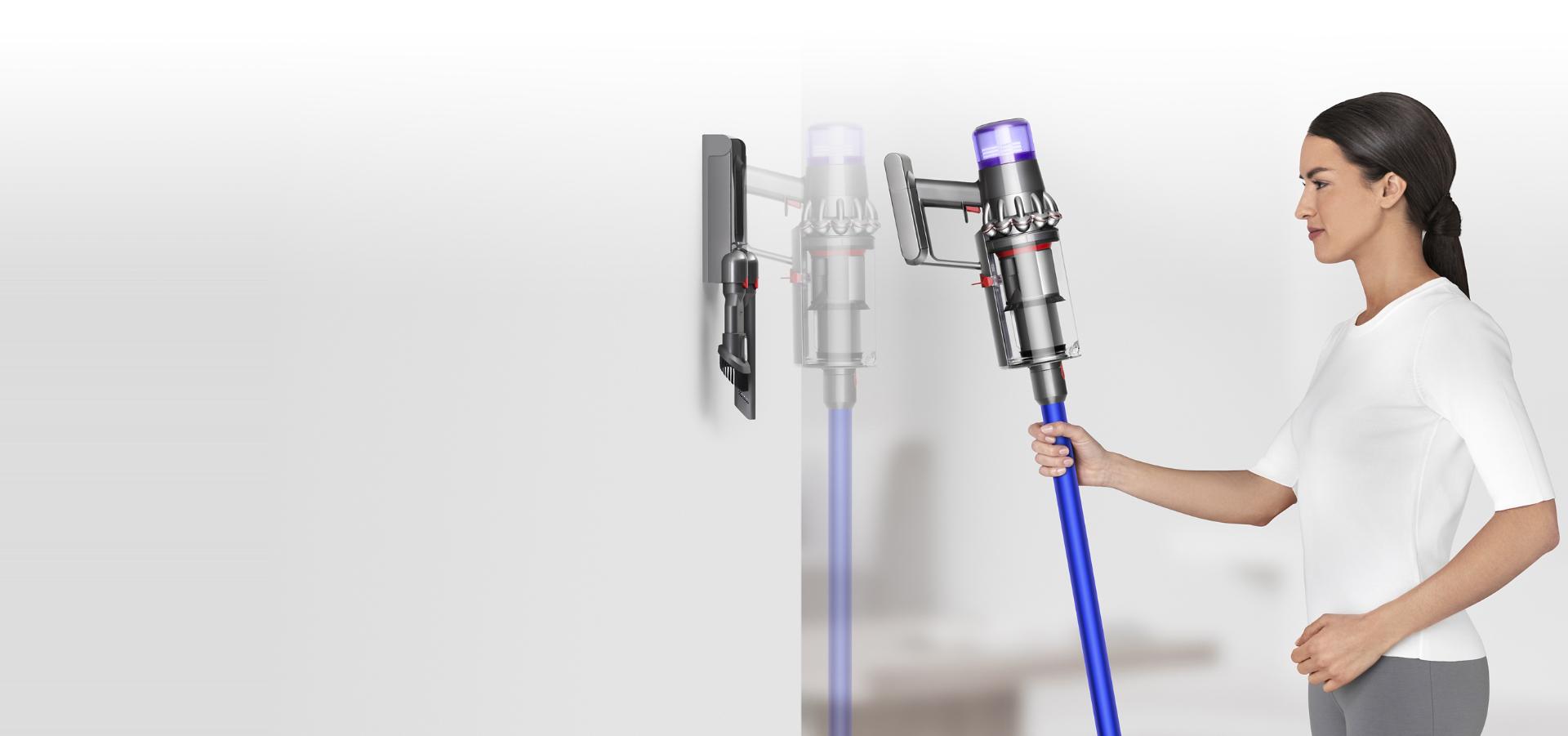
Credit: www.dyson.sa
Model Differences: What To Watch For
Not all Dysons are the same. Some have clear LCD displays, while others use simple lights. The features below can help you recognize your model’s signs:
- LCD Models (V10, V11, V15): Show battery percentage and status messages.
- LED Light Models (V6, V7, V8): Use colored lights under the handle.
- Removable Battery Packs: Some models let you swap batteries easily. Charging time stays the same, but you can have a spare battery ready.
Tip: Always check your user manual for model-specific instructions. Dyson’s official website also provides manuals for every model.
How To Charge Your Dyson Correctly
To keep your Dyson battery healthy and extend its life, follow these steps:
1. Plug Into The Original Charger
Use the charger that came with your Dyson. Third-party chargers may damage the battery or charge incorrectly.
2. Connect Securely
Make sure the charger clicks into place. A loose connection may cause slow charging or no charging at all.
3. Keep At Room Temperature
Charge your Dyson in a cool, dry place. Extreme heat or cold can reduce battery life.
4. Allow Full Charging Cycles
Let the battery charge fully before unplugging. Frequent short charges can shorten battery life.
5. Leave On The Charger If Needed
Thanks to automatic shutoff, you can leave your Dyson plugged in. It will not overcharge.
Non-obvious insight: If you notice the battery drains much faster than before, it may be time to replace it. Dyson batteries usually last 3 to 5 years with normal use.
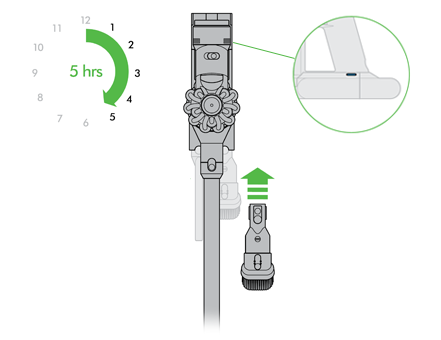
Credit: support.dyson.co.nz
Common Charging Mistakes
Many users make simple mistakes that hurt battery life or cause confusion:
- Unplugging Too Soon: If you unplug before the lights are solid, you won’t get a full cleaning session.
- Using the Wrong Charger: Always use Dyson’s official charger.
- Charging in Extreme Temperatures: Hot garages or cold basements can damage lithium-ion batteries.
- Forgetting to Clean Contacts: Dust or debris on the charging contacts can prevent proper charging.
- Ignoring Error Lights: Red or amber lights often mean the battery is failing or there’s a connection problem.
Troubleshooting Charging Problems
If your Dyson is not charging or the lights don’t behave as expected, try these steps:
1. Check Power Source
Plug another device into the same outlet to make sure it works.
2. Inspect Charger And Cable
Look for frayed wires, bent plugs, or damaged parts.
3. Clean Charging Contacts
Use a dry cloth to gently clean the metal contacts on both the charger and the vacuum.
4. Reset The Battery
Remove the battery (if possible) and reattach it. Some models have a reset button under the battery pack.
5. Check For Firmware Updates
Newer models (like V11 or V15) may need software updates. Visit Dyson’s website for instructions.
If none of these steps work, the battery may be worn out. Genuine Dyson batteries are available on their official site. Buying from other sources can be risky.
Caring For Your Dyson Battery
A healthy battery means longer run times and better cleaning. Here’s how to get the most life from your Dyson battery:
- Charge Regularly: Don’t let the battery sit empty for long periods.
- Avoid Full Drains: Unlike old batteries, lithium-ion types prefer to be charged before they’re completely empty.
- Store Properly: If you won’t use your Dyson for weeks, store it half-charged in a cool, dry place.
- Replace When Needed: If the run time drops below 10 minutes, or error lights appear often, consider a new battery.
Dyson Charging: Myths Vs. Facts
Many people believe myths about charging Dyson vacuums. Let’s clear up a few:
| Myth | Fact |
|---|---|
| Leaving the charger plugged in ruins the battery | Dyson vacuums stop charging automatically when full |
| All Dyson models show a green light when full | Most use blue or LCD display, not green |
| It’s better to let the battery drain completely before charging | Lithium-ion batteries last longer with regular charging |
| Any charger will work | Only use Dyson’s official charger for safety and performance |

Credit: www.youtube.com
Why Full Charging Matters
A fully charged vacuum means:
- Maximum Cleaning Time: You can finish the job without running out of power.
- Better Suction: Lower batteries reduce suction strength.
- Longer Battery Life: Consistent full charges extend battery health.
Where To Find Official Information
For the latest tips, model updates, and replacement parts, always check the official Dyson website. They have detailed guides, videos, and support for every model. For further reading, see this Dyson Charging Guide.
Frequently Asked Questions
How Long Should I Leave My Dyson Vacuum On The Charger?
You can leave your Dyson on the charger as long as you want. The charger turns off automatically when the battery is full, so there’s no risk of overcharging.
Why Does My Dyson Show A Red Or Amber Light When Charging?
A red or amber light means there’s a problem with the battery or the connection. Check that the charger is properly connected and the contacts are clean. If the problem continues, the battery may need replacement.
Can I Use My Dyson While It’s Charging?
No, Dyson cordless vacuums will not run while plugged into the charger. You must wait until the battery is fully charged before using it.
How Do I Know If My Dyson Battery Needs Replacing?
If your vacuum loses power quickly, won’t hold a charge, or shows error lights, the battery may be worn out. Most Dyson batteries last 3-5 years.
Is It Safe To Use Third-party Chargers With My Dyson?
It’s best to use only official Dyson chargers. Third-party chargers can damage the battery and may void your warranty.
A well-charged Dyson vacuum keeps your home clean and your device running smoothly. Understanding the charging signals and following the right steps will help you get the best performance for years to come.