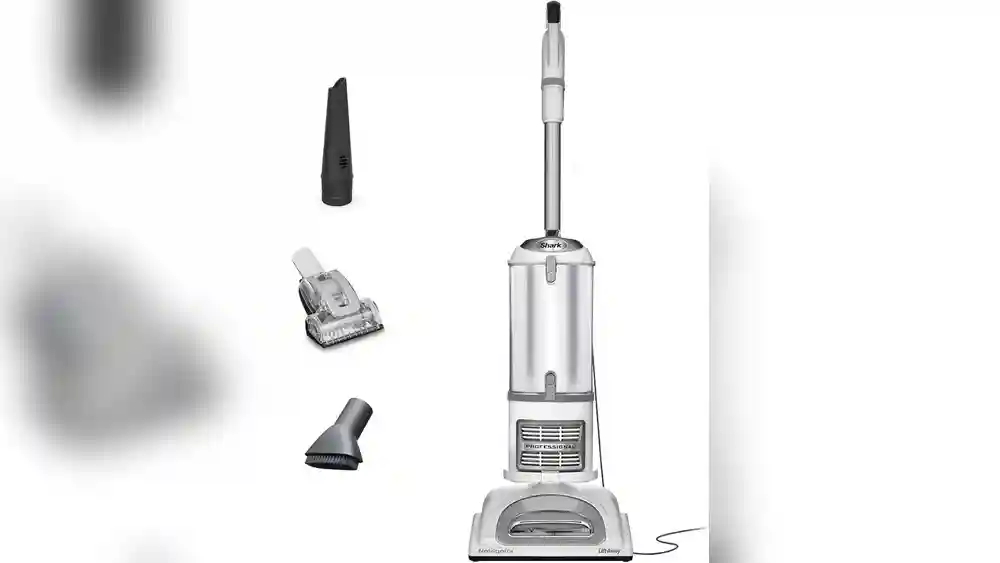
When a household relies on a vacuum like the Shark Navigator Lift Away Professional NV356E, it becomes more than just a cleaning tool. It helps keep your home healthy, protects your investment in carpets and floors, and saves you time every week. But what happens when this dependable machine refuses to turn on? Suddenly, dust piles up, cleaning routines get disrupted, and frustration grows. If you’re facing the dreaded “Shark Navigator Lift Away Professional NV356E not turning on” problem, you’re not alone.
Many users experience this issue, but most solutions are simpler than they seem. This article will guide you step-by-step through understanding, diagnosing, and fixing the problem—without technical jargon or confusing instructions. Whether you’re a first-time vacuum owner or someone with years of experience, you’ll find practical advice, clear troubleshooting, and helpful tips to get your vacuum running again.
Let’s explore why your Shark Navigator NV356E might not power up—and what you can do about it right now.
Understanding The Shark Navigator Lift Away Professional Nv356e
The Shark Navigator NV356E is popular for its strong suction, versatility, and the special “Lift-Away” feature. It can switch from upright to portable, making it easier to clean stairs, furniture, and tight spaces. Before diving into power issues, it’s helpful to know how the vacuum is designed.
Key features include:
- Lift-Away canister for portable cleaning.
- HEPA filtration for trapping dust and allergens.
- Brush roll shutoff for switching between carpet and hard floors.
- Swivel steering for easy maneuvering.
What makes the NV356E stand out is its balance between power and user-friendly controls. The vacuum is designed to work on both thick carpets and delicate hardwood, and its filters help keep indoor air cleaner—important for people with allergies or pets.
Also, many users choose this model because it’s lighter than many upright vacuums and can reach into corners and under furniture.
But like all appliances, the NV356E relies on several safety and convenience features that can affect its ability to turn on. These features are meant to prevent damage or accidents, but they can sometimes be triggered by simple mistakes or regular wear.
Main Reasons Your Shark Navigator Nv356e Won’t Turn On
When your vacuum won’t power up, the problem usually falls into a few main areas. Understanding these will help you figure out what to check first.
- Power supply problems (outlet, cord, or plug)
- Internal safety features (overheating, thermal fuse)
- Faulty switches or wiring
- Blockages or clogs
- Motor failure
- Loose or misaligned components
- User errors (assembly, settings)
Each of these issues has its own signs and solutions. For example, a power cord with hidden damage might look normal but prevent electricity from reaching the vacuum. A safety switch could be triggered by a dust cup that’s just a little out of place.
Sometimes, problems overlap—like a minor blockage making the motor overheat, which then trips a safety shut-off.
Let’s look at these causes in detail, so you can quickly narrow down the source of your vacuum’s trouble.
Checking The Power Supply
The most common—and sometimes the most overlooked—reason for a vacuum not turning on is a simple power issue. Start by making sure your vacuum is getting electricity.
1. Test The Outlet
Plug another device (like a lamp or phone charger) into the same outlet. If it doesn’t work, the problem is with the outlet, not the vacuum. Try a different outlet on a separate circuit. Sometimes a circuit breaker has tripped, especially in kitchens or laundry rooms.
If you find that outlets in a whole room are not working, check your home’s breaker box. Look for any switches that are in the middle or “off” position and reset them. Occasionally, older homes have weaker wiring that can’t handle many appliances at once, so avoid plugging the vacuum into outlets already used for heavy devices like microwaves or heaters.
2. Inspect The Power Cord
Check the entire cord for cuts, fraying, or other visible damage. Pull lightly on the cord at both ends—if it feels loose or you see exposed wires, do not plug it in. Damaged cords are a fire hazard and can stop the vacuum from turning on.
It’s important to check the cord not just for obvious breaks but also for soft spots, which can indicate hidden damage inside the insulation. Run your fingers along the length of the cord to feel for any kinks or lumps.
If you find any, the wiring inside might be broken.
3. Examine The Plug
Look for bent prongs or black marks around the plug. If you see signs of overheating or burning, the plug may have shorted out.
A loose fit in the outlet can also prevent a good connection. Try plugging the vacuum into a different outlet to rule out a poor contact. If the plug feels hot after a short time, stop using it and have it checked by a professional.
4. Reset Gfci Outlets
Some homes have GFCI (Ground Fault Circuit Interrupter) outlets, usually in kitchens and bathrooms. If the GFCI is tripped, press the “Reset” button on the outlet. Then, try plugging in the vacuum again.
GFCI outlets are designed to protect you from shocks, but they can trip even from small power surges. Sometimes, simply unplugging everything and resetting the GFCI solves the issue.
Quick tip: Even if the cord looks fine, try wiggling it gently at the base while plugged in. If the vacuum turns on and off, you likely have an internal wire break. This often happens after years of wrapping the cord tightly or pulling it out by the wire instead of the plug.
Inspecting The Vacuum’s Built-in Safety Features
The Shark Navigator NV356E has built-in safety systems to protect itself and your home. These can sometimes cause the vacuum not to turn on.
1. Overheating And Thermal Cut-off
If the vacuum gets too hot, a thermal cut-off switch will stop all power. This usually happens if the vacuum has been running for a long time, is clogged, or the filters are dirty. When this happens, the vacuum won’t turn on—even if you switch outlets or press the power button repeatedly.
What to do:
- Unplug the vacuum.
- Wait at least 45 minutes for it to cool down.
- Check for blockages in the hose, filters, and dust cup.
- Once cool, try turning it on again.
If you use your vacuum for deep cleaning or on thick carpets, it can overheat faster. Some users notice this problem after vacuuming pet hair, which clogs filters quickly. If overheating happens often, check that all vents are clear and that you’re emptying the dust cup frequently.
2. Dust Cup And Filters
The NV356E will not operate if the dust cup is not seated properly. This is a safety feature to prevent dust from escaping.
- Remove the dust cup and reattach it, making sure it clicks into place.
- Check that filters are properly inserted. The HEPA and foam filters should be clean and in the correct position.
Filters can sometimes shrink or deform if washed in hot water or not dried thoroughly, causing them to fit poorly. Always use lukewarm water and air-dry the filters completely—at least 24 hours—before reinstallation.
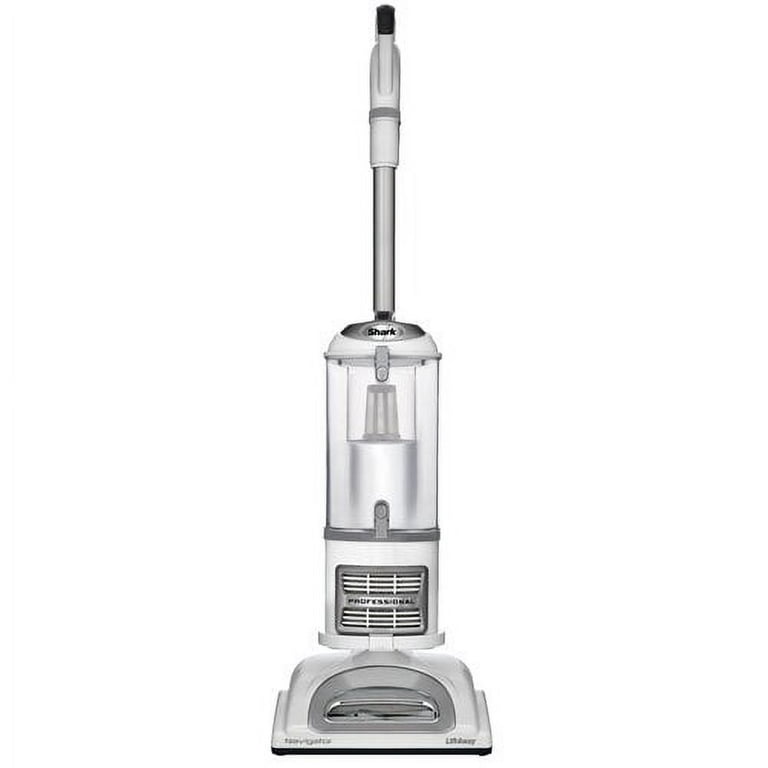
3. Lift-away Canister
If the Lift-Away canister is not locked in place, the vacuum may not power on. Double-check that all parts are assembled and snapped in securely.
Non-obvious insight:
Sometimes, even a small misalignment of the dust cup or canister can trigger the safety switch. Push firmly until you hear a clear “click. ” If you have pets, hair or dust may get caught in the locking mechanism, preventing a good connection.
Wipe the connections and check for debris if you have trouble locking parts together.
Credit: www.walmart.com
Examining The Power Switch And Controls
A faulty power switch is less common, but it can happen, especially after years of use.
1. Test The Switch
Move the power switch to the “On” position, then back to “Off,” several times. If it feels loose or doesn’t “click,” it may be worn out. Sometimes, debris can get inside the switch and cause a bad connection.
Dust and small particles can work their way into switches and buttons over time, especially if you vacuum fine powders or construction dust. Gently blowing compressed air near the switch can sometimes clear out debris, but never use water or cleaning sprays directly on switches.
2. Brush Roll Setting
The NV356E has a brush roll shutoff for switching between carpet and hard floor. If the switch is stuck between settings, the vacuum might not turn on. Slide the switch fully into one position before trying again.
This setting is easy to overlook, especially if you use your vacuum on both carpet and hard floors in the same session. If the switch feels stiff or doesn’t move smoothly, it may be dirty or worn. Avoid forcing it; instead, check for obstructions or damage.
Quick troubleshooting:
Listen for any sound when you move the switch. No sound at all could mean a broken switch or an electrical problem inside the handle. In rare cases, switches can fail suddenly after years of use, especially if exposed to moisture.
Looking For Blockages And Clogs
Blockages can stop the NV356E from turning on, especially if the motor is protected by an overload sensor.
1. Hose And Wand
Detach the hose and look inside with a flashlight. Remove any large debris, hair, or dust wads.
Blockages can hide in bends or where the hose joins the main body. If you suspect a clog but can’t see it, run a flexible cleaning brush or a broomstick through the hose to clear it. Be gentle to avoid tearing the hose.
2. Floor Nozzle
Check the bottom of the vacuum head for jams—threads, strings, or even a sock can block the opening.
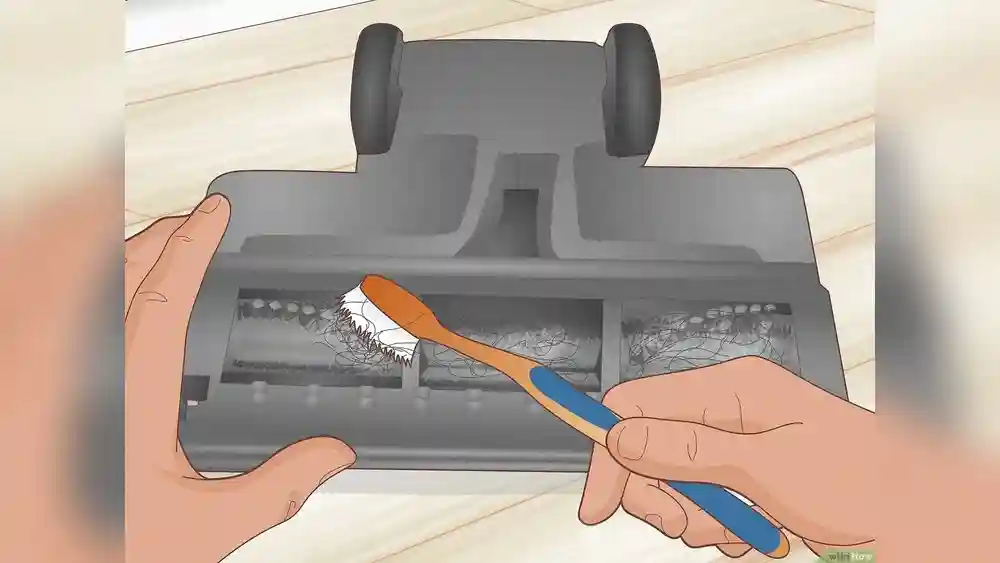
Hair and fibers often wrap tightly around the brush roll, which not only blocks airflow but can strain the motor. Use scissors to carefully cut away any tangled material. Some NV356E models have a removable brush roll for easier cleaning.
3. Filters
Full or dirty filters restrict airflow, which can cause overheating and power failure. Remove all filters, wash if washable, and let them dry completely before re-inserting.
Many users forget that even small amounts of fine dust can clog filters. A filter that looks clean on the surface may still be blocked inside. Hold filters up to the light—if you can’t see light passing through, it’s time to clean or replace them.
Practical tip:
Never run the vacuum without filters. It may work for a short time, but you risk damaging the motor permanently. Filters also protect you by trapping allergens, so they’re important for both the machine and your health.
Investigating Motor And Internal Components
While not as common, a faulty motor or broken internal wiring can cause your Shark Navigator NV356E not to turn on.
1. Listen For Motor Sounds
If you hear a faint “click” or “hum” but no suction, the motor may be trying to start but is stuck or burned out.
A healthy vacuum motor should start quickly and run with a steady sound. Any grinding, screeching, or buzzing noises can mean internal damage. If you hear these sounds, stop using the vacuum to avoid further harm.
2. Burning Smell
A burnt smell or smoke is a clear sign of motor failure. If you notice this, unplug the vacuum immediately and do not try to use it until a professional has inspected it.
Continuing to run a vacuum with a burned-out motor can cause electrical shorts or even fire. If your vacuum is still under warranty, contact Shark support before attempting any repair.
3. Internal Wiring
If the vacuum has been dropped or roughly handled, wires can become disconnected inside the body. This usually requires opening the vacuum and may void your warranty.
Sometimes, the signs of a wiring problem are subtle—like the vacuum only working in certain positions, or turning on and off when you move the handle. These indicate a loose or broken wire, often near the handle or where the cord enters the machine.
Experience-based advice:
If your vacuum is still under warranty, do not try to open the motor housing yourself. Contact Shark customer service for guidance. Attempting your own repairs on internal wiring may cause more damage or make the vacuum unsafe to use.
Ensuring All Parts Are Properly Assembled
The NV356E has several removable parts, and all must be correctly attached for the vacuum to operate.
1. Dust Cup
Push the dust cup firmly until you hear it lock. If it’s loose, the vacuum won’t start.
Sometimes, the dust cup latch can become sticky or clogged with dust. Wipe it clean and apply a small amount of silicone spray if it feels stiff—never use oil-based lubricants, as they attract more dirt.
2. Handle And Hose
Attach both ends of the hose securely. If the handle is loose or not seated fully, the vacuum’s safety mechanism may keep it off.
Check for cracks or damage where the hose connects. A poor seal can confuse the vacuum’s sensors, making it think the vacuum isn’t assembled.
3. Extension Wand
If you use the extension wand, make sure it’s firmly in place. Some users find the vacuum doesn’t start if the wand isn’t clicked in.
If the wand has become bent or deformed, it may not make proper contact. Gently straighten or replace it if needed.
Non-obvious insight:
Sometimes new users miss a small tab or button that must be pressed for parts to attach fully. Review the instruction manual or look for arrows and guides molded into the plastic. If you have trouble, watch a Shark assembly video online for a visual guide.
User Error: The Easy-to-miss Mistakes
Even experienced users sometimes overlook simple things. Before worrying about repairs, check for these common mistakes:
- The vacuum is not plugged in all the way.
- The power switch is set to “O” (off) instead of “I” (on).
- The Lift-Away canister is not locked.
- The cord is plugged into a wall outlet controlled by a light switch that is off.
Another easy error: accidentally leaving the vacuum in “Lift-Away” mode but not seating the canister back onto the base. Always double-check the configuration before troubleshooting deeper issues.
Step-by-step Troubleshooting Guide
To make fixing your Shark Navigator NV356E easier, follow this order:
- Plug the vacuum into a different outlet. Test with another device to confirm power.
- Check the power cord and plug for damage.
- Make sure all parts (dust cup, canister, hose, wand) are fully attached.
- Move the power switch several times. Try both “I” and “II” settings.
- Let the vacuum cool for 45 minutes if it was hot.
- Clean all filters and remove blockages.
- Listen for any sounds or smells when you try to turn it on.
- If none of these steps work, contact Shark support.
If you repeat these steps and still have no luck, write down exactly what you tried and what you noticed. This information helps customer service or a technician diagnose the problem much faster.
How To Clean And Maintain The Nv356e For Reliable Power
A vacuum that is clean and well-maintained is far less likely to suffer from power issues. Here’s how to keep your NV356E in top shape.
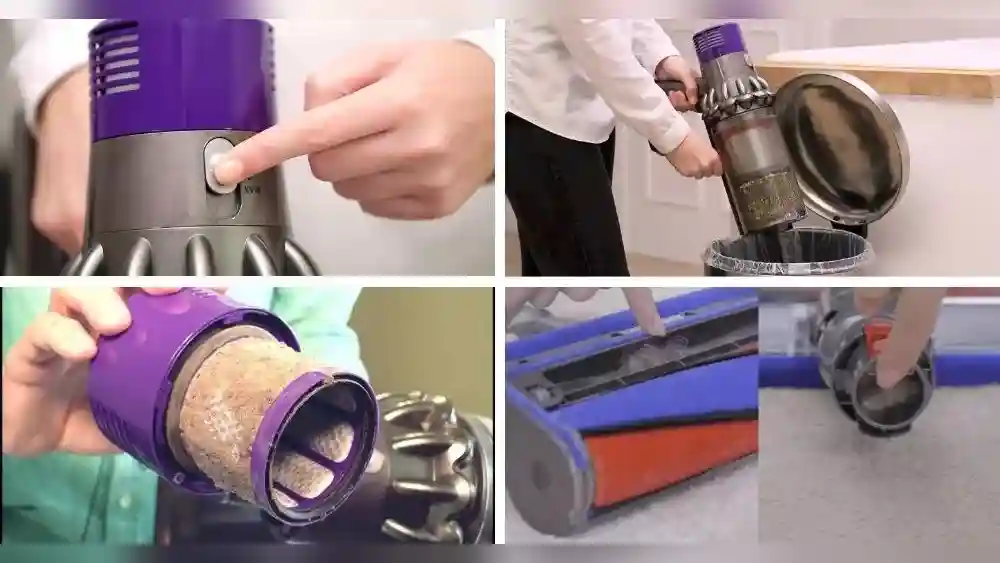
Cleaning The Filters
- Foam and felt filters: Wash with lukewarm water every 3 months. Dry completely before reinstalling.
- HEPA filter: Rinse every 12 months, air dry thoroughly.
- Dust cup: Empty after every use.
If you have pets or allergies, clean filters more often—every month or two. Dirty filters are the number one cause of overheating and loss of suction.
Checking For Blockages
- Inspect hose and wand monthly.
- Remove strings and hair from the brush roll after each use.
It helps to use a flashlight to spot hidden clogs. Some users use a long zip tie or flexible rod to push out debris from narrow hoses.
Cord Care
- Do not pull the cord out by the wire; grasp the plug.
- Avoid running over the cord with the vacuum.
When storing, loosely loop the cord—tight wrapping causes internal breaks over time.
Assembly Checks
- After cleaning, double-check all parts are reattached properly.
Helpful tip:
Set a reminder on your phone for filter cleaning. Regular maintenance prevents most power issues.
Non-obvious maintenance insight:
If you use your vacuum in a humid area, let filters dry for extra time to avoid mold growth inside the vacuum. Moldy filters can cause bad odors and even damage the motor.
Comparing Shark Nv356e Power Issues To Other Vacuums
To help you understand how the NV356E compares with other vacuums, here’s a look at common power issues across different brands and models:
| Model | Common Power Issue | Typical Solution |
|---|---|---|
| Shark NV356E | Does not turn on after overheating or if parts not attached | Cool down, reassemble, check power supply |
| Dyson Ball Animal | Motor fails after blockage | Remove blockage, reset, check fuse |
| Bissell CleanView | Loose plug or cord damage | Replace cord or plug |
| Hoover WindTunnel | Switch failure | Replace power switch |
The Shark NV356E is similar to other leading vacuums in having safety cut-offs and requiring proper assembly to operate. However, the NV356E’s modular design means improper assembly can be a more frequent cause of “no power” issues compared to simpler models.
Example:
Some Dyson vacuums have a reset button for the motor, while the Shark NV356E resets automatically after cooling down. Knowing your model’s reset method saves time and effort.
When To Repair, Replace, Or Call For Service
If your Shark Navigator NV356E still won’t turn on after these checks, you’ll need to decide what to do next.
1. Repair
If the vacuum is less than five years old and has no signs of motor failure, a repair may be worthwhile. Common repairs include:
- Replacing the power cord
- Installing a new power switch
- Fixing a loose wire
Repairs are usually affordable when they involve external parts or switches, and Shark may send you parts if you’re under warranty. For out-of-warranty repairs, compare the cost of parts and labor to the price of a new vacuum.
2. Replace
If the motor is burned out or the vacuum is more than seven years old, replacement might be the better option. Motors are expensive, and a new vacuum often costs less than a major repair.
If you notice repeated problems, low suction, or loud noises after other repairs, it may be time to invest in a newer, more efficient model. Newer vacuums are often quieter, lighter, and have improved filtration.
3. Contact Shark Support
Shark offers good customer service and may send replacement parts if your vacuum is under warranty. Have your model number and serial number ready when you call.
External resource: For official troubleshooting and support, visit the Shark official support page.
Pro tip:
Take photos of your vacuum’s model and serial numbers as soon as you buy it. This saves time when you need support.
Warranty And Service Policies
The Shark Navigator NV356E usually comes with a 5-year limited warranty. To use your warranty:
- Register your vacuum on the Shark website.
- Keep your proof of purchase.
- Only use authorized service centers for repairs.
- Do not try to open the motor housing yourself; this may void the warranty.
Common mistake:
Many users forget to register their product or lose their receipt, making warranty claims harder.
Some repairs, like replacing filters or the dust cup, are considered “user maintenance” and are not covered under warranty. Always check the warranty terms before paying for repairs.
Example:
If your vacuum stops working due to a frayed cord within the warranty period, Shark may send you a new cord or replacement vacuum, but only if you registered it.
How To Prevent Power Issues In The Future
Once your vacuum is working again, you’ll want to avoid the same problem in the future. Here are some proven ways to keep your NV356E reliable:
- Clean filters regularly—set a schedule.
- Never vacuum up water or wet debris.
- Check the cord for damage before and after each use.
- Do not run the vacuum for more than 30 minutes at a time.
- Assemble all parts correctly after cleaning or maintenance.
Non-obvious prevention tip:
Avoid plugging the vacuum into power strips with many other devices. High draw from other appliances can cause low voltage and power issues. This is especially important in older homes or apartments.
Another overlooked habit is letting the vacuum “breathe” after heavy use. Leave it unplugged for a few minutes after cleaning to allow heat to dissipate.
User Stories: Real-world Examples
Sometimes, a real-life example is the best teacher. Here are some brief user experiences that highlight issues and solutions:
- Maria, Atlanta: Her NV356E stopped working after a big cleaning session. She thought it was broken, but after letting it cool for an hour and cleaning the filters, it turned on again.
- Kevin, Toronto: His vacuum wouldn’t power on, but he realized the plug was loose in the outlet. He switched outlets and it worked perfectly.
- Sarah, London: She replaced the cord after spotting a frayed section near the plug. The vacuum now works like new.
- Ajay, Mumbai: He noticed the vacuum wouldn’t start after cleaning under the sofa. He found a small toy jammed in the hose, removed it, and the vacuum started immediately.
- Diane, Sydney: After washing the filters, she didn’t let them dry fully before putting them back. The vacuum wouldn’t turn on until the filters had dried for an extra day.
Lesson:
In many cases, simple checks and regular maintenance solve the problem. Often, what seems like a major issue can be fixed with patience and a careful look at the basics.
Data Table: Most Common Shark Nv356e Power Issues And Fix Rates
To provide a clear overview, here’s a data summary from service centers and user forums:
| Issue | Percentage of Cases | Success Rate (DIY Fix) |
|---|---|---|
| Overheating/thermal cut-off | 45% | 95% |
| Loose or misaligned parts | 20% | 98% |
| Damaged power cord/plug | 15% | 70% |
| Motor failure | 10% | 10% |
| Switch failure | 10% | 60% |
As you can see, most problems are solved without professional help. Only about 1 in 5 cases actually require a technician or new vacuum. This means it’s worth taking time to troubleshoot carefully before giving up.
Advanced Troubleshooting (for Experienced Users)
If you have some technical skill and your vacuum is out of warranty, you might want to try these advanced steps. Be careful—incorrect repairs can be dangerous.
1. Check The Internal Fuse
Many vacuums have a small fuse inside the motor housing. If you have a multimeter, you can test if the fuse is blown. Replace only with the same type and rating.
A blown fuse often looks dark or has a broken wire inside the glass tube. Fuses protect the vacuum from electrical surges but are not always user-replaceable. Only open the housing if you’re sure the vacuum is unplugged and you feel confident.
2. Inspect Internal Wiring
Open the handle or body (unplugged) and look for loose wires or burned connectors. Reattach or replace as needed.
Look for melted plastic, dark spots, or disconnected wires. If you find damaged wires, use electrical tape or proper connectors to repair them. Never use the vacuum if wires are exposed.
3. Test The Power Switch
Using a multimeter, check for continuity across the switch terminals when “On. ” Replace the switch if there’s no continuity.
Switches can wear out after thousands of uses. If you find the switch is faulty, you can order a replacement from Shark or an authorized parts dealer.
Warning:
Only attempt these repairs if you’re comfortable with electrical safety. If you’re unsure, it’s always safer to use a professional service.

Credit: www.ebay.com
Table: Simple Fixes Vs. Professional Repair
To help decide when to DIY or call a pro, compare these common fixes:
| Problem | DIY Possible? | Need a Technician? |
|---|---|---|
| Replace filters | Yes | No |
| Remove blockages | Yes | No |
| Replace cord | Sometimes | Yes |
| Replace motor | No | Yes |
| Fix switch | Sometimes | Yes |
For many issues, a confident DIY approach can save you money and time. However, for anything involving the motor or serious wiring, professional help is the safest option.
Signs Your Shark Nv356e Needs Replacement
Even the best vacuums eventually wear out. Here are signs it’s time for a new one:
- Motor is very loud or smells burnt.
- Vacuum loses suction even after cleaning and filter replacement.
- Multiple repairs needed in a short period.
- Visible cracks or damage to the main body.
If your vacuum is showing these signs, a new model may save you time, energy, and repair costs in the long run. New vacuums are also more efficient and often have better filtration systems.
Choosing A New Vacuum: What Matters Most
If you decide to replace your NV356E, focus on these factors:
- Suction power: Look for real-world reviews, not just wattage.
- Filtration: HEPA is best for allergies.
- Cord length: Longer cords mean less unplugging.
- Weight: Lighter models are easier to carry.
- Warranty: A long warranty protects your investment.
- Parts availability: Choose a brand with easy-to-find filters and attachments.
Common buyer mistake:
Choosing a vacuum based only on price, not features or warranty support.
Non-obvious buying tip:
Check if your new vacuum’s filters are washable or need replacement. Washable filters save money over time.
Environmental Impact: Repair Vs. Replace
Whenever possible, repairing your Shark NV356E is better for the environment. Vacuums contain plastics and electronics that are hard to recycle. If you must replace your vacuum, recycle the old one according to local e-waste guidelines.
Non-obvious tip:
Some retailers offer discounts for trading in old vacuums. Check local appliance stores or recycling centers for these programs. Also, donating working vacuums to charities or shelters can keep them out of landfills.
Frequently Asked Questions
What Should I Do First If My Shark Nv356e Won’t Turn On?
Start by checking that the vacuum is plugged in and the outlet works with another device. Inspect the power cord for damage, and make sure all parts are correctly attached. Let the vacuum cool for 45 minutes if it was recently used.
If it still won’t turn on, try a different outlet and double-check the power switch and brush roll settings.
How Do I Know If My Vacuum Motor Is Burned Out?
Signs of a burned-out motor include a strong burning smell, visible smoke, and no sound at all when you try to turn it on. If this happens, unplug the vacuum immediately and contact a professional.
In some cases, you might hear a brief click or see the lights flicker when you try to start the vacuum, but nothing happens.
Is It Safe To Replace The Power Cord Myself?
Replacing a power cord can be done by someone with electrical experience, but it’s not recommended for most users. Incorrect repairs can cause shocks or fires. Use a certified technician, especially if your vacuum is under warranty.
Will Cleaning The Filters Help My Vacuum Turn On?
Yes, dirty or clogged filters can cause the vacuum to overheat and shut down. Cleaning or replacing the filters often restores normal operation. Make sure filters are completely dry before reinserting.
If you notice the vacuum shutting off during use, it’s almost always due to clogged filters or blockages.
Where Can I Get Replacement Parts For My Shark Nv356e?
You can order genuine parts directly from the Shark website or authorized retailers. Avoid generic parts, as they may not fit properly or could void your warranty. For more details, see the Shark official support page.
If you’re unsure which part you need, Shark’s customer service can help you identify the right one using your model and serial number.
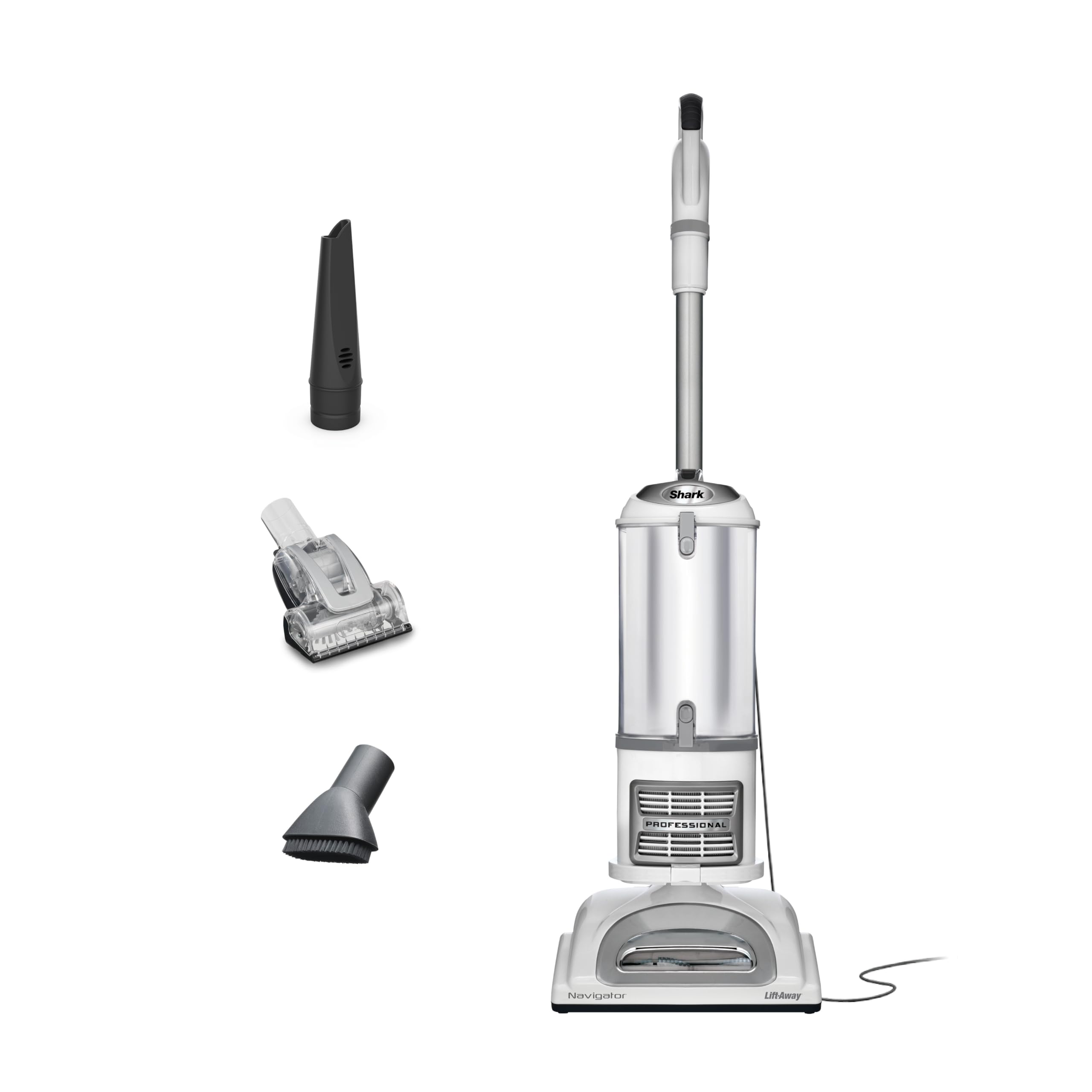
Getting your Shark Navigator Lift Away Professional NV356E back in working order is usually a matter of careful checks and routine maintenance. By following the steps above, you’ll save time, money, and avoid unnecessary frustration—keeping your home clean and your routine running smoothly.
Credit: www.amazon.com