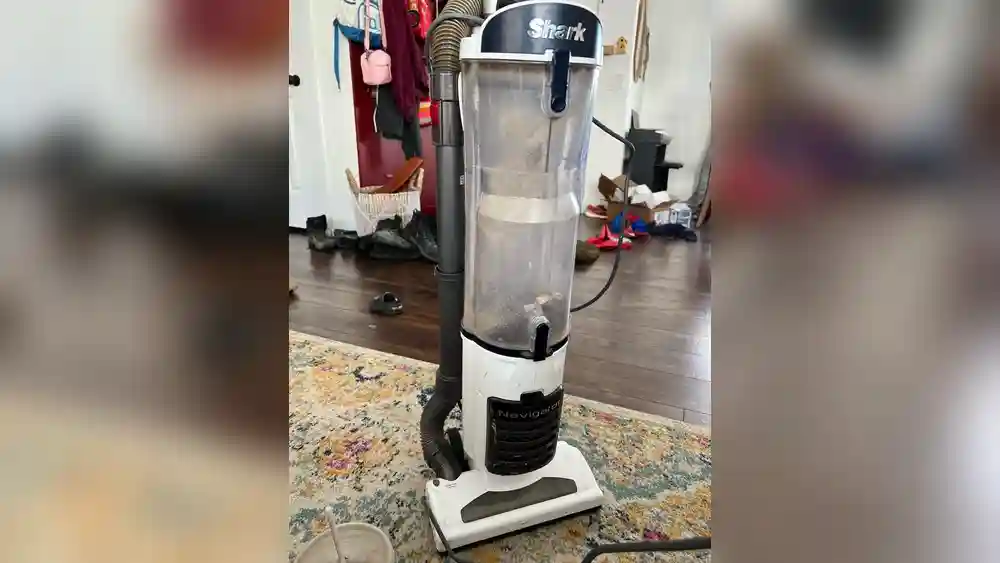
If you own a Shark Professional Navigator Lift Away vacuum, you know how powerful and versatile it can be. But like any machine, it can develop issues over time. One of the most common problems users face is the roller not working. This issue can make cleaning carpets and hard floors frustrating and less effective. You might hear the motor running, but the brush doesn’t spin, or it stops suddenly during use. If you’re struggling with this, you’re not alone—many Shark owners have faced the same challenge.
This guide is here to help. You’ll learn why the roller might stop working, how to fix it step by step, and how to prevent it from happening again. Whether you’re handy with appliances or a complete beginner, this article covers everything in simple, clear language.
Let’s get your vacuum back to full strength, so you can enjoy clean floors without any hassle.
Common Reasons The Shark Professional Navigator Lift Away Roller Stops Working
There are several reasons why the roller on your Shark vacuum might not spin. Understanding these helps you find the right solution faster. Here are the most frequent causes:
- Obstructions or debris in the brush roll
- Broken or stretched belt
- Faulty roller motor
- Loose or disconnected wires
- Switch issues
- Clogged filters or pathways
- Incorrect vacuum settings
- Overheating protection triggered
- Damaged roller brush
- Worn out end caps or bearings
- Power supply issues
- Faulty control board
- User assembly errors
Let’s look at each of these in detail.
1. Obstructions Or Debris In The Brush Roll
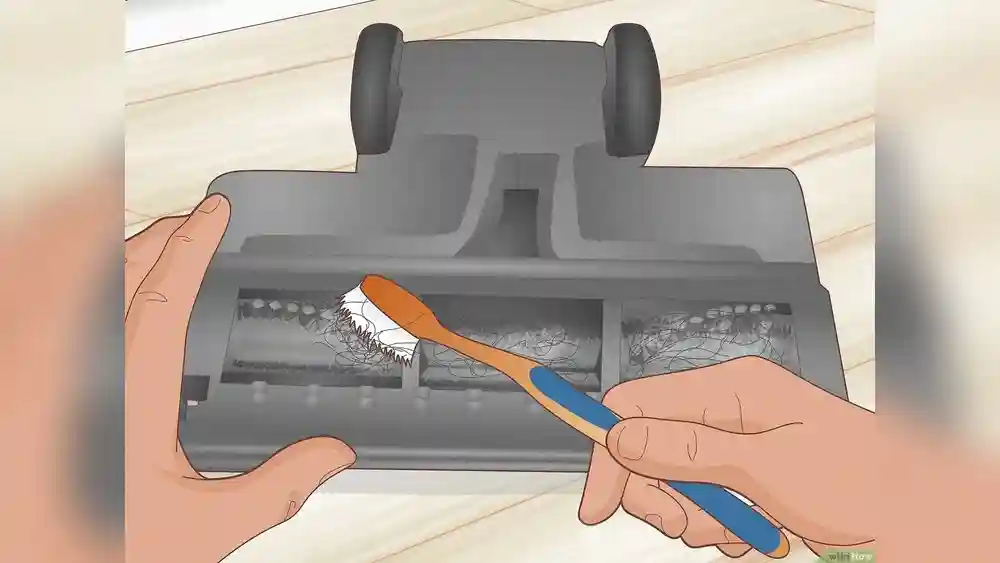
Pet hair, string, and other debris can easily get tangled in the roller. When this happens, the brush can jam and stop spinning. Even a small amount of hair can cause big problems over time. Check the roller regularly and remove any build-up.
2. Broken Or Stretched Belt
The belt connects the vacuum’s motor to the roller. If the belt breaks or stretches out, the motor will run but the roller won’t spin. This is a common issue, especially in older vacuums or after heavy use.
3. Faulty Roller Motor
If the motor that powers the roller fails, the brush will not turn. Sometimes the motor burns out or the wires connected to it become loose. This usually requires more advanced troubleshooting.
4. Loose Or Disconnected Wires
Inside your Shark vacuum, wires connect the motor, switches, and power supply. If a wire shakes loose, the roller can lose power. This can happen after dropping the vacuum or from regular wear.
5. Switch Issues
The Shark Lift Away model has a brush roll switch (often called the “carpet/floor” switch). If this switch breaks or fails internally, the roller will not activate even if the rest of the vacuum works.
6. Clogged Filters Or Pathways
If your vacuum is clogged, it can trigger safety features that stop the roller. Blocked filters or airways reduce suction and may lead to automatic shut-off.
7. Incorrect Vacuum Settings
Some Shark models let you choose between “Hard Floor” and “Carpet” modes. The roller usually spins only in “Carpet” mode. If you’re on the wrong setting, the brush won’t turn.
8. Overheating Protection Triggered
Vacuums have built-in overheat protection. If the motor or roller area gets too hot, the vacuum stops the roller to prevent damage. Overheating can be caused by blockages, heavy use, or dirty filters.
9. Damaged Roller Brush
The roller brush itself can wear down, warp, or break. If the brush is not sitting correctly or pieces are missing, the vacuum will not work as expected.
10. Worn Out End Caps Or Bearings
The roller sits on bearings or end caps that help it spin smoothly. If these parts get worn or clogged with debris, the roller can jam.
11. Power Supply Issues
Sometimes, the problem is as simple as a loose plug or a faulty electrical outlet. Always check your power source before opening the vacuum.
12. Faulty Control Board
The control board manages signals between the switches, motor, and roller. If this board is damaged, the roller may not receive the command to spin.
13. User Assembly Errors
After cleaning or replacing parts, it’s possible to reassemble the vacuum incorrectly. Missing screws or misaligned parts can keep the roller from working.
Understanding these causes is the first step. Now, let’s move on to how you can fix the problem yourself.
Step-by-step Guide To Troubleshooting And Fixing The Roller
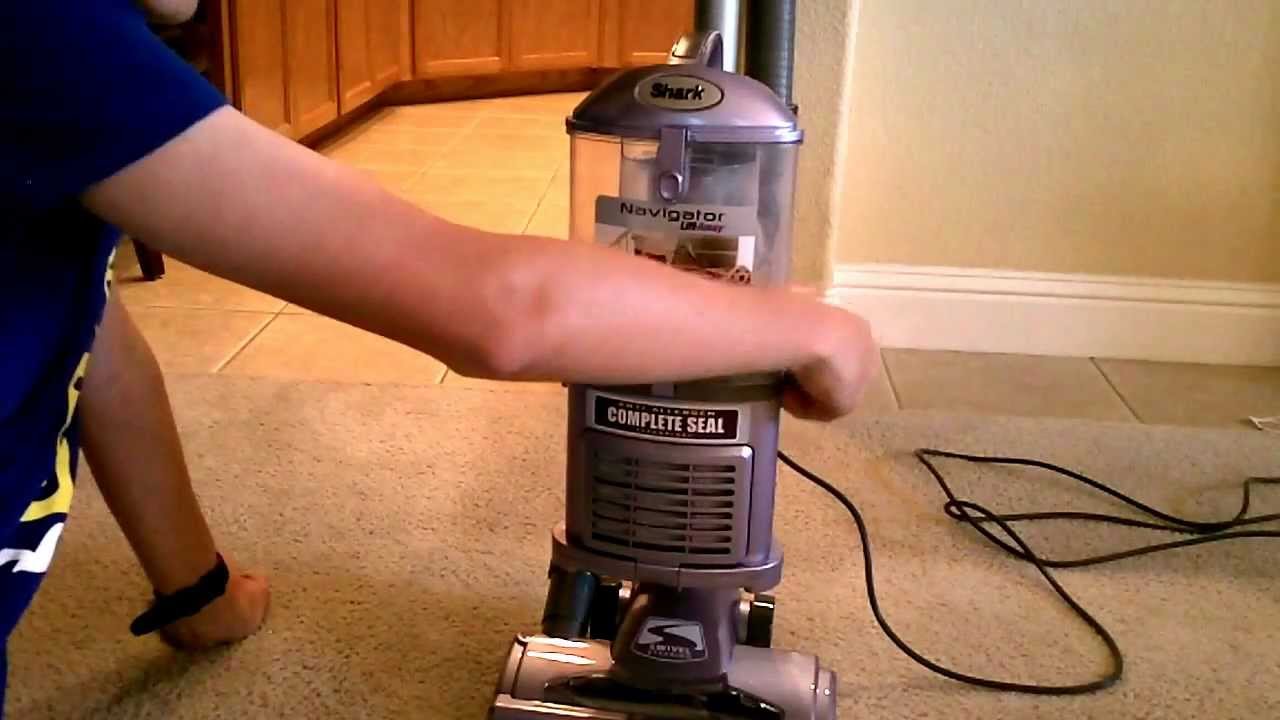
Fixing the Shark Professional Navigator Lift Away roller can be simple or complex, depending on the root cause. Always unplug the vacuum before starting any troubleshooting or repair.
Step 1: Basic Checks
Before taking the vacuum apart, try these easy steps:
- Check the power cord – Make sure the plug is secure and the outlet works. Try plugging in another device to confirm.
- Inspect the roller switch – Set the vacuum to “Carpet” mode. Listen for any sound from the roller.
- Look for lights or error indicators – Some Shark models have lights to show the roller is active or if there’s a problem.
If the roller still doesn’t work, continue with deeper checks.
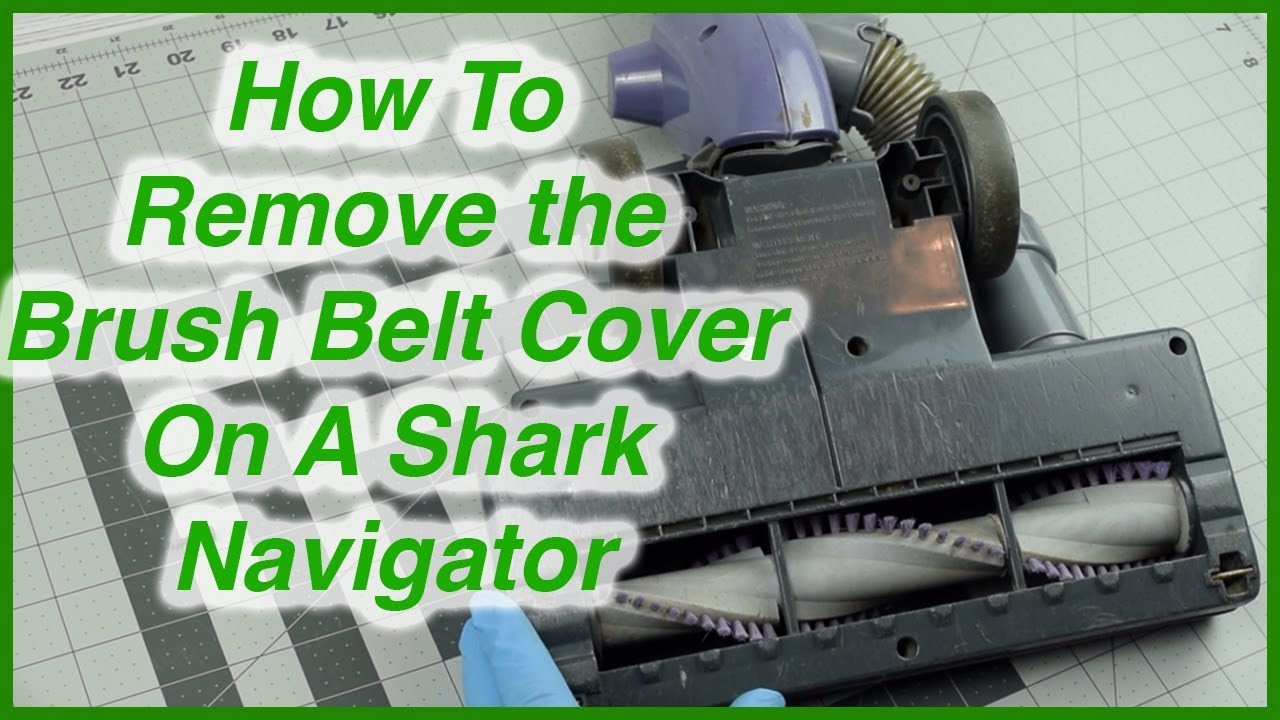
Step 2: Remove And Clean The Brush Roll
- Turn off and unplug the vacuum.
- Lay the vacuum upside down to access the roller.
- Remove the bottom plate – Usually, this requires a screwdriver.
- Take out the roller – Pull it out gently.
- Clear all hair, string, and debris from the roller and the roller housing.
- Spin the roller by hand – It should turn freely. If it feels stiff, check the end caps and bearings for dirt or damage.
Step 3: Inspect The Belt
- With the roller removed, inspect the belt for cracks, stretching, or breaks.
- If the belt is loose, thin, or broken, replace it with a Shark-approved belt.
- Make sure the belt sits properly on both the motor spindle and the roller.
Step 4: Check For Clogs
- Remove and clean the dust bin.
- Inspect all air pathways – Use a flashlight to look for blockages.
- Check the filters – Wash or replace them as needed. Dirty filters can cause overheating or low suction.
Step 5: Test The Motor And Wiring
- If the roller and belt are fine, plug in the vacuum (with the roller removed) and switch to “Carpet” mode.
- Watch the motor spindle – If it spins, the motor is working.
- Inspect wires – Look for loose or disconnected wires near the roller motor. Reconnect or tighten if needed.
Step 6: Examine The Switches
- Press the brush roll switch several times. It should move smoothly.
- If the switch feels loose or doesn’t “click,” it might need replacing.
- Remove the handle casing (if comfortable) to access the switch wiring.
Step 7: Overheating And Reset
- If the vacuum stopped suddenly, wait at least 45 minutes to let it cool down.
- Press the reset button (if your model has one).
- Plug in and test again.
Step 8: Inspect Roller Brush And End Caps
- Look for cracks, bends, or missing parts on the roller.
- Remove end caps – Clean out hair and dirt.
- Lubricate bearings lightly if they feel rough.
Step 9: Test Power Source
- Try a different electrical outlet.
- Avoid using extension cords, which can reduce power.
- If the house outlet is faulty, get an electrician to check it.
Step 10: Advanced Checks (control Board And Assembly)
- If all else fails, the control board may be the issue. This often requires professional repair.
- Check assembly – Make sure all parts click into place and all screws are tight.
By following these steps, you can often solve the roller problem without expensive repairs.
Credit: www.youtube.com
How To Replace The Shark Navigator Roller And Belt
Sometimes, cleaning isn’t enough. If the roller or belt is damaged, you’ll need to replace them. Here’s how:
Tools And Parts You Need
- Replacement Shark roller (model-specific)
- Replacement belt
- Screwdriver (usually Phillips)
- Small brush or tweezers
Replacing The Roller Brush
- Unplug the vacuum.
- Lay it upside down and remove the bottom plate.
- Pull out the old roller.
- Insert the new roller in the correct direction.
- Reinstall the bottom plate and screws.
Replacing The Belt
- With the roller removed, slide off the old belt.
- Loop the new belt around the motor shaft and the roller.
- Reinstall the roller – You may need to stretch the belt slightly.
- Replace the bottom plate.
Make sure the replacement parts match your Shark model. Using the wrong parts can cause more issues.
Maintenance Tips To Prevent Roller Problems
Regular care can stop most roller issues before they start. Here’s how to keep your Shark vacuum in great shape:
- Clean the roller every two weeks, especially if you have pets or long hair in the home.
- Wash or replace filters monthly. Dirty filters put stress on the motor.
- Check the belt every few months for wear.
- Clear blockages from the hose and pathways regularly.
- Store the vacuum indoors in a dry place to prevent damage from moisture.
- Listen for changes in sound—squeaking or clicking means parts need attention.
These small steps will help your vacuum last longer and work better.
Table: Symptoms, Causes, And Solutions For Shark Roller Problems
Here’s a quick reference for identifying roller issues:
| Symptom | Possible Cause | Solution |
|---|---|---|
| Roller not spinning | Obstruction, broken belt, wrong setting | Clean roller, replace belt, check mode |
| Roller starts, then stops | Overheating, clog, dirty filter | Clean filters, remove blockages, cool down |
| Vacuum runs, but no suction | Clogged hose, full bin | Clear hose, empty bin |
| Roller noisy or rough | Worn end caps, debris | Clean and lubricate, replace parts |
| Roller moves slowly | Stretched belt, dirty bearings | Replace belt, clean bearings |
Common Mistakes When Troubleshooting Shark Rollers
Many users waste time or even damage their vacuums by making these common mistakes:
- Forcing the roller – Never use too much force. If it won’t move, check for hidden screws or clips.
- Ignoring the belt – It’s easy to miss, but a loose or broken belt is often the main issue.
- Using water on electrical parts – Only washable filters should get wet. Avoid spraying water inside the vacuum.
- Skipping regular cleaning – Waiting too long lets hair and dirt build up.
- Buying the wrong parts – Always check your model number before ordering replacements.
Avoiding these errors saves time and money.
Credit: www.youtube.com
Advanced Roller Issues: When To Call A Professional
Some problems are best left to experts. If you notice any of these, consider professional repair:
- Burning smell or smoke from the vacuum
- Repeated roller failures after replacing parts
- Electrical sparks
- Broken or melted plastic inside the vacuum
- Control board errors (such as flashing lights with no response)
Professional repair centers can test and replace internal electronics or motors. Trying to fix these at home can be risky.
Table: Diy Vs. Professional Repair For Shark Rollers
Compare which problems you can handle at home and which need a professional:
| Issue | DIY Fix | Professional Needed |
|---|---|---|
| Cleaning roller and belt | Yes | No |
| Replacing roller/belt | Yes | No |
| Checking power cord | Yes | No |
| Fixing loose wiring | Maybe | Yes |
| Replacing motor/control board | No | Yes |
| Repairing switch | Maybe | Yes |
How Shark Rollers Work: A Simple Explanation
The roller brush in your Shark vacuum spins at high speed to lift dirt from carpets. Here’s how the system works:
- The motor powers a small spindle.
- The belt connects the spindle to the roller.
- When you switch to “Carpet” mode, the roller receives power and starts spinning.
- Sensors and switches monitor the system for jams or overheating.
- If a problem is detected, the roller stops to protect the machine.
This system helps the vacuum clean deeply, but it also means that any small issue—like a stuck hair or loose wire—can stop the roller quickly.
Data: Shark Vacuum Roller Problems And Lifespan
Surveys and manufacturer data show that:
- About 30% of Shark vacuum repairs are related to roller problems.
- The average roller belt lasts 1-2 years with normal use.
- Pet owners are 50% more likely to experience roller jams due to hair.
- Most roller issues can be fixed at home in under 30 minutes.
These numbers highlight the importance of regular maintenance.
Credit: www.ifixit.com
Real-world Example: Fixing A Shark Roller Jam
Let’s look at a real example. Maria, a pet owner, noticed her Shark Navigator roller stopped spinning. She heard the motor but saw no movement. Here’s what she did:
- Unplugged the vacuum and laid it upside down.
- Removed the bottom plate and saw a lot of pet hair wound around the roller.
- Pulled out the roller and spent 10 minutes cutting away hair with scissors.
- Checked the belt, which was still in good shape.
- Reinstalled the roller and bottom plate.
- Plugged the vacuum back in—the roller worked perfectly.
Maria’s experience shows that even a simple cleaning can solve big problems.
Which Shark Navigator Models Are Affected?
The roller problem can happen on several Shark Navigator models, including:
- Shark Navigator Lift Away Professional NV356E
- Shark Navigator NV360
- Shark Navigator NV352
- Shark Navigator DLX NV70
Most of these use similar roller and belt designs. Always check your model number before buying parts or following guides.
Table: Replacement Parts For Common Shark Navigator Models
Here are the typical parts you may need for each model:
| Model | Roller Part Number | Belt Part Number | Filter Type |
|---|---|---|---|
| NV356E | 112FFJ | 117FFJ | HEPA, Foam |
| NV360 | 117FFJ | 117FFJ | HEPA, Foam |
| NV352 | 112FFJ | 117FFJ | HEPA, Foam |
| NV70 | 112FFJ | 117FFJ | HEPA, Foam |
Always use official Shark parts for the best fit and performance.
Tips For Buying Replacement Parts
When buying replacement rollers, belts, or filters:
- Check your model number – It’s usually on a sticker on the bottom or back.
- Buy from official retailers or trusted sites. Counterfeit parts can damage your vacuum.
- Read reviews – Some third-party parts may not fit perfectly.
- Keep extra belts and filters on hand for quick fixes.
Never force a part to fit—if it doesn’t slide in easily, it’s likely the wrong size.
Safety Precautions When Repairing Your Shark Vacuum
Working with electrical appliances always carries some risk. Keep these safety tips in mind:
- Unplug before any cleaning or repair.
- Don’t touch wet parts – Wait for everything to dry after cleaning filters.
- Use the right tools – Avoid damaging screws or plastic.
- Store screws and small parts in a cup so you don’t lose them.
- Double-check assembly before plugging in.
If you feel unsure, it’s always better to ask a professional.
Why Regular Maintenance Makes A Difference
Many users only think about maintenance when something breaks. But regular care brings real benefits:
- Longer vacuum life – Simple cleaning can add years to your machine’s life.
- Better cleaning performance – A clean roller and new belt pick up more dirt.
- Fewer repairs – Most big problems start as small ones you can prevent.
Even five minutes of cleaning a month can save you from expensive repairs.
Non-obvious Insights For Shark Navigator Owners
Here are two tips most beginners miss:
- Check under the end caps – Hair and dirt often hide here, blocking rotation. Pop off the end caps gently and clean inside.
- Alternate between carpet and hard floor modes during use – This can “reset” the brush roll if it sticks during heavy cleaning.
Both tricks can help you solve stubborn roller problems faster.
When To Replace Your Shark Vacuum
If you’ve tried all troubleshooting steps and the roller still doesn’t work, it might be time to upgrade. Signs you need a new vacuum include:
- The motor is very loud, smells burnt, or cuts out often.
- The roller stops working again soon after repair.
- Replacement parts are hard to find or very expensive.
- The vacuum is more than 8-10 years old.
Newer models often have improved rollers and brushless motors that last longer.
Resources For Further Help
If you need more detailed repair guides, videos, or want to order genuine Shark parts, visit the official Shark Customer Support. They offer manuals, diagrams, and customer service.
Frequently Asked Questions
Why Does My Shark Navigator Roller Stop Working On Carpet But Spins On Hard Floor?
The roller is designed to engage only in “Carpet” mode. If it works on hard floors but stops on carpet, the brush may be jammed by thick fibers, or the motor may be overloaded. Try cleaning the roller and checking for clogs.
How Often Should I Replace The Roller Belt?
A typical Shark roller belt lasts 1-2 years. If you notice the roller moving slowly or not at all, check the belt for stretching or cracks and replace it as needed.
Can I Use Universal Parts For My Shark Vacuum?
It’s best to use official Shark parts. Universal rollers and belts may not fit well and could damage your vacuum or void the warranty.
What Should I Do If My Shark Roller Still Doesn’t Work After Cleaning And Replacing Parts?
If you’ve cleaned, replaced the belt and roller, and checked settings, the problem could be with the motor or control board. Contact Shark support or a repair center for further help.
Is It Safe To Repair The Vacuum Myself?
Basic cleaning and belt/roller replacement are safe for most users. For electrical repairs, or if you see sparks or smoke, it’s safer to let a professional handle it.
---
Getting your Shark Professional Navigator Lift Away roller working again doesn’t have to be stressful. With simple tools and a little patience, you can solve most problems at home and keep your vacuum running smoothly for years. Regular care, the right parts, and quick action when problems start make all the difference. Happy cleaning!