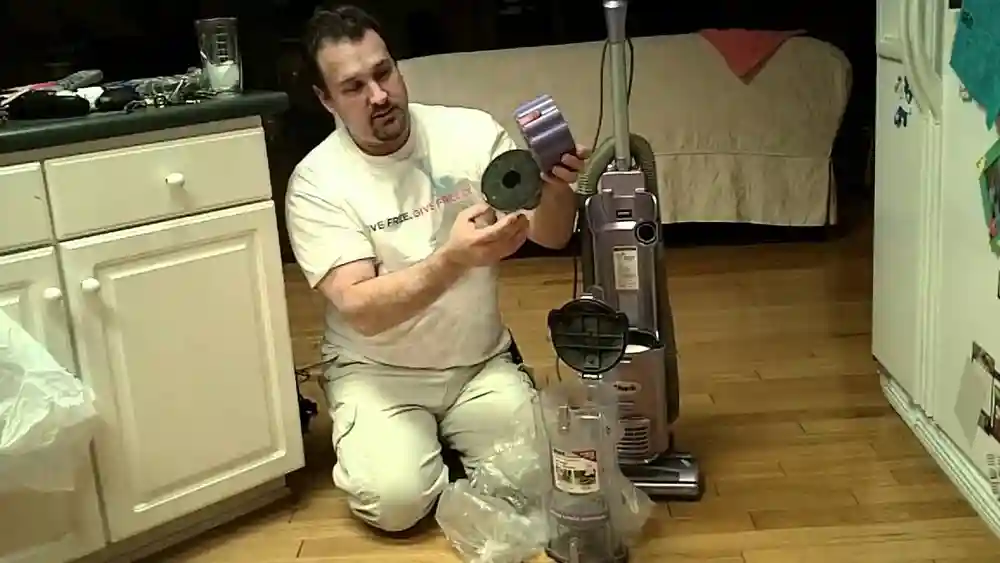
Keeping your home clean is easier when your vacuum works perfectly. For many people, the Shark vacuum has become a trusted cleaning tool. It removes dust, pet hair, and dirt from carpets and floors. One important part of this vacuum is the brush roll. The brush roll spins underneath the vacuum, pulling up debris stuck in carpet fibers and helping you get a deeper clean. However, sometimes users struggle with turning the brush roll on or keeping it running smoothly. This article will guide you through everything you need to know about turning on the brush roll on your Shark vacuum, solving common problems, and making sure your machine stays in top shape.
Many people do not realize that the brush roll does not always turn on automatically. Some Shark vacuums require you to press a button, while others have sensors that only activate the brush when on carpet. If you have ever wondered why your vacuum is not picking up as well as it should, the answer might be the brush roll.
We’ll explore how to turn it on, why it matters, and what to do if it stops working. You will also find tips for maintenance, common user mistakes, and even a look at different Shark models. Whether you are new to Shark vacuums or a long-time user, this guide will help you get the best performance every time you clean.
Understanding The Shark Vacuum Brush Roll
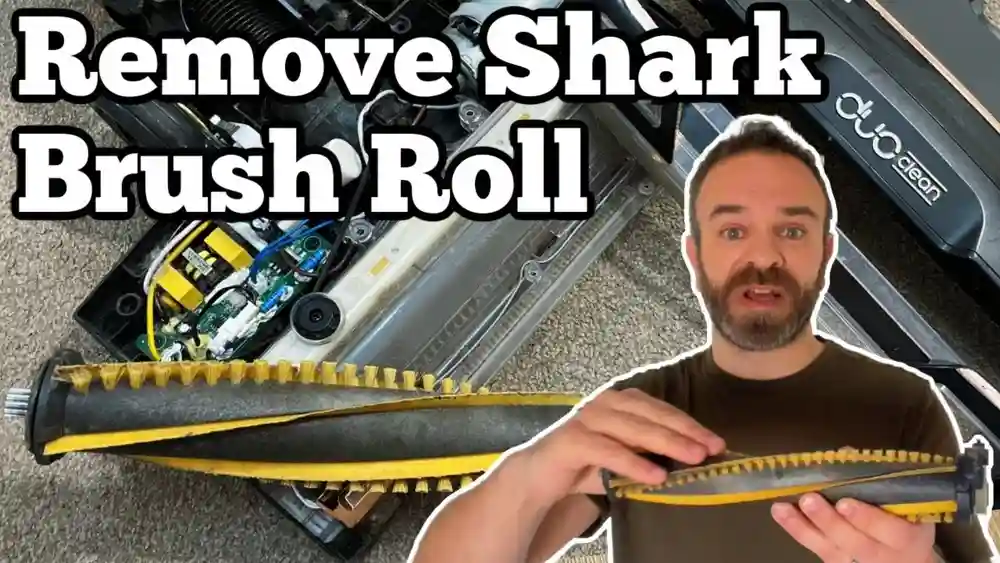
The brush roll is a rotating cylinder located at the base of the vacuum. It is lined with bristles that spin rapidly when activated. This spinning action lifts dust, hair, and debris from carpet or fabric surfaces, allowing the suction to collect everything efficiently.
Without the brush roll, a vacuum may struggle to clean thick carpets or pick up larger particles. On hard floors, the brush roll can help collect fine dust and pet hair. Some advanced Shark vacuums let you switch the brush roll off for delicate surfaces or hard floors, while others adjust automatically.
It’s important to know that running the brush roll on the wrong surface can cause problems. On sensitive hardwood, the bristles could scratch the finish. On thick carpets, the brush roll is essential. Understanding when and how to activate the brush roll will help you clean smarter.
Different Types Of Shark Vacuums And Brush Rolls
Shark offers several models, each with its own brush roll system. The main categories are upright, stick, cordless, and robot vacuums. Let’s compare them:
| Shark Vacuum Type | Brush Roll Control | Best For |
|---|---|---|
| Upright | Manual or Automatic Switch | Thick carpets, large homes |
| Stick | Button or Floor Sensor | Hard floors, quick cleanups |
| Cordless | Button | Small apartments, spot cleaning |
| Robot | Automatic | Low-pile carpets, regular maintenance |
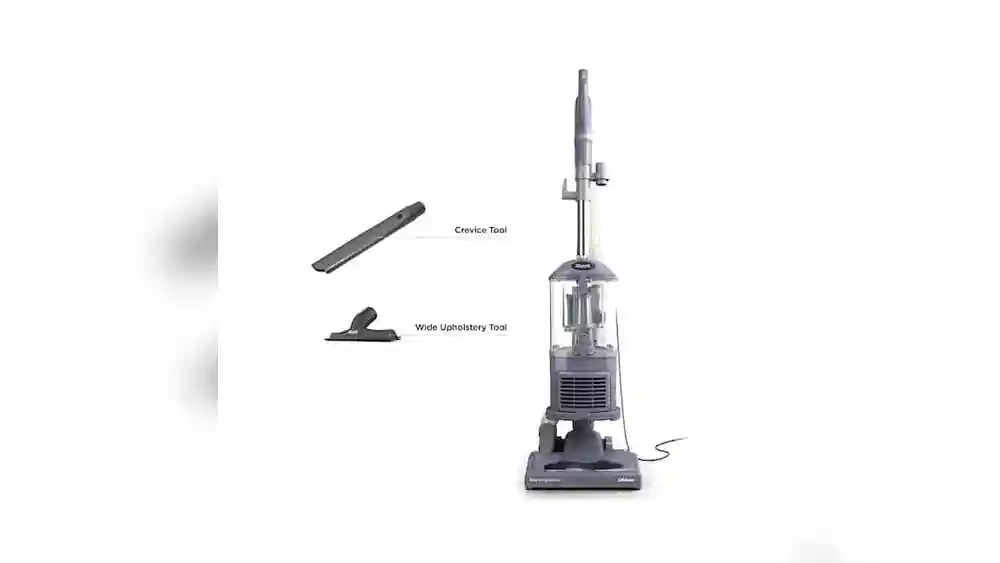
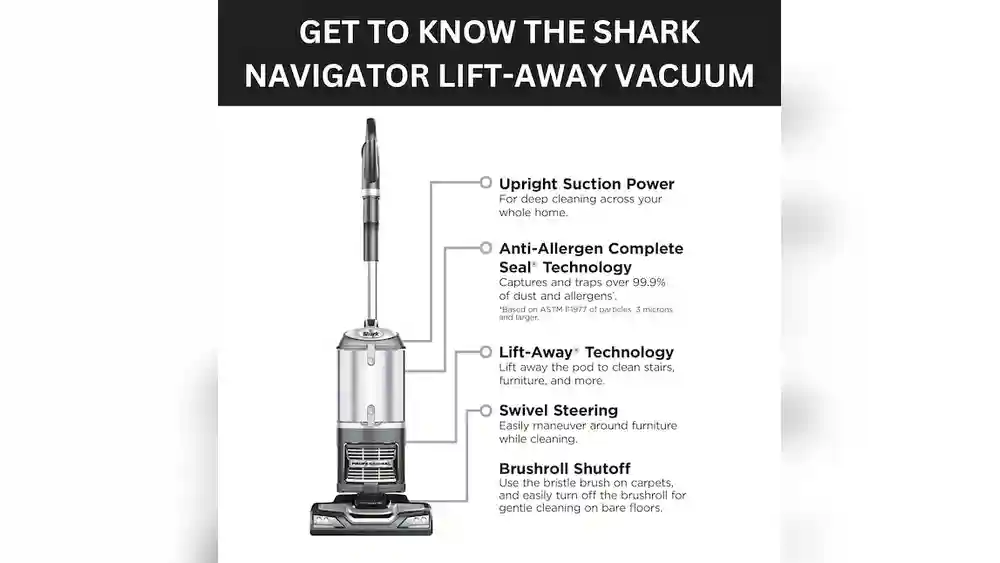
Upright models like the Shark Navigator and Shark Rotator often have a prominent brush roll switch. Stick vacuums may have the control on the handle, and many have smart sensors. Cordless models simplify the process with one or two buttons. Robot vacuums always control the brush roll automatically, so users do not have direct control.
Why The Brush Roll Matters
The brush roll is not just a spinning cylinder. It’s the main reason your vacuum can pick up dirt deep inside your carpet. When the brush roll is off, your vacuum may only pick up surface dirt. This means your floors may look clean, but allergens and dust remain trapped.
Pet owners especially need the brush roll. Pet hair often gets tangled in carpet fibers. The brush roll grabs and lifts these hairs, making sure your home stays truly clean. If you have allergy problems, using the brush roll regularly can help reduce symptoms.
People with hard floors should use the brush roll with care. Some Shark vacuums have a soft roller or a special mode for delicate floors. Using the wrong setting may scatter debris or scratch the surface. That’s why knowing how to control the brush roll is so important.
How To Turn On The Brush Roll On Shark Vacuums
Now, let’s get to the heart of the topic: turning on the brush roll. The steps depend on your Shark model, but here is a general guide:
1. Check The Power Setting
Most Shark vacuums need to be fully powered on before the brush roll will spin. If your vacuum has a “Carpet” or “Floor” setting, make sure it is set to “Carpet” for the brush roll to activate.
2. Locate The Brush Roll Button Or Switch
Find the button or switch that controls the brush roll. On upright models, this is usually near the handle or base. It may be labeled as “Brush Roll,” “Carpet,” or “Roller. ”
3. Select The Correct Mode
Some vacuums have a floor selector. For carpet, choose the setting that says “Carpet” or shows a carpet icon. For hard floors, switch to “Hard Floor” or a similar setting.
4. Confirm Indicator Lights
Many Shark vacuums have indicator lights that show the brush roll is on. A green light usually means it’s working. A red or blinking light means there is a problem (like a tangle or jam).
5. Start Cleaning
Once the brush roll is spinning, push the vacuum over your carpet. You should hear a gentle spinning sound and see debris being lifted.
Example: Turning On Brush Roll On Shark Navigator Lift-away
- Plug in the vacuum.
- Step on the power pedal to turn on.
- Set the floor selector to “Carpet.”
- Look for the green brush roll indicator light.
- Begin vacuuming.
Example: Shark Cordless Stick Model
- Charge the vacuum fully.
- Slide the power switch to “On.”
- Press the “Brush Roll” button if available.
- Check for indicator lights.
- Start cleaning.
Non-obvious tip: On some Shark models, the brush roll will not spin unless the vacuum is tilted back. This is a safety feature to prevent damage or injury.
Troubleshooting: Brush Roll Not Spinning
Sometimes, you turn on your Shark vacuum, but the brush roll does not spin. Here are the most common reasons and how to fix them:
1. Vacuum Not In Proper Position
Many Shark vacuums require the handle to be tilted back before the brush roll will start. If the vacuum is upright, the brush roll may stay off to protect your floors.
2. Brush Roll Switch Not Engaged
Check that you have pressed the correct button or set the floor selector to “Carpet. ” On some models, the switch may be stiff or sticky.
3. Clogged Brush Roll
Hair, string, or debris can get tangled around the brush roll and stop it from spinning. Turn off the vacuum, unplug it, and carefully remove any obstructions.
4. Indicator Light Problems
If the brush roll light is red or flashing, check the manual for what the signals mean. Usually, it means a jam or a problem with the motor.
5. Power Issues
A loose plug or weak battery (on cordless models) will prevent the brush roll from working. Make sure your vacuum is fully powered.
6. Broken Belt
The brush roll is often driven by a small rubber belt. If this belt snaps or slips off, the brush roll will not spin. Some Shark models let you replace the belt yourself.
7. Internal Motor Problems
If you have checked everything else and the brush roll still will not turn, the internal motor may be damaged. In this case, contact Shark customer support.
Practical insight: Many users forget to check the vacuum for a safety shut-off. If the brush roll jams, some Shark vacuums automatically cut power to prevent overheating. Unplug the vacuum for 15 minutes, clear the jam, and try again.
How To Clean And Maintain The Brush Roll
A clean brush roll works better and lasts longer. Here’s how to keep yours in top shape:
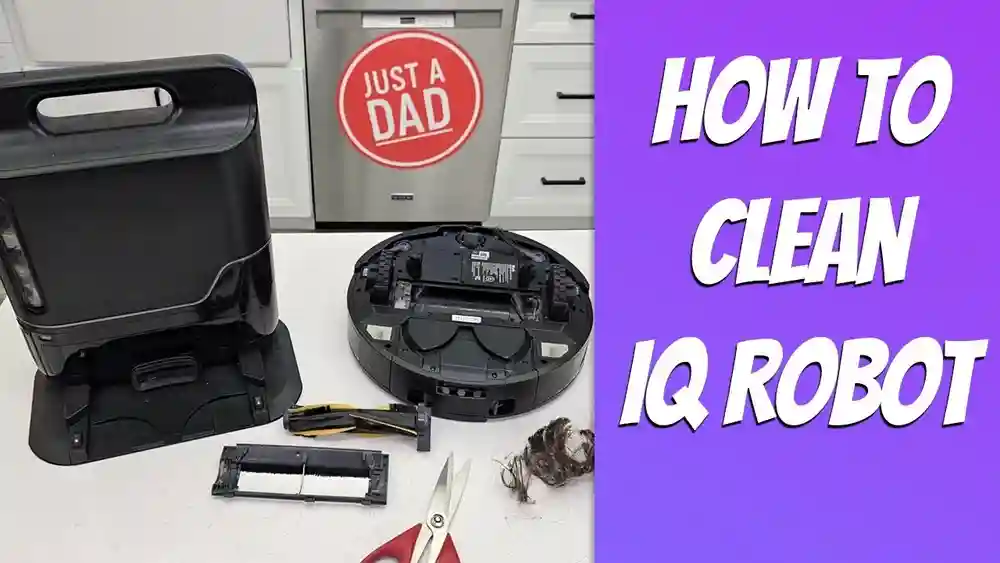
Step-by-step Brush Roll Cleaning
- Unplug the vacuum for safety.
- Flip the vacuum over to access the brush roll.
- Remove the cover if needed. Some Shark models have quick-release buttons.
- Cut away hair or threads wrapped around the brush roll using scissors or a seam ripper.
- Pull out debris by hand.
- Check the brush roll ends for buildup. Remove caps if possible and clean out dirt.
- Inspect the belt for wear or damage.
- Wipe the brush roll with a damp cloth.
- Reassemble the vacuum and test the brush roll.
Tip for pet owners: Clean the brush roll every week if you have pets. Pet hair can quickly tangle and cause jams.
Signs It’s Time To Clean
- The brush roll slows down or stops
- The vacuum makes a burning smell
- You see hair or string wrapped around the roll
- The brush roll indicator light is red
Non-obvious insight: Do not use water to soak the brush roll unless your model’s manual says it’s safe. Moisture can damage the motor or bearings.
Shark Duoclean And Self-cleaning Brush Rolls
Some newer Shark vacuums have advanced brush roll systems. DuoClean uses two rollers: one soft for dust and one bristled for deep cleaning. These models often have a single button for both rollers.
Self-cleaning brush rolls are a newer feature. They claim to remove hair automatically as you vacuum. This reduces the need to cut and pull out tangled hair, making maintenance easier. Still, you should check the brush roll for larger debris or issues.
Here’s a comparison of traditional and self-cleaning brush rolls:
| Feature | Traditional Brush Roll | Self-Cleaning Brush Roll |
|---|---|---|
| Hair Removal | Manual cleaning required | Automatic hair removal |
| Maintenance Frequency | Weekly (with pets) | Monthly (with pets) |
| Best For | General use | Pet owners, long hair |
If your vacuum has a self-cleaning brush roll, you still need to check it sometimes. Large objects or thick threads can still cause problems.
Common User Mistakes And How To Avoid Them
Many problems with the brush roll come from simple mistakes. Here are the top errors and ways to avoid them:
- Forgetting to switch to carpet mode: Always check your floor setting before cleaning.
- Trying to vacuum wet debris: Never use your Shark vacuum on wet messes. This can damage the brush roll and motor.
- Ignoring tangled hair: Regularly check and clean the brush roll, especially if you have pets or long hair.
- Not checking the indicator lights: Pay attention to what your vacuum is telling you. Red or flashing lights mean something needs attention.
- Vacuuming over large objects: Toys, coins, or socks can jam the brush roll. Pick up big items before cleaning.
- Skipping regular maintenance: Clean the brush roll and filters as recommended. This keeps your vacuum working at its best.
- Using the wrong mode on hard floors: On delicate surfaces, turn off the brush roll if possible to avoid scratches.
Non-obvious insight: If your vacuum feels harder to push, check the brush roll first. A jammed or tangled roll creates extra resistance and makes cleaning harder.
How To Replace A Broken Brush Roll Or Belt
If cleaning does not solve your brush roll problem, you may need to replace it. Here’s how:
Replacing The Brush Roll
- Unplug the vacuum and lay it on its back.
- Remove the cover by unscrewing or releasing latches.
- Take out the old brush roll by gently lifting it.
- Insert the new brush roll, making sure it fits into the slots.
- Reattach the cover and secure all screws or latches.
- Plug in the vacuum and test the brush roll.
Replacing The Belt
- Remove the cover and take out the brush roll.
- Slip off the broken belt.
- Loop the new belt over the motor shaft, then the brush roll.
- Reinstall the brush roll and make sure the belt is centered.
- Replace the cover and test the vacuum.
Important: Always use genuine Shark parts for replacements. Cheap or incorrect parts may not fit or could damage your vacuum.
Comparing Shark Brush Roll Systems With Other Brands
Shark is known for its powerful brush rolls, but how do they compare with other brands? Here’s a simple comparison:
| Brand | Brush Roll Features | Ease of Use | Maintenance |
|---|---|---|---|
| Shark | DuoClean, self-cleaning, manual/auto control | Simple switches, clear lights | Easy access, replacement parts available |
| Dyson | Direct drive, tangle-free rollers | Advanced sensors, sometimes complex controls | Parts can be harder to replace |
| Bissell | Multi-surface brush rolls, tangle-free options | Manual switches, user-friendly | Regular cleaning needed, affordable parts |
Shark stands out for its combination of easy-to-use controls and innovative brush roll designs. It also offers clear indicator lights and simple access for cleaning or replacement. Brands like Dyson may offer more advanced features but can be harder to maintain without professional help.
Safety Tips For Using The Brush Roll
The brush roll spins quickly and can catch fingers, hair, or loose clothing. Always follow these safety rules:
- Unplug the vacuum before cleaning or removing the brush roll.
- Keep long hair and loose sleeves away from the roller when the vacuum is on.
- Never vacuum up water or wet debris.
- Let children and pets stay clear when cleaning.
- Do not run the vacuum for long periods if the brush roll is jammed.
Extra tip: If you smell burning or hear loud noises, stop and check the brush roll immediately.
How To Get The Most From Your Shark Vacuum Brush Roll
To keep your Shark vacuum working its best, try these expert tips:
- Vacuum high-traffic areas more often. Dirt builds up quickly in entryways and living rooms.
- Alternate between carpet and hard floor modes as you clean different surfaces.
- Clean the brush roll after every big cleaning session, not just when there’s a problem.
- Replace the brush roll or belt every 12–24 months for best results.
- Register your vacuum with Shark to get updates about parts and maintenance.
Pro insight: Some users find that cutting a piece of pantyhose and placing it over the brush roll (temporarily) can help catch pet hair, making it easier to clean off later. Remove the pantyhose after cleaning!
Frequently Asked Questions
What Should I Do If My Shark Vacuum Brush Roll Won’t Turn On?
First, check if the vacuum is in the correct cleaning position. On many Shark models, the brush roll will not spin unless the handle is tilted back. Make sure the vacuum is set to “Carpet” mode, and check the indicator lights for errors.
If there are tangles or jams, clean the brush roll. If everything seems fine but it still does not work, the belt or motor may need repair.

Credit: www.ifixit.com
Can I Use The Brush Roll On Hardwood Floors?
Some Shark vacuums have special soft brush rolls or “Hard Floor” modes. Standard brush rolls can scratch sensitive wood or scatter debris. Always check your vacuum’s manual and use the right setting. If in doubt, turn the brush roll off for delicate floors.
How Often Should I Clean The Brush Roll?
For homes with pets or heavy use, clean the brush roll once a week. For light use, once a month may be enough. Always clean it immediately if you notice hair, string, or a burning smell.

Credit: www.amazon.com
What Does The Brush Roll Indicator Light Mean?
A green light means the brush roll is working properly. A red or flashing light usually means there is a jam, tangle, or motor problem. Always consult your manual for your specific model’s signals.
Where Can I Find Replacement Parts For My Shark Vacuum Brush Roll?
Genuine Shark replacement parts are available on the official Shark website or through authorized retailers. Avoid using cheap knock-off parts, as they may not fit or could damage your vacuum. For more on maintenance and spare parts, see the official Shark support site.
Keeping your brush roll in top condition is key to getting the most out of your Shark vacuum. With the right knowledge and a few simple habits, you can enjoy cleaner floors and a healthier home for years to come.
Whether you are solving a brush roll problem or just want to improve your cleaning routine, a little attention to this small part makes a big difference.

Credit: www.youtube.com