If you own a Shark Rotator vacuum, you already know how much it can help keep your home clean. But even the best vacuums can stop working right. When your vacuum loses suction, makes strange noises, or won’t turn on, it’s frustrating. Luckily, you don’t need to be a technician to fix most problems. Understanding what to check and how to repair your Shark Rotator can save you time, money, and stress. This guide will walk you through everything you need, from basic troubleshooting to deeper repairs—so you can get your vacuum running smoothly again.
Understanding Your Shark Rotator Vacuum
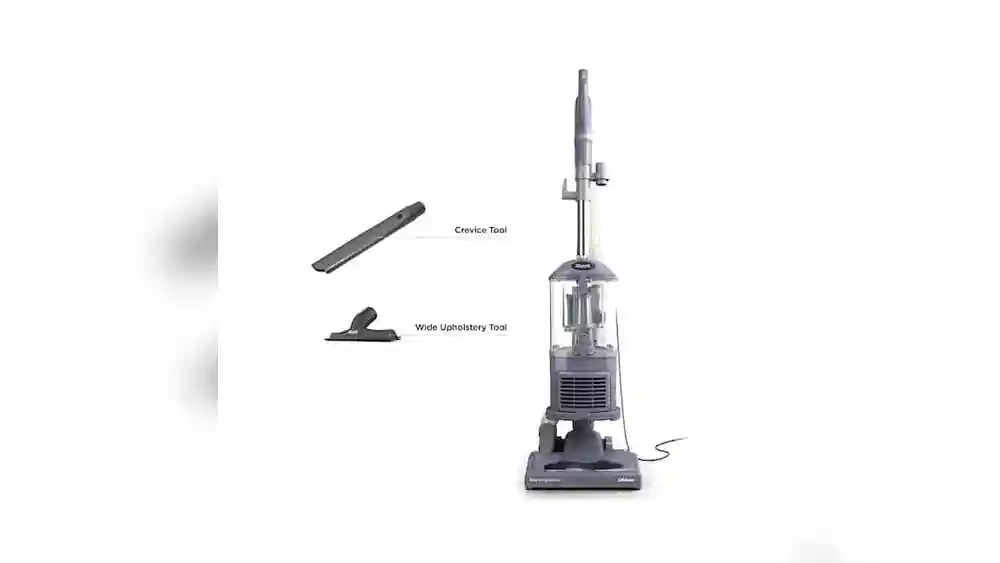
Before jumping into repairs, it helps to know a bit about your machine. The Shark Rotator series is popular for its powerful suction, swivel steering, and ability to clean both carpets and hard floors. Most models come with detachable canisters, HEPA filters, and various attachments. The main parts you’ll interact with are:
- Dust cup (canister)
- Filters (pre-motor and HEPA)
- Brush roll
- Hose and wand
- Motor housing
- Power cord and switch
Knowing these parts will make it easier to locate and fix problems. Many issues with Shark Rotator vacuums are caused by simple blockages or worn-out parts.
Common Problems With Shark Rotator Vacuums
When your vacuum isn’t working, it’s usually due to one of these main issues:
- Loss of suction
- Brush roll not spinning
- Vacuum won’t turn on
- Strange noises or smells
- Vacuum overheating and shutting off
- Poor performance on carpet or hard floors
Let’s break down each problem and how you can fix it step by step.
Fixing Loss Of Suction
Loss of suction is the most common complaint. It’s often caused by blockages or dirty filters. Here’s how to get your suction back:
1. Check For Blockages
First, turn off and unplug your vacuum. Inspect these areas for clogs:
- Hose: Detach and look through it. Use a broom handle to push out any debris.
- Wand: Shine a flashlight inside to check for stuck objects.
- Head and intake: Flip the vacuum and check the opening where dirt enters.
Even a small blockage can reduce suction by over 50%. Pay extra attention to bends in the hose—crumbs and hair often get stuck there.
2. Clean Or Replace Filters
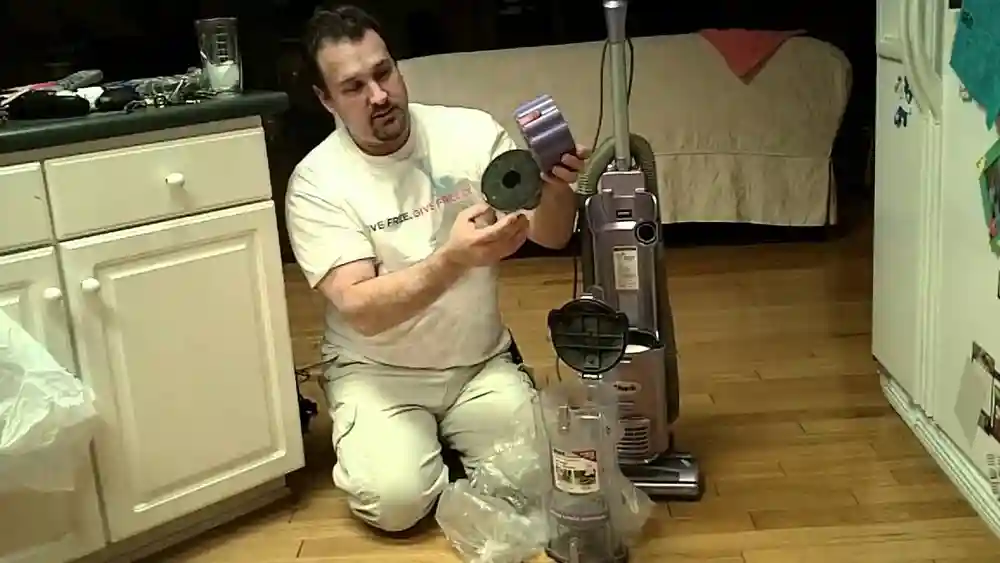
Shark Rotator vacuums have a pre-motor foam filter and a HEPA filter. Over time, these get dirty and block airflow.
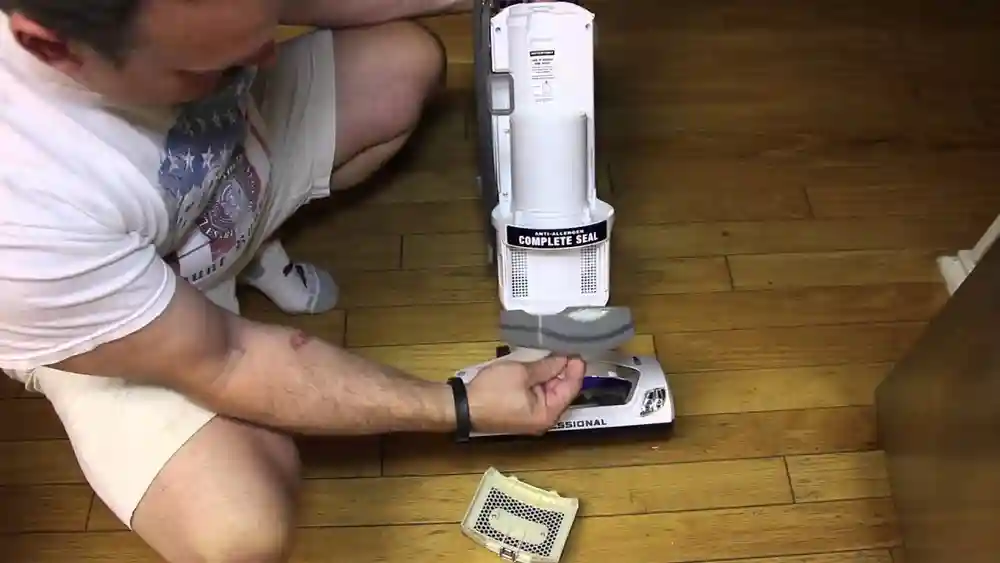
- Remove the filters according to your model’s instructions.
- Rinse foam filters with water. Let them dry at least 24 hours before putting them back.
- Tap the HEPA filter gently to remove dust. Replace it every 12–18 months.
A dirty filter is one of the most overlooked causes of weak suction.
3. Empty The Dust Cup
A full dust cup can block airflow. Always empty the canister before it reaches the “max fill” line.
- Detach the cup and hold it over a trash bin.
- Press the release button to open the bottom and let the dirt fall out.
Wipe the inside with a damp cloth for best results.
4. Check For Seal Leaks
If the seals around the dust cup or filters are damaged, air escapes and suction drops.
- Inspect the rubber seals for cracks or wear.
- Replace them if needed. You can find replacement seals online or at appliance stores.
5. Test Suction At Different Points
If you still have low suction, remove the attachments and test suction at the hose, wand, and base. This will help you find where the blockage or leak is.
Pro tip: If you notice strong suction at the hose but not at the floor head, the problem is usually in the brush roll or the base.
Fixing Brush Roll Problems
The brush roll helps pick up dirt from carpets. If it isn’t spinning, your vacuum can’t clean well.
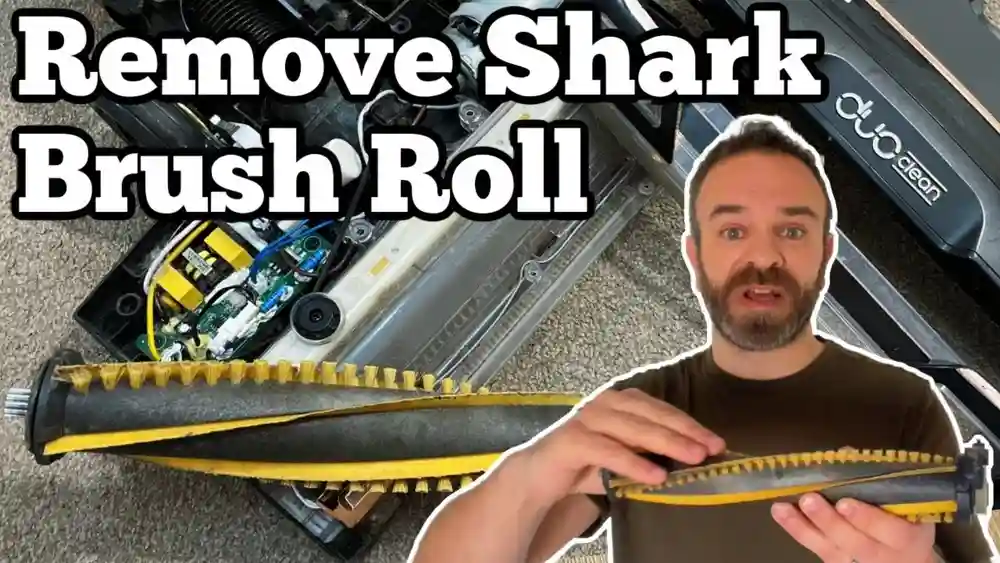
1. Check The Brush Roll For Obstructions
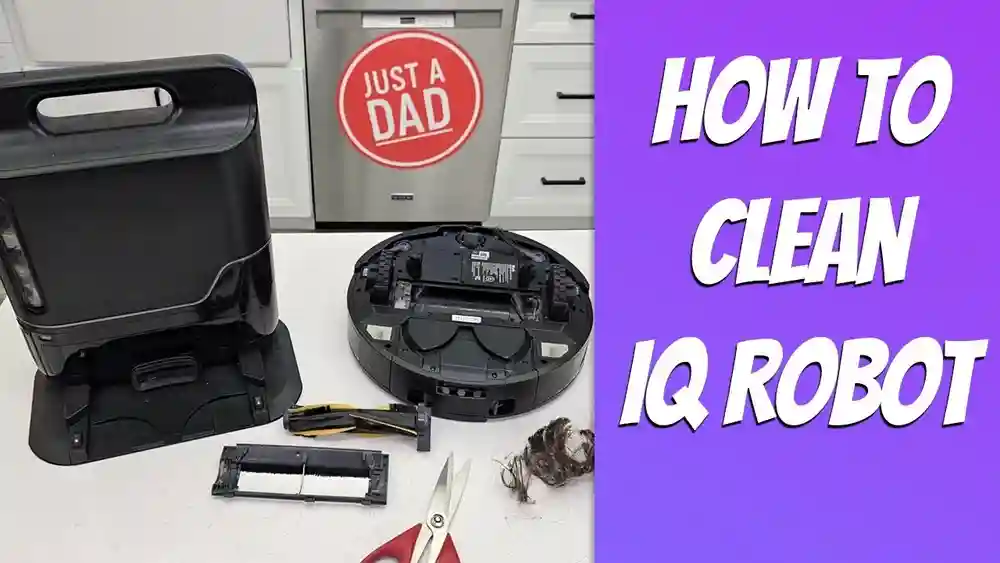
Hair, string, and debris often wrap around the brush roll, stopping it from turning.
- Unplug the vacuum.
- Remove the brush cover (usually a few screws).
- Pull out the brush roll.
- Cut away hair and debris with scissors.
A brush roll jam is one of the fastest ways to lose cleaning power.
2. Reset The Brush Roll
Some Shark Rotator models have a reset button near the brush roll or motor. If the brush stops spinning, the vacuum may have shut it off to protect the motor.
- Turn off and unplug the vacuum.
- Remove any blockages.
- Press the reset button (look for a small red or black button).
- Wait 5 minutes, then plug in and try again.
3. Replace A Worn Brush Roll
If the bristles are flat or missing, it’s time for a new brush roll.
- Remove the old roll.
- Install a new one, making sure the end caps are seated correctly.
Worn brushes can’t lift dirt, especially on carpets.
4. Inspect The Belt
The brush roll is driven by a rubber belt. If the belt is broken or stretched, the brush won’t turn.
- Remove the bottom plate.
- Check the belt for cracks or slack.
- Replace with a new belt if needed.
Belts are inexpensive and available for most Shark models.
Credit: www.walmart.com
Fixing Power Problems
If your Shark Rotator won’t turn on or cuts out during use, the problem is likely electrical.
1. Check The Power Cord And Plug
Look for visible damage or kinks in the cord.
- Try plugging into a different outlet.
- If the cord is damaged, stop using the vacuum. Electrical problems are a fire risk.
2. Test The On/off Switch
Wiggle the switch gently. If it feels loose or only works sometimes, it may need to be replaced.
- This usually requires removing a few screws and disconnecting the switch. If you’re not comfortable, contact Shark customer service.
3. Inspect The Motor
A burnt smell, strange noises, or the vacuum shutting off can mean a failing motor.
- If your vacuum overheats often, let it cool for at least 30 minutes.
- If the motor won’t start, it may need professional repair. Motors are not user-serviceable in most Shark vacuums.
4. Reset The Thermal Cutoff
If the vacuum overheats, it has a thermal cutoff that shuts it down.
- Turn off and unplug the vacuum.
- Let it cool for 30–60 minutes.
- Clear any blockages or clean filters before trying again.
Overheating is often a sign of poor airflow from blockages.
Fixing Strange Noises And Smells
Unusual sounds or burning smells can warn you of bigger problems.
1. Rattling Or Clicking
Usually caused by debris stuck in the brush roll or a loose part.
- Check the brush roll, belt, and housing for foreign objects.
- Tighten any loose screws or connections.
2. High-pitched Whining
Often caused by an airflow blockage or a failing motor bearing.
- Clean all filters and check for clogs.
- If the sound continues, the motor may need service.
3. Burning Smell
This is serious. A burning rubber smell often means the belt is slipping or broken.
- Unplug the vacuum and check the belt right away.
- Replace the belt if it’s melted or stretched.
A burning plastic smell can mean a motor problem or wiring issue. If you see smoke, unplug the vacuum and do not use it until repaired.
4. Musty Or Dusty Smell
Dirty filters or a full dust cup are common causes.
- Wash or replace filters.
- Empty and clean the dust cup.
Add a small drop of essential oil to the filter to freshen the air (optional).
Fixing Overheating Problems
When your Shark Rotator shuts off during use, it’s usually overheating. This protects the motor but can be annoying.
1. Let The Vacuum Cool
First, unplug and let it sit for at least 30 minutes. Never try to restart a hot vacuum.
2. Clean All Filters
Blocked filters make the motor work harder and overheat. Clean or replace every filter you can access.
3. Check For Blockages
Go over the hose, wand, and head for clogs. Even a small blockage can restrict airflow and cause overheating.
4. Don’t Overload Power Outlets
Plug the vacuum into its own outlet. Avoid using extension cords or power strips, which can cause overheating.
5. Use The Right Power Setting
Some Shark Rotator vacuums have adjustable suction. Lower the setting if you’re cleaning delicate rugs.
Fixing Poor Performance On Different Surfaces
If your vacuum works well on one floor type but not another, it may be set up wrong.
1. Adjust The Floor Setting
Use the selector switch to change from carpet to hard floor mode. This raises or lowers the brush roll for best results.
2. Clean The Brush Roll
Hair and debris reduce cleaning power, especially on carpet.
3. Use The Right Attachment
Use the motorized head for carpets and the bare floor tool for hard floors. The crevice tool helps with tight spots.
4. Lower The Wand
For deep carpets, use the vacuum with the wand at its lowest setting. This increases suction at the floor.
5. Test With A Bit Of Baking Soda
Sprinkle a small amount on the floor and vacuum. If it’s left behind, you may have a deeper issue—check for clogs or worn brushes.
Dealing With Hose And Wand Problems
A cracked or blocked hose can ruin your vacuum’s performance.
1. Inspect The Hose For Cracks
Even a small split lets air escape and kills suction.
- Remove the hose and stretch it while checking for damage.
- Replace if cracked—duct tape is a temporary fix, not a long-term solution.
2. Remove Blockages
Shine a light through the hose and wand. Use a broom handle to push out stuck objects.
3. Clean Hose And Wand
Build-up inside the hose can block airflow.
- Soak in warm, soapy water for 30 minutes.
- Rinse well and let dry completely before reattaching.
Moisture inside the hose can cause mold, so always let it dry fully.
Fixing Attachment And Accessory Problems
If your vacuum tools aren’t working, check these steps:
1. Clean Each Tool
Hair and dust can block the small airways in attachments. Remove, rinse, and dry them often.
2. Check For Cracked Tools
Broken plastic lets air escape. Replace worn or broken accessories.
3. Make Sure Tools Are Seated Properly
Push each tool firmly onto the wand or hose. Loose connections can cause leaks.
4. Use The Correct Tool For Each Job
The upholstery tool is for furniture, the crevice tool for corners, and the dusting brush for delicate surfaces.
Hidden insight: Many people overlook the importance of a tight fit between tool and hose. Even a small gap can drop suction by 20% or more.

Credit: www.youtube.com
Fixing Cord And Electrical Problems
Electrical issues are rare but serious. Never use a vacuum with frayed cords or exposed wires.
1. Inspect The Cord
Run your hand along the cord. If you feel cuts, nicks, or exposed wire, stop using the vacuum.
2. Check The Plug
Bent or loose prongs can cause poor contact. Replace the plug or cord if needed.
3. Test The Outlet
Plug another device into the outlet to make sure it works.
4. Replace The Cord (if Comfortable)
If you have basic DIY skills, you can replace the power cord:
- Unplug the vacuum and open the cord housing.
- Take a photo of the wiring to help you reconnect it.
- Remove the old cord and attach the new one, matching the wire colors.
If you’re not sure, get a professional to help.
Routine Maintenance Tips For Shark Rotator Vacuums
Regular care can prevent most problems and extend your vacuum’s life.
1. Clean Filters Monthly
Most Shark vacuums have washable filters. Clean foam filters every month, HEPA filters every 6–12 months.
2. Empty The Dust Cup Often
Don’t wait until the cup is full—empty after every few uses.
3. Cut Hair From Brush Roll
Remove hair and string from the brush roll weekly if you have pets or long hair in the house.
4. Check For Blockages
Do a quick check of the hose and head monthly.
5. Inspect Seals And Belts
Look for cracks or wear and replace as needed.
6. Store Properly
Wrap the cord loosely, store attachments with the vacuum, and keep it in a dry place.
When To Call For Professional Help
Some problems need expert repair or replacement:
- Motor failure: If the motor won’t start or makes grinding noises.
- Electrical smells or sparks: These can be fire hazards.
- Major leaks: If the vacuum loses suction even after all checks.
- Broken parts you can’t replace: Such as wheels or the main housing.
Contact Shark support or a local vacuum repair shop for these issues.
Non-obvious insight: Many Shark Rotator models have parts that can be replaced by the user (like brush rolls and belts), but not all. Check your model number and manual before buying replacement parts.
How Shark Rotator Compares To Other Vacuums
Understanding how your Shark Rotator stands against other vacuums can help you appreciate its strengths and know what to expect from repairs.
| Feature | Shark Rotator | Dyson Ball | Bissell CleanView |
|---|---|---|---|
| Suction Power (air watts) | 200–250 | 180–250 | 180–210 |
| Washable Filters | Yes | Yes | Yes |
| HEPA Filtration | Yes | Yes | No |
| Self-Cleaning Brush | Some models | No | No |
| Warranty | 5–7 years | 5 years | 2–3 years |
Shark Rotator Replacement Parts: What To Buy And When
Knowing which parts to replace, and when, can keep your vacuum working like new. Here’s a quick guide.
| Part | When to Replace | DIY Level | Approximate Cost |
|---|---|---|---|
| Filters (Foam/HEPA) | Every 6–12 months | Easy | $10–$25 |
| Brush Roll | Every 1–2 years | Medium | $15–$35 |
| Belt | When stretched or broken | Medium | $8–$15 |
| Hose | If cracked or leaking | Medium | $12–$30 |
| Dust Cup Seal | When leaking | Easy | $5–$12 |
Practical tip: Always buy genuine Shark parts or high-quality aftermarket parts. Cheap, off-brand filters and belts often do not fit well and wear out faster.
Real-world Example: Fixing A Shark Rotator At Home
Let’s look at a common situation. Anna noticed her Shark Rotator was making a loud noise and barely picking up dirt. Here’s how she solved it:
- She unplugged the vacuum and removed the dust cup. It was overfilled.
- She emptied the cup and cleaned the foam filter, which was covered in dust.
- She checked the brush roll and found hair wrapped around it. She cut it off with scissors.
- She inspected the hose and found a small sock stuck inside. She pushed it out with a broom handle.
- After reassembling, the vacuum worked like new.
Anna saved money and learned more about her machine. Most fixes are this simple if you follow the right steps.

Credit: www.ifixit.com
Preventing Future Problems
A little care goes a long way. Here are habits to keep your Shark Rotator running well:
- Empty the dust cup after each use.
- Wash filters monthly and let them dry completely.
- Check the brush roll and remove hair regularly.
- Inspect the hose for cracks or clogs.
- Use the right settings for carpets and hard floors.
- Don’t vacuum large objects (coins, socks, wet items).
Expert insight: Never run your vacuum without a filter. This can destroy the motor and void your warranty.
Warranty And Support
Shark Rotator vacuums often come with a 5–7 year warranty. If you have a problem you can’t fix, contact Shark support.
- Have your model and serial number ready.
- Explain the problem clearly.
- Ask about replacement parts or repairs.
You can also find helpful guides and troubleshooting videos on the official Shark website.
Frequently Asked Questions
Why Does My Shark Rotator Vacuum Keep Shutting Off?
This usually means the vacuum is overheating. The main causes are dirty filters, blockages in the hose or brush roll, or a full dust cup. Let the vacuum cool down, then clean all filters and check for clogs before using again.
How Often Should I Replace The Filters In My Shark Rotator?
Foam and HEPA filters should be replaced every 6–12 months, depending on use. If you have pets or allergies, change them more often. Wash foam filters monthly and let them dry completely before reinstalling.
What Should I Do If The Brush Roll Won’t Spin?
First, turn off and unplug your vacuum. Remove any hair or debris wrapped around the brush roll. Check for a broken belt. Some models have a reset button near the brush roll—press it and try again. If it still doesn’t spin, the brush roll or motor may need replacement.
Can I Wash The Hose And Attachments?
Yes, you can wash the hose and attachments with warm, soapy water. Rinse well and let them dry fully before reattaching. Never use the vacuum with wet parts, as this can damage the motor and cause mold.
Where Can I Buy Genuine Shark Replacement Parts?
Buy from the official Shark website, authorized retailers, or reputable online stores like Amazon. Avoid very cheap, off-brand parts—they may not fit properly and can reduce performance. For more information, check this helpful Wikipedia page on vacuum cleaners.
Getting your Shark Rotator vacuum working again is not as hard as it seems. Most problems have simple solutions you can do at home with basic tools and a little patience. By following these steps and maintaining your vacuum regularly, you can keep it running strong for years.
Take care of your machine, and it will take care of your floors.