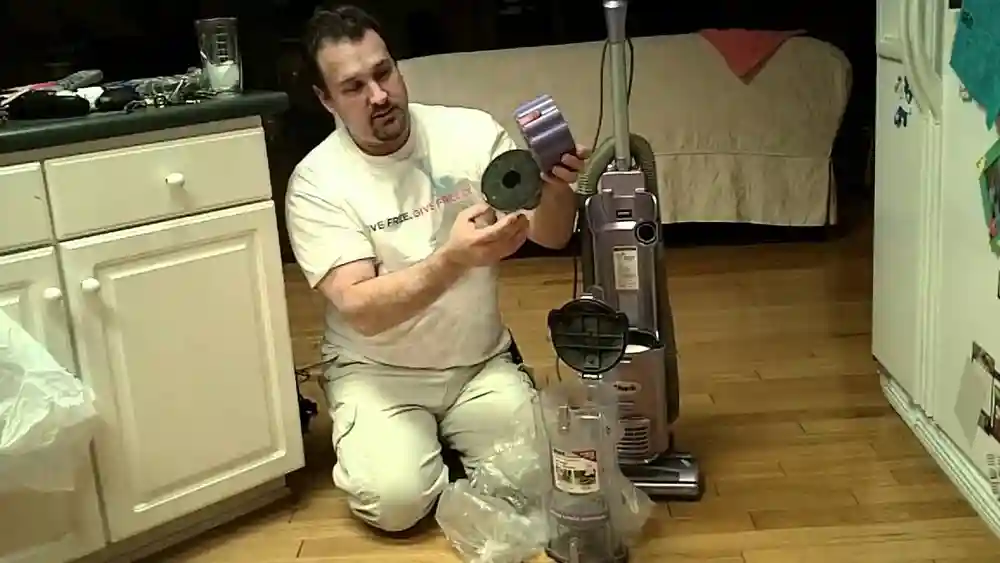
If you own a Shark vacuum, you probably expect it to make cleaning simple and effective. But what happens when your Shark swivel makes sound and does not pick up? This problem is more common than you might think, and it can quickly turn a helpful tool into a source of stress. Strange noises, loss of suction, and poor cleaning performance are frustrating, especially when you need a clean home. Understanding why this happens—and how to fix it—can help you save time, money, and effort.
Many Shark vacuum owners face this exact issue. Sometimes, the vacuum sounds normal, but dust and dirt stay on the floor. Other times, the noise gets louder, or the swivel head rattles or squeaks. You may wonder: Is my vacuum broken? Do I need to buy a new one? The good news is, most problems have simple solutions. With the right approach, you can get your Shark vacuum working like new again.
Below, you’ll find an in-depth look at why your Shark swivel vacuum makes noise and stops picking up debris. We’ll cover step-by-step troubleshooting, common mistakes, prevention tips, and when to seek professional help. By the end, you’ll know exactly what to do to restore your vacuum’s performance—and keep it running smoothly in the future.
How Shark Swivel Vacuums Work
To fix any problem, you need to know how the machine works. Shark swivel vacuums use a motor to create suction. The swivel head helps you move around furniture and corners easily. Inside, a rotating brush roll lifts dirt from carpets, and the suction pulls it into the dustbin. Filters trap fine dust so the air stays clean.
Most Shark vacuums also have a system of hoses and airflow channels that connect the brush roll area to the dustbin and motor. This pathway must stay clear for the vacuum to work properly. As you clean, the brush roll acts almost like a broom, sweeping dirt into the suction path, while the motor’s power draws it up and away.
The swivel feature makes it easy to maneuver, which is especially helpful in tight spaces or around table legs.
There are two main systems to check when your vacuum is noisy and not picking up:
- The suction pathway (from floor to dustbin)
- The brush roll and swivel mechanism
Any block, damage, or loose part in these systems can cause problems. Knowing this helps you troubleshoot with confidence. Even something as simple as a poorly fitted filter or a twisted hose can reduce the vacuum’s power and make it sound louder or more strained.
Each part depends on the others to work well.
Common Causes: Noise And Loss Of Suction
When your Shark vacuum makes noise but does not pick up, several things could be wrong. Here are the most frequent reasons:
1. Clogged Filters Or Hoses
Dust, hair, and debris can block the airflow. The motor works harder, making more noise, but little suction reaches the floor. Even a partial clog can reduce cleaning power noticeably.
2. Full Or Improperly Seated Dustbin
If the bin is full or not attached correctly, suction drops and strange sounds can occur. Sometimes, dirt can build up around the edges of the bin, preventing a good seal.
3. Obstructed Brush Roll
Hair, string, or debris wrapped around the brush roll can stop it from spinning, causing a rattling or buzzing sound. In some cases, the brush may stop turning completely, making the vacuum less effective on carpets and rugs.
4. Swivel Mechanism Jammed
Dirt or small objects stuck in the swivel joint can make squeaking or grinding noises. Over time, a jammed swivel can also affect how easily you can move the vacuum.
5. Damaged Or Worn Belts
The belt connects the motor to the brush roll. If it's loose, broken, or stretched, the brush won’t spin properly. This not only reduces pickup but can also cause the vacuum to make unusual noises, like a “slapping” or “flapping” sound.
6. Leaks Or Cracks In Hoses
Even a small crack can reduce suction and create whistling or hissing sounds. These leaks may develop slowly, so you might not notice a sudden loss of performance.
7. Incorrect Height Setting
If the vacuum is set too high or too low for the floor type, it may not pick up well and could make odd noises. The wrong setting can also make the vacuum hard to push.
8. Loose Or Missing Parts
Screws, wheels, or covers that are not secure can vibrate and rattle. Over time, this can lead to more serious issues if left unchecked.
Each of these causes can affect both the sound and cleaning ability of your Shark vacuum. It’s important to go through each possibility carefully—skipping one can mean missing the real problem.
Let's break down how to find and fix each of these issues.
Step-by-step Troubleshooting Guide
A systematic approach will save you time and frustration. Follow these steps, and you’ll usually solve the problem without special tools.
1. Unplug And Inspect
Always unplug the vacuum before checking anything. This keeps you safe from electric shock and moving parts.
- Place the vacuum on a flat surface, like a table or clean floor, so you can see all sides clearly.
- Remove the dustbin and filters. Take a moment to look for any obvious debris or damage.
Extra tip: If you have a camera or phone, take a picture of how things fit together before you take them apart. This helps you reassemble everything correctly.
2. Check The Dustbin
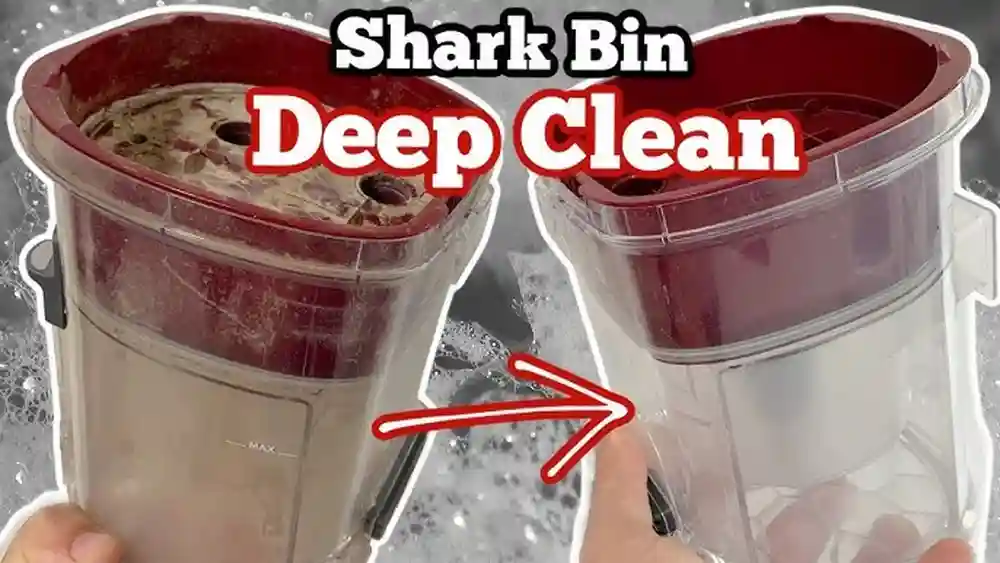
- Empty the dustbin, even if it’s not full. Small bits of dust or hair can block the sensors or seals.
- Wipe away dust or debris around the seals. Use a damp cloth (not wet) to keep the edges clean.
- Reattach the dustbin carefully, making sure it clicks into place. If it doesn’t “snap,” try again.
Beginner insight: The vacuum can lose suction if the dustbin is only slightly out of place—even if it looks attached. A gap as small as a few millimeters can break the suction seal.
3. Clean Or Replace Filters
Most Shark vacuums have two filters: a foam filter and a HEPA filter.
- Rinse the foam filter under cold water. Squeeze out excess water and let it dry for 24 hours.
- Tap the HEPA filter to remove dust. If you see a lot of gray or black dirt that won’t come off, replace it.
- Never put wet filters back in the vacuum.
Non-obvious tip: Filters that look clean can still be clogged inside. Clean them every month, not just when they look dirty. If you clean a filter and still smell dust or mustiness, it’s time for a new one.
4. Check For Clogs
- Remove the hose and look through it. Push a broomstick or similar tool through to clear any blockage.
- Check the air pathway from the floor head to the dustbin. Shine a flashlight to see hidden debris.
- Look for blockages at the entry point of the dustbin.
Example: Small toys, socks, or clumps of pet hair often get stuck where the hose connects to the vacuum. If you have children or pets, check these areas more often.
Extra detail: Some Shark models have a removable “air duct” that can be cleaned separately. If yours does, take it out and rinse it.
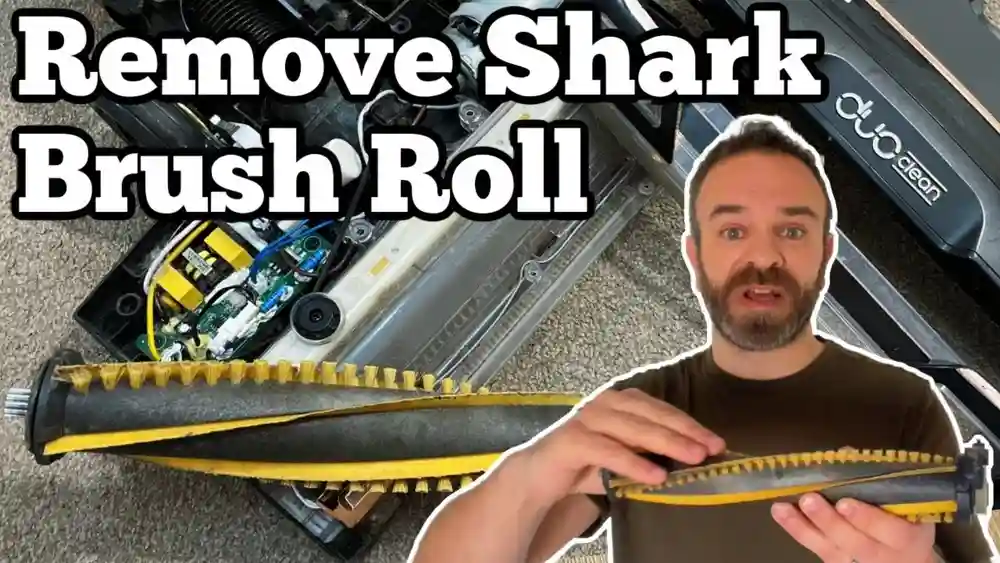
5. Inspect The Brush Roll
- Flip the vacuum over. This gives you a clear view of the brush roll and any debris.
- Remove the brush roll cover (usually with a coin or screwdriver).
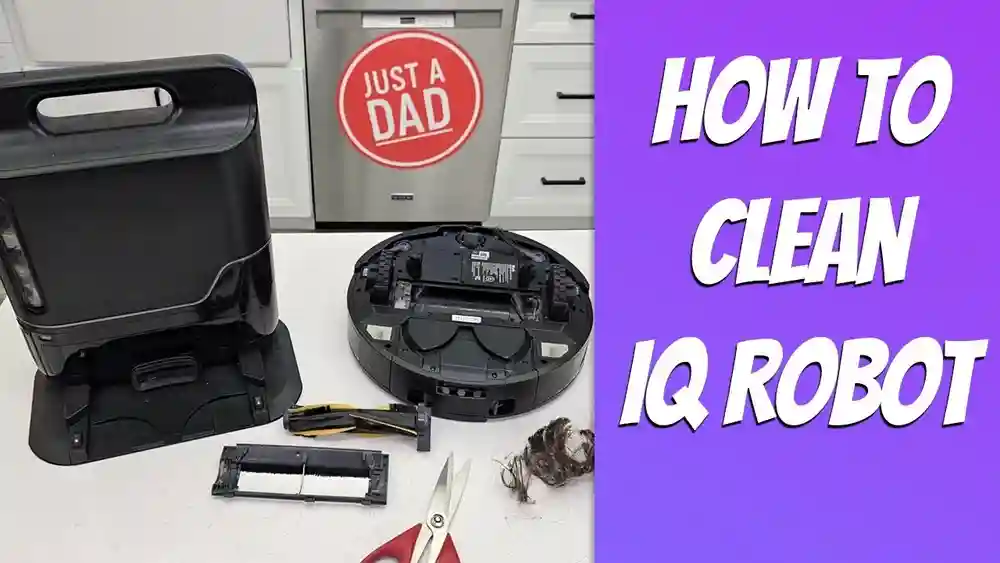
- Pull out the brush roll. Cut away hair, string, or debris.
- Spin the brush by hand to see if it moves freely. Listen for squeaks or grinding.
If the brush is hard to turn, the belt may be loose or something is stuck in the bearings. Some brush rolls have end caps that pop off—clean inside for best results.
Extra tip: Wipe the brush roll with a damp cloth to remove sticky residue that can trap more hair.
6. Examine The Belt
- Look for the belt connecting the motor to the brush roll. A good belt feels tight and is free from cracks.
- If it’s broken, stretched, or off the track, replace it. Belts are usually inexpensive and easy to change. Keep a spare on hand if you use your vacuum often.
Beginner insight: A weak or old belt can make the brush roll spin slowly, causing poor pickup and a buzzing sound. Sometimes, the belt slips off during use—replacing it is often faster than trying to fix it.
7. Clean The Swivel Mechanism
- Check the joint where the vacuum head rotates. Move it back and forth to feel for resistance.
- Remove any dirt, hair, or debris. A toothpick or tweezers can help with tight spots.
- Lubricate the joint with a small amount of silicone spray (never use oil-based products).
Practical example: If you hear a squeak each time you turn, the joint is probably dry or dirty. Cleaning and lubricating it usually solves the problem.
8. Test Height Settings
- Adjust the floor height for your carpet or hard floor. Most Shark vacuums have a dial or switch for this.
- Too low: The vacuum “sticks” and makes a straining noise.
- Too high: The vacuum sounds normal, but leaves dirt behind.
Extra detail: If you move from tile to carpet, always adjust the height. The wrong setting can also cause the wheels to make odd noises.
9. Examine Hoses For Leaks
- Flex the hose and listen for whistling or hissing. Move your ear close to find small leaks.
- Look for cracks or splits. Even small leaks reduce suction.
- Replace the hose if damaged. Temporary fixes like tape usually don’t last.
Non-obvious insight: Leaks often happen near the ends of the hose where it bends most. Check these spots carefully.
10. Secure All Parts
- Check screws, wheels, and covers. Loose parts can vibrate or fall off.
- Tighten anything that’s loose. Use the right tool to avoid stripping screws.
- Ensure all parts are snapped or screwed in correctly.
After each step, test the vacuum. Often, the problem is solved before you finish all the steps. Take notes if you try several fixes—this helps if you need professional help later.
When To Replace Parts (and Which Ones Matter Most)
Some problems need new parts. Here’s what matters:
- Filters: Replace every 6–12 months, depending on use. If you vacuum fine dust or pet hair, do it more often.
- Belt: Replace if loose, stretched, or broken. Usually every 1–2 years. A spare belt is handy for quick fixes.
- Brush roll: Replace if bristles are worn or the roll is damaged. Bent bristles can scratch floors or miss dirt.
- Hose: Replace if it’s cracked or won’t clear after cleaning. New hoses restore full suction and reduce noise.
Most Shark vacuum parts are affordable and easy to install yourself. Always buy genuine Shark parts when possible for the best fit and performance. Cheaper parts sometimes fit poorly and can cause more problems over time.
Extra tip: If you replace several parts at once (like filters and belt), label the date somewhere on your vacuum. This helps you remember when to check or replace them again.
Credit: www.bestbuy.com
Comparing Common Shark Swivel Problems
Here’s a quick comparison of the most common issues, their symptoms, and likely fixes:
| Issue | Noise | Pickup | Quick Fix |
|---|---|---|---|
| Clogged filter | Louder motor sound | Weak suction | Clean/replace filter |
| Brush roll jam | Rattling or buzzing | Does not pick up | Clear brush roll |
| Loose belt | Buzzing or squeaking | Poor carpet cleaning | Replace belt |
| Cracked hose | Whistling/hissing | Low suction | Replace hose |
| Improper dustbin | Normal or muffled | No pickup | Reseat dustbin |
| Jammed swivel | Grinding/squeaking | Normal suction | Clean/lubricate joint |
A quick check of these symptoms usually points you in the right direction. Don’t forget to listen carefully—every unusual sound is a clue.
Shark Swivel Vacuum: Model Differences
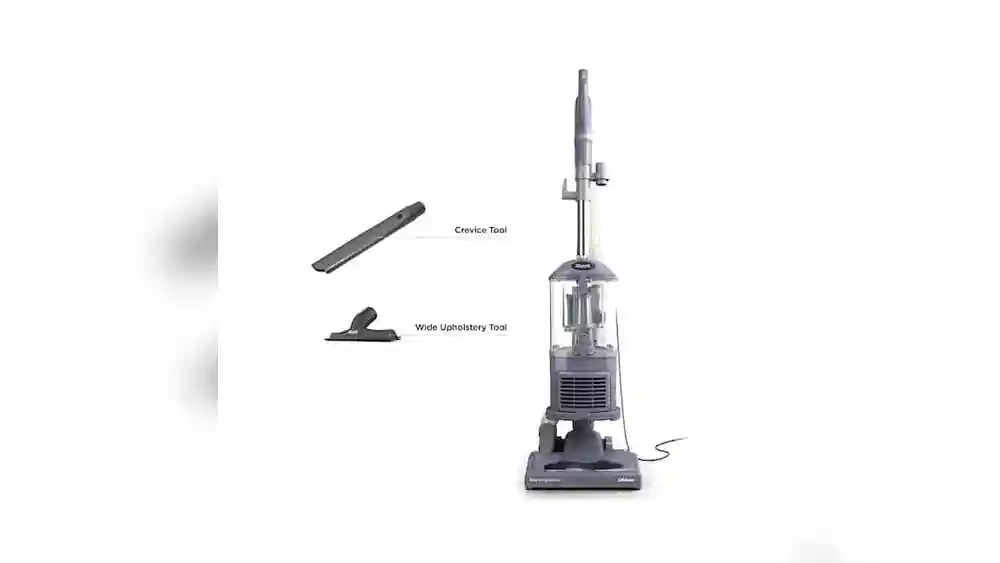
Not all Shark vacuums are the same. Some models have extra features, different brush rolls, or unique filters. Here’s how a few popular models compare:
| Model | Brush Roll Type | Filter System | Common Issues |
|---|---|---|---|
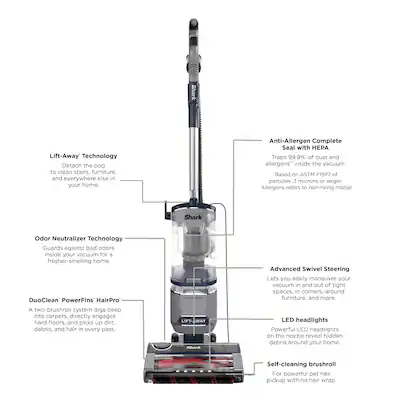
| Navigtor Lift-Away | Bristle brush | Foam + HEPA | Hair wrap, clogged filters |
| Rotator Professional | Self-cleaning brush | Foam + HEPA | Hose cracks, swivel jams |
| Rocket DuoClean | Duo roller (soft + bristle) | HEPA only | Roller jams, belt wear |
Non-obvious insight: Some newer models have “self-cleaning” brush rolls, but long hair or string can still jam them. Always check the brush roll, even with advanced features.
Extra example: The DuoClean roller is great for fine dust, but it can get clogged by wet debris or sticky substances. Cleaning it regularly prevents problems.

Credit: www.amazon.com
Real-world Example: Fixing A Shark Swivel That Makes Noise And Doesn’t Pick Up
Consider this scenario: Maria, a pet owner, notices her Shark vacuum is making a loud noise and leaving pet hair behind. She thinks it’s broken and considers buying a new one. Instead, she follows these steps:
- Unplugs and inspects the vacuum.
- Finds the dustbin full—empties and reattaches it.
- Cleans the filters, which are clogged with fine dust.
- Removes the brush roll, finding hair tightly wrapped around it.
- Cuts away the hair, cleans the bearings, and checks the belt.
- Reassembles everything, checks for leaks, and tests the vacuum.
Result: The noise is gone, and the vacuum picks up pet hair as it should. Maria saves money and avoids unnecessary frustration.
Beginner mistake: Many people skip cleaning the brush roll, assuming it’s only for carpet performance. In reality, a jammed brush roll affects suction on all floor types.
Second example: John, who lives in an apartment with hardwood floors, hears a squeak each time he turns the vacuum. He ignores it at first, but the noise gets worse and the vacuum doesn’t steer well. After cleaning and lubricating the swivel joint, the vacuum is quiet and easy to move again. Simple maintenance solved his problem.
Preventive Maintenance: Keeping Your Shark Vacuum In Top Shape
Regular care is the best way to avoid problems. Here’s what you should do:
- Empty the dustbin after every use. This prevents dirt from compacting and blocking airflow.
- Clean filters monthly, and replace them as needed. Mark your calendar to stay on schedule.
- Clear the brush roll of hair and string weekly, especially if you have pets. A clean brush roll improves both pickup and air quality.
- Check hoses for cracks or blockages every few months. Gently flex the hose and listen for air leaks.
- Lubricate the swivel joint once or twice a year. Use silicone spray for a smooth, quiet swivel.
If you vacuum fine dust, flour, or construction debris, clean filters more often. These fine particles clog filters much faster than regular dust.
Extra advice: Store your vacuum with the cord loosely wrapped and the attachments removed. This keeps the hose and cord from stretching or breaking.
Non-obvious insight: If you notice a change in vacuum sound—even if suction seems fine—inspect the brush roll and filters. Early attention can prevent bigger problems later.
When To Call For Professional Help
Most Shark vacuum issues can be fixed at home. However, some problems need expert attention:
- Motor makes burning or electrical smell
- Vacuum won’t turn on, even after checking the power
- Loud banging or grinding inside the motor area
- Repeated loss of suction after all cleaning and part replacements
If your vacuum is under warranty, contact Shark’s support before opening the motor or complex parts. Trying to fix these can void the warranty.
For repairs, always use qualified service centers or official Shark technicians. This ensures safety and proper function.
Extra detail: If your vacuum is several years old and the motor fails, compare the repair cost to buying a new model. Sometimes, investing in a new vacuum is the better long-term choice.
Cost Comparison: Diy Fix Vs. Professional Repair
Sometimes, the cost of repair is a concern. Here’s a rough idea:
| Fix | DIY Cost (USD) | Pro Repair Cost (USD) |
|---|---|---|
| Replace filters | 10–30 | 40–60 |
| Replace belt | 8–15 | 30–50 |
| Replace brush roll | 20–40 | 60–100 |
| Replace hose | 15–25 | 40–70 |
| Motor/complex repair | Not advised | 100–200+ |
Most fixes are affordable if you do them yourself. Motor repairs often cost more than a new vacuum.
Extra insight: Sometimes, local repair shops offer a free estimate. It’s worth asking before you decide.
Common Mistakes To Avoid
Fixing a vacuum isn’t hard, but some errors can make things worse:
- Using the vacuum with a wet filter: This can cause mold, bad smells, and motor damage. Always let filters dry for at least 24 hours.
- Forcing the brush roll: If it won’t turn, never force it—this can break the motor or belt. Take time to clean it properly.
- Ignoring small cracks: Even tiny leaks in the hose or body affect suction. Replace damaged parts as soon as possible.
- Using non-genuine parts: Cheap filters or belts often don’t fit well and wear out faster. Buy from reputable sources.
- Skipping regular cleaning: Waiting until problems appear can shorten your vacuum’s life.
Non-obvious mistake: Overfilling the dustbin can push dirt into the motor area. Always empty it before it looks “too full.”
Expert Tips For Shark Swivel Vacuum Owners
- Store your vacuum indoors, away from moisture or extreme heat. Excess humidity can cause rust or electrical problems.
- Wipe down the vacuum body to prevent dust buildup on sensors and switches. Clean sensors help the vacuum work better.
- If you have pets, consider vacuuming more often to reduce hair jams. Even short-haired animals shed enough to clog filters quickly.
- Register your vacuum with Shark for warranty and support benefits.
- Watch for signs of wear—like frayed belts or thinning brush bristles—so you can fix problems early.
For more detailed maintenance guides, you can visit the official Shark Clean Support site.
Extra tip: Write down your vacuum’s model and serial number. This makes it easier to order the right parts or get help from support.

Credit: www.lowes.com
Frequently Asked Questions
Why Does My Shark Vacuum Sound Normal But Doesn’t Pick Up Anything?
This usually means there’s a blockage or air leak. Check the dustbin, filters, and hoses for clogs. Make sure everything is attached correctly. Even a small gap can break the suction.
How Often Should I Clean The Filters In My Shark Swivel Vacuum?
Clean foam filters once a month and HEPA filters every 2–3 months. Replace them if they don’t come clean or look damaged. Heavy use or lots of pet hair may require more frequent cleaning.
Can A Jammed Brush Roll Stop The Vacuum From Picking Up Dirt?
Yes. If the brush roll is jammed, it can’t lift debris from carpets, and suction drops. Always check and clean the brush roll if pickup is poor. Both hard floors and carpets need a spinning brush for best results.
Is It Safe To Lubricate The Swivel Joint? What Kind Of Lubricant Should I Use?
Yes, but only use a small amount of silicone spray. Avoid oil-based lubricants—they can attract dust and cause more problems. Wipe away any excess lubricant after spraying.
What Should I Do If I’ve Tried All The Steps And My Vacuum Still Doesn’t Work?
Contact Shark support or a qualified technician. The problem might be inside the motor or wiring, which needs professional repair. Don’t try to fix the motor yourself if you are not experienced.
Your Shark vacuum is a reliable tool when it’s well maintained. By following these steps, you’ll keep it working quietly and efficiently—without the stress of lost suction or annoying noises. Taking a little time for regular care pays off in better cleaning and a longer vacuum life.