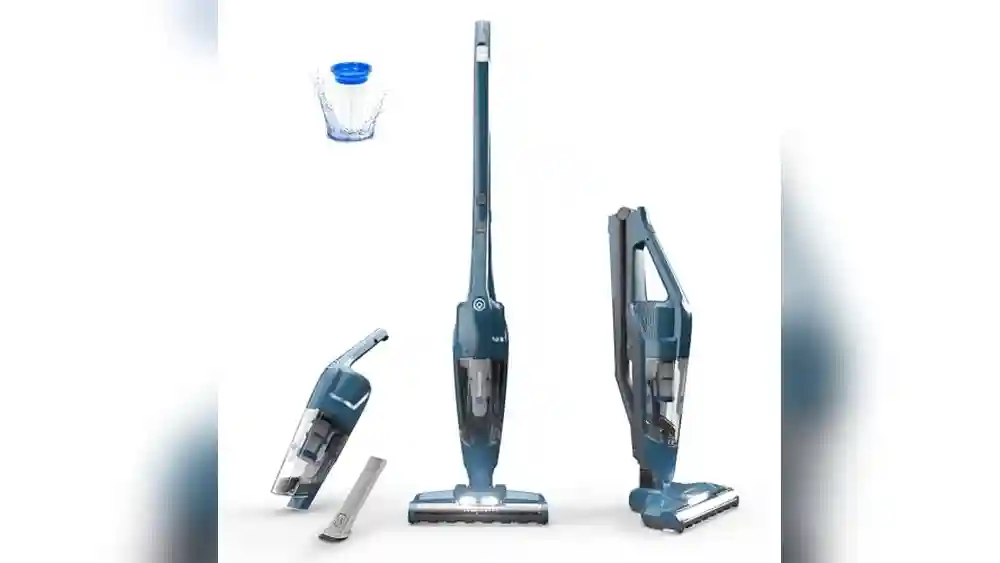
A Eureka Forbes vacuum cleaner can make home cleaning easy and fast. But when it suddenly stops working, it can be stressful. Many people feel lost because they are not sure what to check, fix, or who to call. Sometimes, the problem is small and you can solve it at home. Other times, you need expert help. This guide will show you, step by step, what to do if your Eureka Forbes vacuum cleaner is not working. You will learn how to find the problem, fix common issues, and know when to contact service. Even if you are not a technical person, you can use these tips to get your vacuum cleaner running again.
Understanding Your Eureka Forbes Vacuum Cleaner
Before you fix any problem, it helps to know a little about how your vacuum cleaner works. Most Eureka Forbes models have a motor, a filter system, a dust container or bag, and several attachments. The motor creates suction, which pulls dust and dirt into the machine. Filters keep dust from going back into the air. If any part stops working, the whole vacuum may fail.
There are different models: some are bagless, some use bags. Some are dry vacuums, while others can handle wet spills. Knowing your model type helps you find the right solution.
First Steps: Basic Checks
When your vacuum cleaner is not working, start with simple checks. Many people miss these basics:
- Power Supply: Make sure the power switch is ON. Check that the plug is fully inserted in the socket. Try plugging another device into the same socket to see if it works.
- Power Cord and Plug: Look for cuts, burns, or bends in the cord. If the cord is damaged, do not use the vacuum.
- Switch and Buttons: Press the ON/OFF button a few times. Sometimes, the switch gets stuck or loose.
- Safety Features: Some models stop working if the dust container or filter is not placed correctly. Open and close the container to ensure it is locked.
- Overheating Protection: If the vacuum stops after some time, the motor may have overheated. Unplug it, let it cool for 30-45 minutes, then try again.
Many vacuum cleaners have a safety cut-off. If something is not fitted well, it simply will not run. Re-check each part before moving to advanced steps.

Credit: anthbot.com
Checking For Blockages
A common reason for poor suction or no suction is a blockage. Even a small piece of debris can stop your vacuum.
How To Check For Blockages
- Turn Off and Unplug: Always unplug before you check inside.
- Inspect the Hose: Remove the hose and look through it. Use a broomstick or similar tool to clear any blockages.
- Check Attachments: Sometimes, the brush or floor tool gets blocked by hair or string.
- Dust Container or Bag: If it is full, empty it. Never let the container fill above the “max” line.
- Filters: Remove and tap gently to clean. If washable, rinse under water and let it dry fully before using.
- Air Pathways: Some models have air vents or secondary filters. Make sure these are clear.
Blockages not only stop suction but can cause the motor to overheat and damage the machine.
Cleaning And Replacing Filters
Filters are important for both suction and air quality. Dirty filters can stop the machine from working well.
Types Of Filters
- HEPA Filter: Captures fine dust and pollen.
- Foam Filter: Traps larger particles.
- Mesh Filter: Often used as a pre-filter.
How To Clean Filters
- Remove the Filter: Find the filter compartment, usually behind the dust container.
- Tap Out Dust: Take the filter outside and tap gently.
- Wash if Allowed: Some filters can be washed. Use cold water and let them dry completely (at least 24 hours).
- Replace if Necessary: If the filter is torn, blackened, or smells bad, replace it.
Never use the vacuum without its filters. This can let dust reach the motor and cause serious damage.
Motor Problems And Overheating
The motor is the heart of your vacuum cleaner. If it fails, the vacuum will not work. Signs of motor problems include burning smell, strange noises, or the vacuum shutting off quickly.
What To Do
- Check for Blockages First: Blockages make the motor work harder and can cause overheating.
- Let It Cool Down: If the motor is very hot, unplug and let it rest for an hour.
- Listen for Odd Noises: Grinding or screeching sounds may mean the motor bearings are damaged.
- Burning Smell: This could mean the motor wires are melting. Do not use the machine—seek help from a service center.
It is best not to open the motor yourself unless you have experience. Motors are complex and can be dangerous.
Problems With Suction Power
If your vacuum turns on but does not clean well, the problem is weak suction. Several factors can cause this.
Causes Of Low Suction
- Full Dust Container: Empty regularly.
- Dirty Filters: Clean or replace.
- Hose Leaks: Check for holes or loose connections.
- Blocked Attachments: Remove hair and dust from tools.
- Worn Out Motor: If the motor is old, it may not create strong suction.
Simple Test
To check suction, remove all attachments and feel the air at the end of the hose. If there is no pull, the problem is inside the main unit.
Issues With Power Cord And Plug
Many times, the vacuum does not start because of a problem with the power cord or plug.
Signs Of Cord Problems
- Vacuum only works in certain positions.
- Visible damage: Cuts, burn marks, exposed wires.
- Plug feels hot after use.
If you see any of these, stop using the vacuum. A damaged cord can cause electric shock or fire. Take the vacuum to a qualified electrician or service center for repair.
Problems With Dust Container Or Bag
Both bagless and bagged models can stop working if the dust container or bag is not fitted right.
What To Check
- Bag Position: Make sure the bag is attached firmly.
- Full Bag: Replace bags before they are completely full.
- Container Lid: Close tightly. Even a small gap can trigger safety switches.
- Dust Leaks: If you see dust escaping, check seals and gaskets for cracks.
Bagless models often have a sensor that stops the vacuum if the container is not locked.
Attachment And Accessory Problems
Sometimes, the vacuum works without attachments but stops when you connect a brush or tool.
How To Solve
- Inspect Attachments: Remove and clean all tools.
- Check Connection Points: Wipe clean and ensure they click in place.
- Try Without Accessories: If the vacuum works without them, the problem is with the tool.
Some power brushes and motorized heads have their own small motors, which can also fail. If you hear rattling or see sparks, stop using the attachment.
Strange Noises, Vibrations, Or Smells
If you notice unusual sounds or smells, act quickly. These are warning signs.
What They Mean
- Rattling: Something is loose inside.
- Whistling: Air is escaping—check for broken seals.
- Burning Smell: Motor problem or something stuck in the brush.
- Vibration: Brushes or wheels may be stuck.
Turn off and unplug the vacuum immediately if you notice these signs. Do not ignore them; they can lead to bigger damage.
Handling Wet And Dry Models
Some Eureka Forbes vacuums can clean both dry dirt and wet spills. Using the wrong mode can cause problems.
Common Mistakes
- Using Dry Mode for Liquids: Can cause short-circuit or motor failure.
- Forgetting to Switch Modes: Always set to the correct mode before cleaning.
- Leaving Water Inside: Always empty and dry the tank after wet cleaning.
If your vacuum has stopped after cleaning a wet spill, unplug, empty, and let it dry for 24 hours before trying again.
Electronic Control Problems
Newer models have electronic buttons, sensors, and displays. These can fail due to dust, moisture, or age.
Troubleshooting Steps
- Reset the Vacuum: Unplug for 5 minutes, then try again.
- Clean the Control Panel: Use a dry cloth. Never use water.
- Check for Error Codes: Some models show error numbers—refer to your manual.
- Sensor Issues: Clean sensors gently with a soft brush.
If the control panel does not light up, the problem may be with the circuit board. This needs professional repair.
When The Vacuum Cleaner Won’t Start At All
If your vacuum does not respond at all (no sound, no light), follow these steps:
- Check Power Source: Try a different socket.
- Test the Plug: Use the vacuum in another room.
- Look for Loose Connections: Jiggle the power cord gently at both ends.
- Try Another Appliance: If nothing works in the socket, the problem is with your home power supply.
If all else fails, the problem is likely inside the vacuum. It could be a blown fuse, failed switch, or internal wiring issue.
Dealing With Error Codes And Lights
Some Eureka Forbes models have indicator lights or display error codes to help you troubleshoot.
Common Error Indicators
- Red or Blinking Light: Usually means blockage, full container, or dirty filter.
- Flashing Symbols: Check the manual for meaning.
- No Lights: Possible power supply or board failure.
Keep your manual handy or search for your model’s error codes online.
Comparing Diy Fixes Vs. Professional Repair
Not every problem should be fixed at home. Here is a quick comparison:
| DIY Fixes | Professional Repair |
|---|---|
| Cleaning filters | Replacing motor |
| Removing blockages | Fixing electronic boards |
| Changing bags/containers | Repairing power cord |
| Tightening attachments | Dealing with water damage |
If you are not sure, it is safer to contact the Eureka Forbes service center.
How To Contact Eureka Forbes Service
If your vacuum needs expert attention, here’s what to do:
- Find Your Model Number: Usually printed on a label under the machine.
- Collect Warranty Card: Check if your vacuum is still under warranty.
- Visit the Official Website: Go to the Eureka Forbes service page.
- Call Customer Care: Use the phone number in your manual or on the company website.
- Describe the Problem Clearly: Mention any error codes, sounds, or smells.
Professional service centers have special tools and genuine spare parts. Never give your vacuum to local repair shops unless you trust them.
Preventing Future Problems
Proper care helps your vacuum last longer and work better. Here’s how you can prevent most issues:
- Clean Filters Monthly: Set a reminder in your phone.
- Empty Dust Container After Each Use: Don’t wait for it to get full.
- Check Hose and Attachments Weekly: Remove any debris.
- Store in a Cool, Dry Place: Moisture can damage the motor and electronics.
- Avoid Overloading: Don’t use the vacuum for long periods without a break.
Some people forget that regular maintenance is as important as fixing problems. Prevention is always easier and cheaper.
Comparing Common Eureka Forbes Models And Troubles
Every model has its special features—and common issues. Here’s a quick comparison:
| Model | Type | Common Problems | Best Solutions |
|---|---|---|---|
| Quick Clean DX | Bagless, dry | Filter clogging, hose blockages | Regular filter cleaning |
| Forbes Trendy Wet & Dry | Wet & dry | Mode confusion, water leaks | Check mode, empty tank after use |
| Forbes Super Clean | Handheld, dry | Battery issues, low suction | Check charger, clean filters |
| Forbes Robo | Robotic | Sensor errors, battery failure | Clean sensors, replace battery |
Knowing your model’s weaknesses helps you act fast when something goes wrong.
How To Safely Open And Clean Your Vacuum
If you want to do a deeper clean, follow these safety tips:
- Unplug the Machine: Never open when plugged in.
- Use the Right Tools: Small screwdrivers, soft brushes.
- Keep Track of Parts: Take pictures as you open the vacuum.
- Do Not Touch the Motor: Leave motor repairs to experts.
- Close Properly: Make sure everything is locked before use.
Cleaning inside removes hidden dust that can affect performance.
Understanding Warranty And Service Costs
Many people are confused about what the warranty covers.
- Standard Warranty: Usually covers motor and main parts for 1-2 years.
- Not Covered: Filters, bags, hoses, attachments, damage from water or misuse.
- Extended Warranty: You can buy extra years for a fee.
If your vacuum is out of warranty, ask for a repair estimate before agreeing to service.

Credit: anthbot.com
What To Do If You Need Spare Parts
Sometimes, a simple part can restore your vacuum to full power.
How To Get Spare Parts
- Buy from Official Channels: Use the Eureka Forbes website or authorized dealers.
- Check Part Number: Match with your model.
- Avoid Fake Parts: Non-genuine parts can cause more problems.
If you are not sure which part you need, ask customer support for help.
Common Mistakes To Avoid
Many people make small errors that can lead to big problems. Here are a few:
- Ignoring the Filter: Running the vacuum with a clogged filter harms the motor.
- Forcing Attachments: If an attachment is stuck, do not pull hard. Release gently.
- Using Outdoors: Most models are for indoor use only.
- Cleaning Wet Areas with Dry Models: Can cause electric shock or kill the motor.
- Using Without Dust Bag or Container: Dust will enter the motor.
Learning from these mistakes can save you money and time.

Credit: shop.newseasonsmarket.com
Signs You Need A New Vacuum Cleaner
No machine lasts forever. Here are signs you should consider a new one:
- Frequent Breakdowns: If your vacuum needs repair every few months.
- Poor Performance: Even after cleaning, it does not pick up dust well.
- High Repair Costs: If repair costs are more than 50% of a new vacuum.
- Obsolete Model: Spare parts are no longer available.
- Safety Risks: Burning smell, sparks, or electric shocks.
Modern vacuums are more energy-efficient and often do a better job.
Comparing Eureka Forbes To Other Brands
Eureka Forbes is popular in India and other countries, but how does it compare?
| Brand | Strengths | Weaknesses |
|---|---|---|
| Eureka Forbes | Wide service network, value for money | Some parts less durable |
| Philips | Strong suction, quiet operation | Expensive parts |
| Karcher | Good for wet & dry use | Costly, fewer service centers |
| Dyson | Advanced technology, bagless | High price, complex repairs |
Eureka Forbes is a strong choice for most homes, especially if you need local support.
Useful Tips For Long-term Use
A few simple habits can keep your vacuum in top shape for years:
- Wind Cord Carefully: Do not yank the cord.
- Keep Away from Water: Unless your model is wet & dry.
- Let It Cool Down: Give the machine a break every 20-30 minutes.
- Replace Filters on Time: Old filters reduce suction.
- Store Accessories Together: Prevents loss and damage.
Many people only use half the features of their vacuum. Reading the manual can reveal handy functions you did not know about.
What To Do If All Else Fails
If you have tried every solution and your Eureka Forbes vacuum is still not working, it is time for expert help. Do not open the motor or electronic board yourself. Call the service center or visit the official support page.
Sometimes, repairs are simple and affordable. Other times, you may get a good exchange offer for a new model.
If you want to learn more about vacuum cleaner technologies and maintenance, check out this detailed guide on the vacuum cleaner Wikipedia page.
Frequently Asked Questions
Why Does My Eureka Forbes Vacuum Cleaner Smell Bad?
A bad smell usually means the filter is dirty or something is stuck inside. Clean or replace the filter and empty the dust container. If the smell stays, check for hidden food or wet waste inside the machine.
How Often Should I Clean The Filters?
You should clean filters once a month for normal use. If you have pets or allergies, clean every 2 weeks. Replace filters every 6-12 months, or as the manual suggests.
Can I Repair The Power Cord Myself?
It is not safe to repair power cords at home unless you know about electrical work. Faulty repairs can cause shock or fire. Always use a professional or the Eureka Forbes service center.
My Vacuum Turns Off After A Few Minutes. What Is Wrong?
This usually means overheating. Blockages, dirty filters, or a full dust container can make the motor hot. Clean and let the vacuum cool before using again. If the problem continues, the motor may need service.
Where Can I Buy Genuine Eureka Forbes Spare Parts?
Buy only from official Eureka Forbes dealers or their website. Fake parts can damage your vacuum. If you are unsure, ask customer care for advice.
A well-maintained vacuum cleaner is your partner in keeping your home clean and healthy. With these steps, you can fix most problems at home and know when it is time to call an expert. Take care of your machine, and it will take care of your home for years.