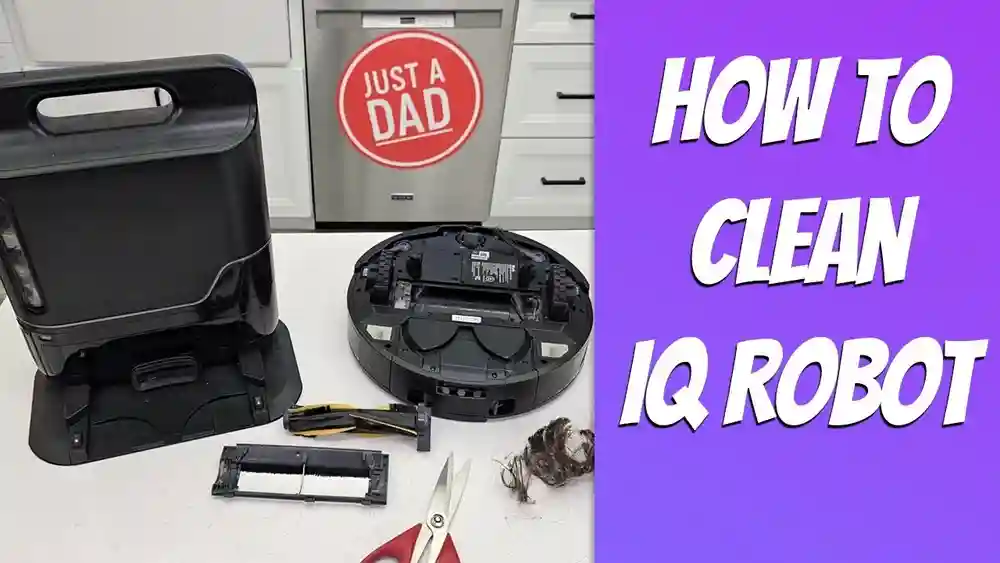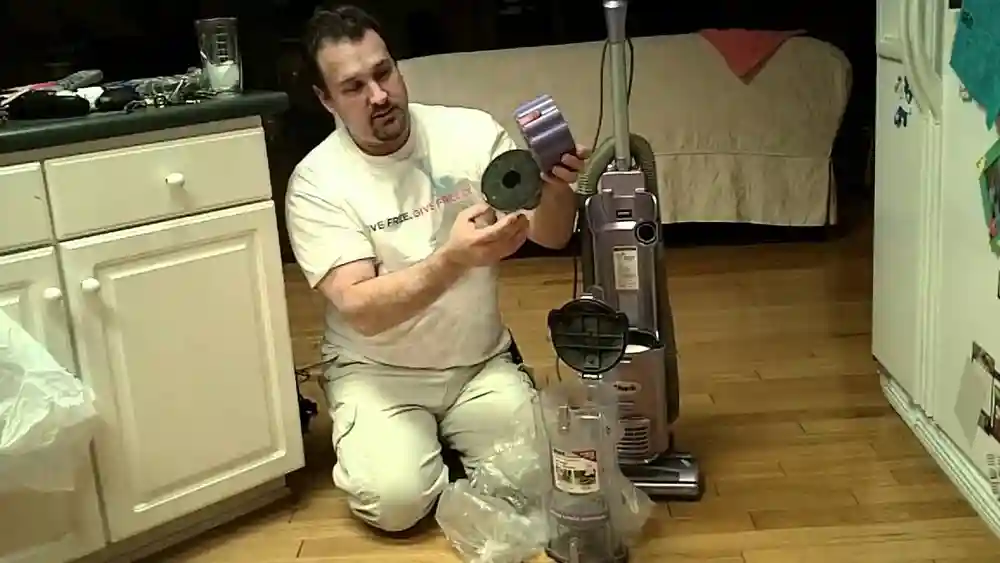
If you have a Shark robot vacuum and a dog at home, you know how helpful these gadgets are for keeping your floors clean. But there’s one challenge every pet owner dreads: coming home to find your robot vacuum has run over dog poop. Suddenly, your smart cleaning helper has become a rolling disaster, spreading the mess across your floors. It’s a nightmare scenario, but with the right steps, you can clean up your Shark robot vacuum and prevent lasting damage.
This guide will walk you through everything you need to know—from the moment you discover the mess, to deep cleaning all parts, and even tips on preventing future accidents. Whether you’re panicking right now or just preparing for the worst, this article will help you handle the situation with confidence.
Why Dog Poop Is A Serious Problem For Robot Vacuums
When a robot vacuum rolls over dog poop, it does more than make a mess. The soft feces can get into the wheels, brushes, sensors, and even inside the vacuum’s body. If not cleaned quickly and thoroughly, this can lead to:
- Permanent stains on floors and carpets
- Unpleasant odors that linger even after cleaning
- Bacterial growth inside the vacuum, which can cause health risks
- Damage to sensors and internal components, affecting vacuum performance
Dog poop is not just dirt—it contains bacteria like E. coli and parasites that you don’t want to spread around your house. That’s why a quick wipe isn’t enough. You need a deep, careful cleaning process.
What many people don’t realize is that robot vacuums have tiny gaps and moving parts where even a small amount of fecal matter can hide. For example, the rotating brush and wheel axles are often surrounded by rubber seals or plastic housing.
If poop gets into these spots, it can dry out and become almost cement-like, making it extremely hard to remove later. Plus, the smell can stay for weeks if bacteria are left behind.
Another hidden risk is the effect on your home’s air. As the vacuum runs, its motor can actually spread fine particles—especially if the filter or dustbin wasn’t cleaned properly. That means a single accident can continue to affect your air quality if not handled thoroughly.
First Response: What To Do Immediately
When you discover your Shark robot vacuum has run over dog poop, take action right away. Fast response can prevent the mess from drying and reduce the risk of permanent damage.
1. Stop The Robot
Pause or turn off the vacuum using the app or power button. If you use the app, avoid letting the robot return to the dock before you check and clean it. This prevents the dock from getting contaminated too.
2. Pick Up The Robot Carefully
Use gloves. Hold it from the sides to avoid touching contaminated parts. Take it to a hard, wipeable surface (like a tiled bathroom or garage). Avoid carrying it over carpet or rugs, as any drips can create new stains.
3. Unplug And Remove The Battery (if Possible)
Safety first. If your Shark model allows, remove the battery before cleaning. Never let water or cleaners touch electronic parts. Even a small drop of moisture can cause corrosion or short circuits.
4. Contain The Mess
Block off the area where the mess occurred. Keep pets and people away until you’ve cleaned both the vacuum and the floor. If your dog is curious or nervous, put them in another room so they don’t walk through the mess and spread it further.
Extra step for peace of mind: Take a few photos of the scene before you start. This can help if you need to contact Shark support or make an insurance claim (for expensive carpets, for example).
Essential Supplies For Cleaning Shark Robot Vacuum After Dog Poop
Before you start cleaning, gather these essential supplies. Having everything ready saves time and helps you do a thorough job.
- Disposable gloves (preferably two pairs)
- Old towels or disposable paper towels
- Trash bags
- Soft brush (an old toothbrush works well)
- Cotton swabs or toothpicks
- Mild dish soap
- Disinfectant spray (pet-safe)
- White vinegar and baking soda (for odors)
- Small bowl or bucket of warm water
- Microfiber cloths
- Screwdriver (for removing parts if needed)
- Can of compressed air (optional)
- Mask (if sensitive to odor)
Using the right supplies prevents spreading bacteria and helps protect the robot’s delicate electronics.
Pro tip: Lay out all your tools and supplies before you begin. Place the robot and any dirty parts on a towel or tray to catch drips. If you need to leave the area (for example, to get more paper towels), change your gloves so you don’t accidentally touch clean surfaces with contaminated hands.
Step-by-step Cleaning Process
Cleaning a Shark robot vacuum after it has run over dog poop is not just about wiping visible dirt. You need to clean every contaminated part, inside and out. Here’s a detailed step-by-step process:
1. Remove Loose Poop And Debris
- Use paper towels to gently remove as much solid poop as possible from the exterior, wheels, and brushes. Work slowly to avoid pushing mess deeper into crevices.
- Dispose of towels in a sealed trash bag. Avoid pushing debris into crevices.
You may need to use a spatula or plastic scraper for dried pieces, but be gentle to avoid scratching the plastic. Pay special attention to the grooves in the wheels, where poop can get packed in.
2. Disassemble The Vacuum
- Remove the dustbin and empty it outside. This prevents the smell from spreading inside your home.
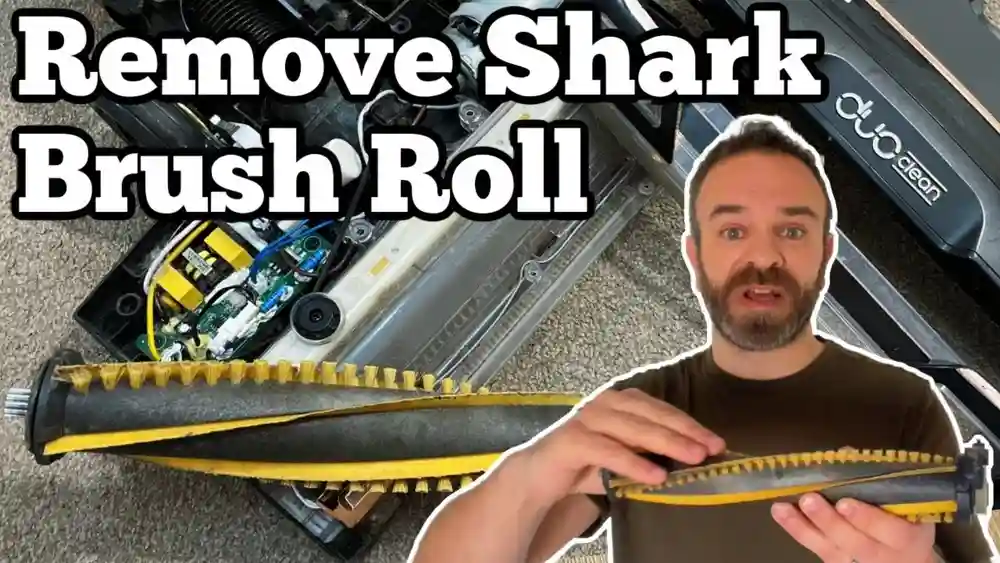
- Take off the main brush, side brushes, and wheels if your model allows.
- Keep screws and small parts in a bowl so nothing gets lost.
If you’re unsure about taking your model apart, check the manual or look up a video online. Shark’s website often has specific instructions for each model. If you have a self-emptying dock, check that too—poop can get sucked into the dock’s system if the vacuum tried to empty itself.
3. Wash Removable Parts
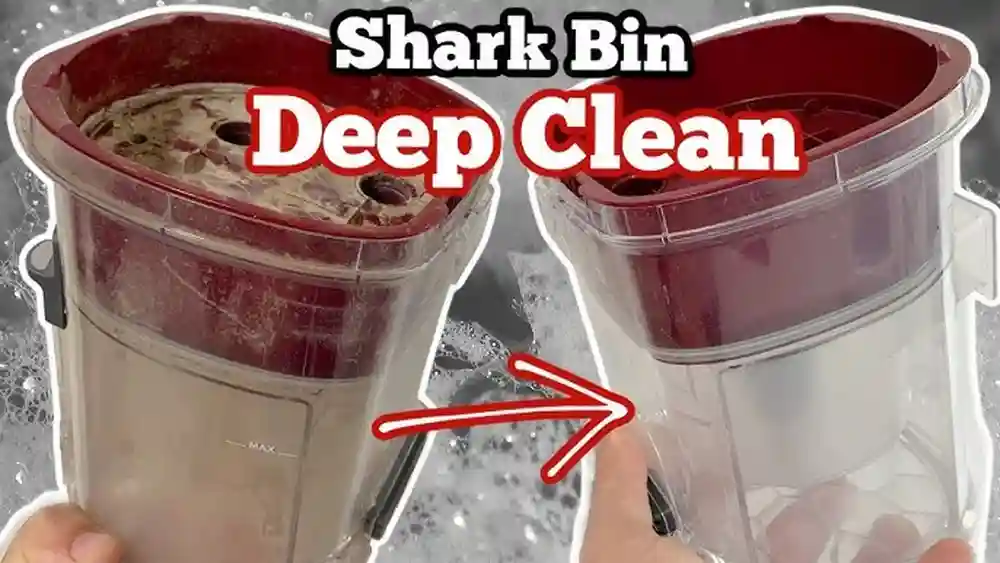
- Submerge the dustbin, brushes, and wheels in warm, soapy water.
- Use a toothbrush to scrub off any stuck poop.
- Rinse thoroughly and let parts air dry completely.
- Do not wash electronic components.
For stubborn stains, let parts soak for 5–10 minutes. If you smell lingering odor after washing, try a second rinse with vinegar and water. Remember, don’t rush the drying—moisture is the enemy of electronics.
4. Clean The Robot’s Exterior
- Wipe the robot’s body with a damp microfiber cloth and mild soap.
- For crevices, use cotton swabs or toothpicks.
- If there is poop inside the wheel wells or near sensors, clean gently to avoid scratching or damaging sensors.
If your Shark robot has a rubber bumper or edge, pull it back slightly to check for hidden mess. Poop can get trapped under these flexible parts and cause odor later.
5. Disinfect And Deodorize
- Spray pet-safe disinfectant on hard surfaces, especially the wheels and brush areas.
- For odor, wipe with a cloth dampened with a mix of white vinegar and water (1: 1 ratio). Sprinkle baking soda on affected areas, let sit for 15 minutes, then vacuum up with a handheld vacuum.
If you don’t have a handheld vacuum, brush the baking soda away with a dry cloth or soft brush. Repeat if the smell persists. For extra deodorizing, you can leave the open dustbin in a sunny spot for a few hours—sunlight helps kill bacteria.
6. Clean Sensors And Charging Contacts
- Use a barely damp cloth or cotton swab to gently wipe sensors and charging contacts.
- Never spray cleaner directly onto sensors.
This is an area many users overlook. If dirt or moisture stays on the sensors, your robot may have trouble finding its dock or navigating properly. Double check these areas before moving on.
7. Check For Hidden Mess
- Inspect inside the brush compartment, dustbin housing, and near the wheels for hidden poop.
- Use compressed air to blow out debris if necessary.
Compressed air can also help remove tiny bits from fan vents or inside the battery compartment (if open). If you see dried material that won’t budge, try a toothpick—but be gentle to avoid damaging seals or wires.
8. Let All Parts Dry Completely
- Allow every cleaned part to air dry for at least 12 hours.
- Moisture inside electronics can cause permanent damage.
Set the cleaned parts on a towel in a well-ventilated area. If you live in a humid climate, use a fan to speed up drying. Never use a hairdryer or direct heat, as this can warp plastic.
9. Reassemble And Test
- When all parts are dry, reassemble your Shark vacuum.
- Test on a hard surface first to check for smells, noises, or error messages.
If you notice anything unusual, stop and check for missed spots or moisture. Run a short test clean in an easy-to-clean area (like a bathroom) before sending the robot back to your main floors.
Non-obvious tip: Sometimes, poop gets trapped under the rubber edge or side brush mount. Use a toothpick or cotton swab to check these hidden areas.
Deep Cleaning: Dealing With Internal Contamination
If the dog poop got inside the robot’s main body or under the cover, you need a deeper clean. Here’s how to handle it safely:
1. Open The Case (if Model Allows)
Use a screwdriver to remove the bottom plate or cover. Not all Shark models allow easy access. If you’re not sure, look for tiny screws on the bottom or check your user manual.
2. Inspect For Poop Inside
Look for brown smears, dried bits, or strong odor. Sometimes, you might find only a stain or sticky residue—this still needs cleaning.
3. Clean Carefully
Use a slightly damp cloth to wipe inside surfaces. Avoid touching wires or circuit boards. If you see any contamination on the motor or electronic boards, do not use water—use only a dry or lightly damp cloth.
4. Dry Thoroughly
Leave the cover off in a dry, ventilated place for 24 hours. This is especially important if you used any cleaning solution inside.
5. Reassemble Carefully
Make sure all internal parts are fully dry before putting the cover back on. Check that screws are tight but not over-tightened.
Important: If you find a lot of contamination on the circuit board or connectors, consider contacting Shark customer service. DIY cleaning may void your warranty.
Extra note: Many people miss the tiny fan or filter inside the dustbin compartment. If poop got sucked in, the filter may need to be replaced. Check your model for replaceable filters.
Comparing Shark Robot Vacuum Models: Which Are Easier To Clean?
Not all Shark robots are built the same. Some models are easier to clean after a mess than others. Here’s a comparison:
| Model | Main Brush Removal | Dustbin Access | Internal Access |
|---|---|---|---|
| Shark IQ Robot | Easy (no tools) | Top release | Hard (screws needed) |
| Shark AI Robot | Moderate (clip release) | Rear release | Very hard |
| Shark ION Robot | Easy (clip release) | Top release | Hard |
Insight: The Shark IQ Robot is one of the easiest to clean, thanks to its simple brush and dustbin removal. Internal cleaning is tough on all models; avoid getting liquid inside whenever possible.
Extra detail: Some users find that the Shark ION’s rubber brushes tend to hold less debris, making them easier to scrub clean. However, the AI Robot’s compact design means poop can get trapped between the brush and wheel mount, which is harder to reach.
If you have a model with a self-emptying dock, remember to check and clean the dock’s suction tube as well. Even a small amount of poop in the tube can create a persistent odor.
How To Clean Your Floors After A Poop Accident
The robot vacuum isn’t the only thing that needs cleaning. Here’s how to restore your floors:
- Hard Floors:
Wipe up any visible poop with paper towels. Mop with hot water and disinfectant. Let dry fully before letting pets or kids back in. If there’s any residue, a second pass with diluted vinegar can help remove stains and neutralize odors.
- Carpets:
Scrape off solids with a spatula. Blot stains with a mix of vinegar and water. Use a carpet cleaner or enzyme spray for deep stains. Press, don’t rub, to avoid pushing the stain deeper.
- Avoid Bleach:
Bleach can damage some floor types and is unsafe for pets. Use pet-safe products.
Hidden danger: Poop particles can get stuck in the vacuum tracks on your floors. Check these carefully and clean with a brush if needed.
If you have rugs with long fibers, use a fine-tooth comb or brush to pick out dried particles. For laminate or wood floors, dry the area fully to prevent swelling or warping.
Common Mistakes To Avoid When Cleaning Shark Robot Vacuum Dog Poop
It’s easy to make mistakes when you’re stressed. Here are the most common errors—and how to avoid them:
1. Waiting Too Long
Dried poop is much harder to clean and can cause permanent damage.
2. Using Too Much Water
Water inside the vacuum can short circuits. Always use a damp, not wet, cloth.
3. Spraying Cleaner Directly On Sensors
This can cloud or damage sensors permanently.
4. Skipping Internal Checks
Even if the outside looks clean, poop inside can cause smells and failures.
5. Not Drying Parts Fully
Moisture inside the vacuum can lead to mold or electrical failure.
Practical insight: Take photos before you take things apart. This makes reassembly much easier and prevents mistakes.
Another common mistake: Forgetting to clean the vacuum’s charging contacts. Even a tiny smear of poop here can cause docking problems or charging errors later.

Credit: www.reddit.com
What To Do If The Mess Is Too Bad
Sometimes the dog poop accident is so severe that DIY cleaning won’t fix the vacuum. Here’s what you can do:
- Contact Shark Support:
If your vacuum is under warranty, ask about professional cleaning or repair. Be honest—most warranties don’t cover “pet accidents,” but some service centers can help for a fee.
- Professional Appliance Cleaners:
Some local repair shops offer deep cleaning for robot vacuums. Search for “robot vacuum cleaning service” in your area.
- Replacement Parts:
Side brushes, main brushes, and dustbins are usually replaceable. Check Shark’s website for your model.
- Consider a New Robot:
If the motor, sensors, or circuit board are heavily contaminated, replacement might be cheaper than repair.
Unexpected tip: Some local pet stores know of appliance cleaners who handle pet messes—ask around for recommendations.
Realistic advice: If you have an older vacuum, compare the cost of repair with a new model. Sometimes, newer models are easier to clean and come with better obstacle detection.
How To Prevent Shark Robot Vacuum Dog Poop Disasters
Prevention is always easier than cleaning. Here are the top ways to avoid future accidents:
1. Monitor Your Dog’s Routine
If your dog poops at certain times, schedule the robot to run after you’ve checked for messes.
2. Use A Robot Camera Or App Alerts
Some Shark robots offer camera monitoring or alerts when they encounter obstacles. Check your app settings.
3. Block Off Risk Areas
Use virtual walls or physical barriers to keep the robot out of rooms where accidents are likely.
4. Install Pet Accident Sensors
Some third-party sensors can detect pet messes and pause the robot. These are rare, but worth considering for repeat problems.
5. Train Your Dog
Consistent potty training and regular walks can reduce indoor accidents.
Non-obvious advice: If your dog is older or has health problems, consider running the robot only when you’re home.
Another tip: Some owners place a small bell on the robot’s bumper so they can hear if it gets stuck or stops suddenly. Quick response can limit the damage.

Credit: nypost.com
How Long Does It Take To Clean Up Shark Robot Vacuum Dog Poop?
The cleanup time depends on the severity of the mess and how much got inside the vacuum. Here’s a rough estimate:
| Mess Severity | Cleaning Time (minutes) | Drying Time (hours) |
|---|---|---|
| Light (just brushes) | 30–45 | 6 |
| Moderate (brushes + wheels) | 60–90 | 12 |
| Severe (internal contamination) | 120+ | 24+ |
Tip: Plan for the vacuum to be out of service for at least a day after a major accident.
Remember, drying times can be longer in humid climates or if parts were deeply soaked. If you’re unsure, let parts dry an extra few hours.
Safety And Hygiene Tips During And After Cleaning
Dog poop contains bacteria and parasites. Protect yourself and your home during cleaning:
- Wear gloves at all times
- Wash your hands thoroughly after cleaning
- Disinfect surfaces where you cleaned the robot
- Keep kids and pets away from the area until cleaning is finished
- Dispose of all cleaning materials (towels, gloves) in sealed bags
Extra: If you or a family member are sensitive to smells, wear a mask or ventilate the area well.
Additional advice: Wash any towels or cloths used for cleaning separately from other laundry, using hot water. If you used your regular vacuum for baking soda, clean its filter afterward.
What If The Robot Vacuum Still Smells After Cleaning?
Sometimes, even after careful cleaning, a Shark robot vacuum still has a bad odor. Here’s how to fix it:
1. Repeat Cleaning
Check for hidden spots you may have missed, especially under brushes and inside the dustbin.
2. Use Baking Soda
Leave the dustbin and brushes in a sealed bag with baking soda overnight to absorb odors.
3. Try An Enzyme Cleaner
Pet enzyme cleaners break down organic matter and remove smells.
4. Air It Out
Let the vacuum sit in a sunny, ventilated area for a few hours.
Persistent odor may mean there’s poop inside the motor or parts you can’t reach. In this case, professional cleaning or parts replacement may be necessary.
Extra tip: Some users place a dryer sheet or activated charcoal bag near the dustbin (not inside) to help absorb odors while the vacuum is stored.
Is It Safe To Use The Vacuum After Cleaning?
If you’ve followed all the steps and allowed everything to dry completely, your Shark robot vacuum should be safe to use again. Monitor the first cleaning run closely for any:
- Error messages or strange noises
- Poor cleaning performance
- Lingering odors
If you notice problems, stop and re-check for hidden mess or moisture.
Extra guidance: For the first run after cleaning, use the robot in a small, easy-to-clean area. This way, if there’s any leftover residue, you can catch it quickly.
Real-world Examples: Stories From Other Pet Owners
Many pet owners have faced the same problem. Here are a few real experiences:
- Case 1: Quick Response Saves the Day
A pet owner found her Shark IQ Robot had run over fresh dog poop. She followed the steps above within 15 minutes. After deep cleaning and drying, the vacuum worked perfectly, and there was no odor.
- Case 2: Missed Internal Mess
Another user cleaned only the brushes and dustbin, but didn’t check inside. After a few days, a strong odor returned, and the robot stopped charging. Upon opening, dried poop was found near the battery. It required professional cleaning.
- Case 3: Sensors Damaged by Cleaner
A user sprayed cleaner directly onto the sensors. The robot began having navigation errors. Replacing the sensor module was necessary.
These examples show why thorough cleaning and careful handling are crucial after a dog poop accident.
Another real-world learning: One user discovered that buying extra sets of brushes and dustbins allowed them to swap out dirty parts quickly while the main set dried. This minimized downtime and made cleanup less stressful.
When Should You Replace The Robot Vacuum?
While most poop accidents can be cleaned, there are times when replacement is the best choice:
- Severe internal contamination (motor, circuit boards)
- Lasting odor that cannot be removed
- Persistent error messages despite cleaning
- Damage to essential parts (sensors, battery, wheels)
If your robot vacuum is old or already unreliable, investing in a new one may be less stressful than repeated deep cleans.
Practical advice: If you do replace your vacuum, look for models with better obstacle detection or “pet accident avoidance” features, which are becoming more common.
Credit: www.reddit.com
Useful Resources And Where To Get Help
If you need more guidance or professional help, check these resources:
- Shark Support: Official help for repairs, parts, and warranty info.
- Pet forums: Sites like Reddit’s r/robotvacuums have real user stories and cleaning tips.
- Professional appliance cleaners: Search for local services.
- Cleaning product guides: For safe, pet-friendly disinfectants, see EPA’s guidelines for cleaning with pets.
If you join online groups, you’ll find many people willing to share their own cleaning tricks and product recommendations, especially for removing stubborn odors.
Frequently Asked Questions
How Do I Know If Poop Got Inside My Shark Robot Vacuum?
If you see smears under the cover, inside the dustbin housing, or notice a strong odor after cleaning the outside, poop likely got inside. You may need to open the robot (if your model allows) to check for hidden mess.
Can I Use Bleach To Clean My Shark Robot Vacuum After Dog Poop?
It’s not recommended. Bleach is harsh and can damage plastics, sensors, and internal parts. Use mild soap and pet-safe disinfectant instead.
What Should I Do If My Robot Vacuum Stops Working After Cleaning Up Poop?
First, check that all parts are completely dry and reassembled correctly. If problems continue, contact Shark customer support. Persistent errors may mean internal damage that needs professional repair.
How Can I Prevent My Robot Vacuum From Running Over Dog Poop Again?
Monitor your dog’s potty schedule, use virtual walls or barriers, and schedule cleaning runs only after you check for accidents. Some models also have camera monitoring or obstacle alerts.
Is It Safe For Kids And Pets To Be Around The Robot Vacuum After Cleaning?
Yes, as long as you’ve disinfected all surfaces, let parts dry completely, and cleaned your floors thoroughly. Always keep kids and pets away during cleaning and drying.
Taking quick, careful action can save your Shark robot vacuum after a dog poop accident. With the right steps, supplies, and a little patience, you can restore your vacuum—and your home—to a clean, fresh state. Remember: prevention is the best protection, but if disaster strikes, you now know exactly what to do.