Keeping your Shark robot vacuum running smoothly isn’t just about pressing a button and letting it do the work. One of the most important tasks—often overlooked by new users—is knowing how to empty your Shark robot vacuum the right way. Emptying it might sound simple, but there are crucial steps and practical tips that can make a big difference. Do it wrong, and you could end up with dust clouds, a stuck robot, or even a shorter vacuum life. Do it right, and you’ll keep your floors cleaner, your air fresher, and your robot humming efficiently for years.
Many Shark robot owners, especially first-time users, make small mistakes that lead to frustrating issues. For instance, not knowing when to empty the dustbin, skipping filter cleaning, or forgetting to check for tangled hair inside the bin. These small steps can save you from expensive repairs and wasted cleaning sessions.
In this guide, you’ll learn everything you need to know about emptying your Shark robot vacuum, from the basic steps to pro-level maintenance and troubleshooting. Whether you own a Shark IQ, Shark AI, or Shark ION model, you’ll find detailed, step-by-step instructions and practical advice to keep your vacuum performing at its best.
Understanding The Shark Robot Vacuum Dustbin
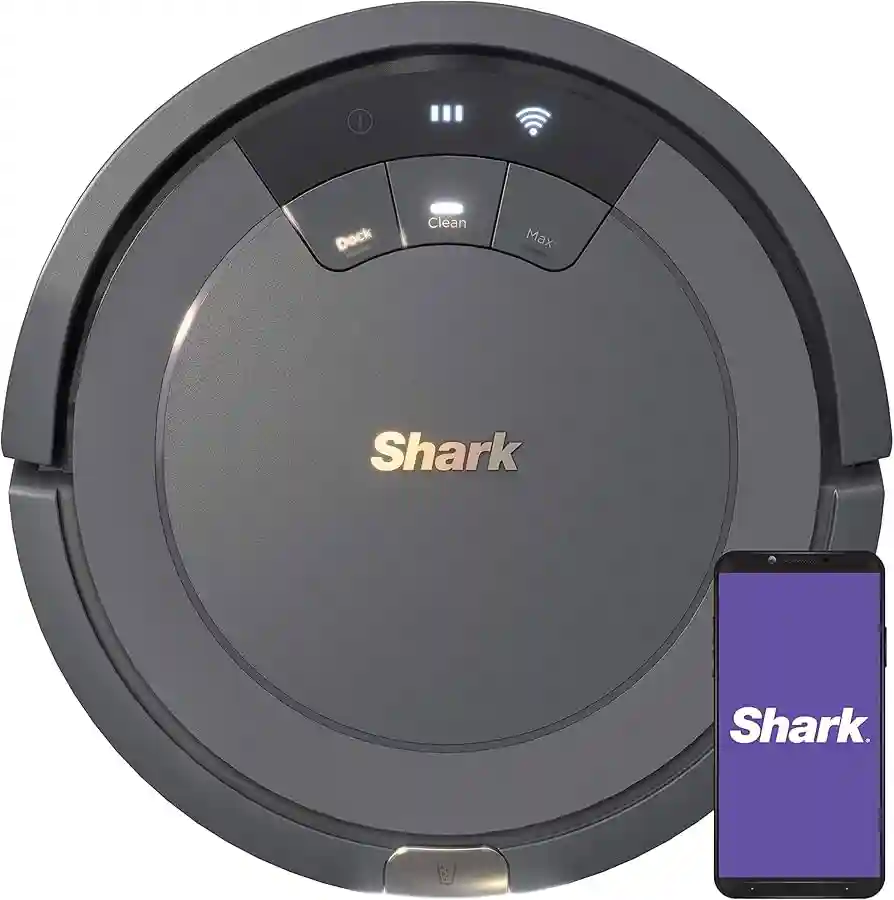
Every Shark robot vacuum uses a removable dustbin to collect dirt, hair, and debris. The dustbin’s design is simple but effective—however, each model may have small differences in size, shape, and release mechanism. Recognizing these differences helps you avoid damage and makes emptying easier.
The dustbin is usually located at the rear or top of the robot. Most Shark robots, like the Shark IQ and Shark ION, have a quick-release button for easy removal. Higher-end models may have larger dustbins or even self-emptying bases, but manual emptying remains essential for regular maintenance. The dustbin’s capacity typically ranges from 0.3 to 0.7 liters, which means it fills up quickly, especially if you have pets or thick carpets.
A common beginner mistake is waiting until the vacuum’s performance drops before emptying the bin. In reality, it’s best to empty it after every full cleaning cycle, even if the bin doesn’t look completely full. This helps maintain suction power and prevents dust from escaping back into your home.
Step-by-step: How To Empty Your Shark Robot Vacuum
Emptying your Shark robot’s dustbin is straightforward if you follow the right process. Here’s a practical, experience-based guide to ensure you do it safely and efficiently.
1. Prepare The Area
Before you start, pick a spot that’s easy to clean up in case of spills. Many users find it best to empty the bin directly over a trash can or outside. If you have allergies, consider wearing a mask to avoid inhaling dust.
Pro Tip: Avoid emptying the bin near open windows or air vents to prevent dust from spreading around your home.
2. Turn Off The Robot
Safety comes first. Make sure your Shark robot vacuum is powered off. Either turn it off using the main switch or place it on its charging dock and press the power button.
3. Locate And Release The Dustbin
Find the release button or latch on your robot. On most Shark models, this button is clearly marked and located at the back or top.
- For Shark IQ and Shark AI: The dustbin release is at the rear. Press and pull gently.
- For Shark ION: The release is often on the top—just lift the dustbin out.
Pull the dustbin out slowly to avoid shaking out dust or debris.
4. Open The Dustbin Lid
Most Shark bins have a flip-top or side latch. Open it carefully over your trash can.
Pro Tip: Tap the dustbin gently against the side of the can. This helps loosen trapped dirt and hair without damaging the bin.
5. Empty The Contents
Shake out all dirt, hair, and debris. Make sure to check the corners, as dust often gets stuck. For stubborn dirt, use a soft brush (like an old toothbrush) to loosen debris.
6. Clean The Dustbin And Filter
While not always required, rinsing the dustbin every few empties can prevent odor and buildup.
- Remove the filter (often located inside the dustbin).
- Tap the filter gently to remove dust. Do not wash with water unless your manual says it’s washable.
- If the filter is washable (usually foam or felt), rinse it under cold water. Let it air dry completely before reinserting.
- Wipe the inside of the dustbin with a dry or slightly damp cloth.
Insight: Many users forget to dry the filter fully. A damp filter can cause mold and reduce suction. Always allow at least 24 hours for drying.
7. Reassemble And Replace
After cleaning, put the filter back in the dustbin (if removed), close the lid, and slide the bin back into the robot. You’ll hear a click when it’s properly seated.
8. Restart The Robot
Turn the robot back on or press the start button on the app. Your Shark vacuum is now ready for its next cleaning session.
How Often Should You Empty The Dustbin?
How often you empty your Shark robot’s dustbin depends on several factors:
- Home size: Larger homes collect more dust per cleaning.
- Pets: Pet hair fills the bin quickly.
- Floor type: Carpets and rugs generate more debris than hard floors.
- Cleaning frequency: Daily users may need to empty every cycle.
Most Shark models recommend emptying after each use. If you run your robot less often or have a small home, you might empty it every 2-3 cycles. However, for maximum performance, don’t wait until it’s packed full—emptying after each run is a safe habit.
Shark Robot Vacuum Models: Dustbin Differences
Not all Shark robots are the same. Here’s a quick comparison of dustbin size and emptying mechanism for popular models:
| Model | Dustbin Location | Dustbin Capacity | Release Mechanism |
|---|---|---|---|
| Shark IQ | Rear | 0.6 liters | Button Pull |
| Shark AI | Rear | 0.7 liters | Button Pull |
| Shark ION | Top | 0.3 liters | Lift Out |
| Shark EZ | Rear | 0.4 liters | Button Pull |
Insight: Owners often assume all Shark robots empty the same way. Always check your model’s manual for the exact release and cleaning instructions. For self-emptying models, you still need to clean the base bin regularly.
Maintaining Filters For Peak Performance
Filters in your Shark robot vacuum trap fine dust and allergens. Keeping them clean is critical for suction and air quality.
Types Of Filters
- Foam Filter: Usually washable, captures larger dust.
- Felt Filter: Sometimes washable, captures smaller particles.
- HEPA Filter: Found in premium models, usually not washable.
Cleaning Schedule
- Tap out dust from the foam and felt filters every time you empty the dustbin.
- Wash washable filters every 2-3 weeks. Let them dry for 24 hours.
- Replace non-washable filters (like HEPA) every 3-6 months, or as the manual suggests.
Pro Tip: Mark filter replacement dates on your calendar. Most users forget, which leads to weak suction and more dust in the home.
Common Mistakes When Emptying The Shark Robot Vacuum
Many Shark robot issues start with small mistakes during emptying. Here’s what to avoid:
- Forgetting to Turn Off the Robot: This can cause accidental operation or injury.
- Ignoring Filter Cleaning: Skipping filter maintenance reduces suction and can cause motor damage.
- Overfilling the Dustbin: A packed bin makes the robot less efficient and can cause clogging.
- Not Checking for Hair Tangles: Long hair or pet fur can get stuck inside the dustbin or around the filter.
- Washing Non-Washable Filters: Always check the manual—washing the wrong filter can ruin it.
- Reinserting a Wet Filter: Moisture leads to mold and bad smells.
- Forcing the Dustbin: If the bin sticks, don’t yank it—check for debris blocking the latch.
Insight: If your Shark vacuum is suddenly loud or less effective, the problem is often a clogged or dirty filter—not a mechanical fault.

Credit: www.youtube.com
Troubleshooting Dustbin Problems
Sometimes, your Shark robot vacuum’s dustbin may not click into place, or it may not seem to fill up even after a full cleaning cycle. Here’s how to troubleshoot common issues:
Dustbin Won’t Click Back In
- Check for debris around the dustbin slot or latch.
- Inspect the dustbin for cracks or bent parts.
- Make sure the filter is properly seated.
Dustbin Seems Empty But Vacuum Isn’t Cleaning
- Inspect the suction opening for blockages.
- Check if the filter is clogged or misplaced.
- Ensure the dustbin is fully inserted—the robot will not operate if not seated.
Dustbin Is Full Too Quickly
- For homes with pets or high-traffic areas, the bin will fill faster. Consider running the vacuum more frequently.
- Upgrade to a model with a larger dustbin or a self-emptying base if needed.
Dustbin Is Hard To Open
- Do not force it. Clean any sticky debris around the latch.
- Lightly spray the latch with compressed air if dust is jammed inside.
Pro Tip: If you encounter persistent issues, consult Shark’s customer support or visit their official support page for model-specific fixes.
Practical Tips For Cleaner Emptying
- Use a garbage bag to cover the dustbin before opening, especially if you have allergies.
- Keep a soft brush or small vacuum handy to clean the dustbin and filter area.
- Do not use harsh chemicals or soap on the dustbin—water and mild detergent are sufficient.
- Store your robot in a clean, dry area to prevent dust buildup around the bin.
Cleaning The Self-empty Base (if Applicable)
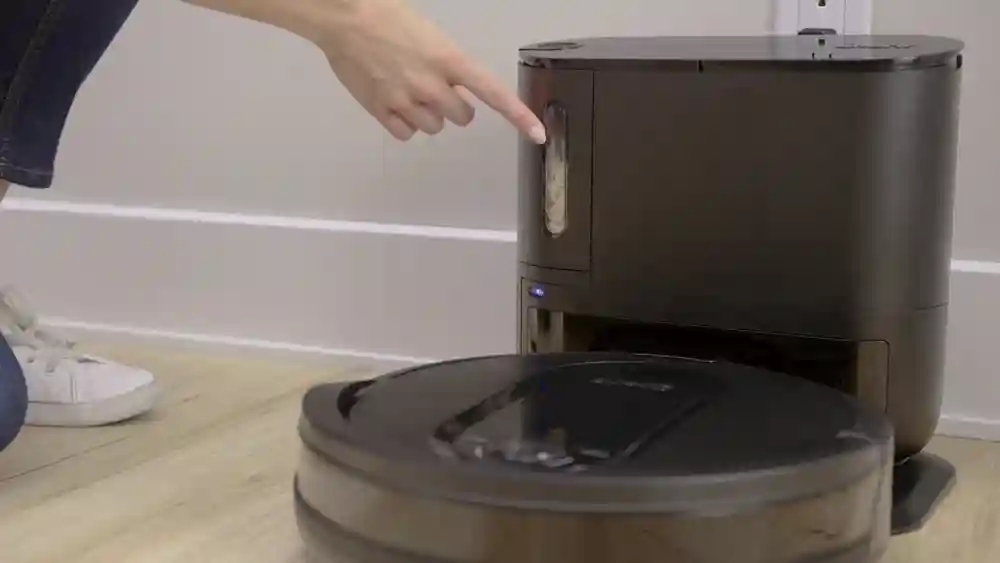
If you own a Shark robot with a self-emptying base, maintenance is easier but still necessary. The base collects debris from the robot’s dustbin and holds more dirt.
- Open the base compartment, usually on the front or top.
- Remove the bag or canister and empty it into your trash.
- Wipe the inside of the base with a dry cloth.
- Replace the bag or canister and close the lid securely.
Insight: Many owners forget about the self-emptying base, leading to odor or poor suction. Clean it at least once a month for best results.
How To Know When To Empty The Dustbin
Some Shark robots have a full bin indicator—a light or message on the app that tells you it’s time to empty. If your model lacks this feature, check the dustbin visually after every cleaning or if you notice reduced performance.
Signs your dustbin is full:
- The robot returns to the dock sooner than expected.
- Lower suction or missed spots.
- Visible dirt or hair in the bin window.

Credit: www.amazon.com
Shark Robot Vacuum Dustbin And Filter: Lifespan And Replacement
How long do the dustbin and filter last? With proper care, a Shark dustbin can last for years. However, filters need regular replacement.
| Part | Expected Lifespan | Maintenance Needed | Replacement Signs |
|---|---|---|---|
| Dustbin | 2-5 years | Rinse & wipe monthly | Cracks, leaks, or stuck latches |
| Foam/Felt Filter | 3-6 months | Tap out dust, rinse if washable | Loss of shape, odor, visible clogging |
| HEPA Filter | 6-12 months | Tap out dust (do not wash unless manual allows) | Reduced suction, persistent odor |
Pro Tip: Always use genuine Shark replacement parts. Aftermarket filters may not fit properly or filter dust as effectively.
Safety Precautions When Emptying Your Shark Robot Vacuum
- Always power off the robot before removing the dustbin.
- Avoid inhaling dust—use a mask if you have allergies.
- Keep the dustbin and filters away from children and pets.
- Never wash electrical parts or connectors.
- Allow all washed parts to dry completely before reassembling.

Credit: www.amazon.com
How To Clean Hard-to-reach Areas In The Dustbin
Dust and hair can get stuck in corners or around the filter slot. Here’s how to clean these spots:
- Use a soft brush or cotton swab to loosen debris.
- For stubborn dirt, a handheld vacuum or compressed air can help.
- Never use sharp tools—they can scratch or crack the plastic.
Keeping Your Shark Robot Vacuum Smelling Fresh
Odors can build up if you ignore cleaning. To keep your vacuum fresh:
- Rinse the dustbin monthly.
- Clean or replace filters regularly.
- Sprinkle a little baking soda in the bin between cleanings (just a pinch).
- Store the robot in a dry, ventilated place.
Insight: If your vacuum smells bad after cleaning, check for wet filters or hidden debris in the bin corners.
Comparing Shark Robot Vacuum Dustbin Sizes
If you’re shopping for a new Shark robot or just curious how yours compares, here’s a quick look:
| Model | Dustbin Size (liters) | Ideal for |
|---|---|---|
| Shark ION | 0.3 | Small apartments |
| Shark IQ | 0.6 | Medium homes, pet owners |
| Shark AI | 0.7 | Large homes, high-traffic areas |
| Shark EZ | 0.4 | Small to medium homes |
| Shark AI Self-Empty | Self-empty base (holds 30+ days) | Busy families, pet-heavy homes |
Key takeaway: The larger the dustbin, the less often you need to empty it. But all Shark robots need regular maintenance for best performance.
Upgrading To A Self-emptying Shark Robot Vacuum
If you find emptying the dustbin too often, consider upgrading to a self-emptying Shark robot. These models automatically empty their dustbin into a larger base, holding up to 30 days of debris. However, you still need to empty and clean the base monthly.
Pro Tip: Even with a self-emptying model, check for clogs and clean the robot’s dustbin and filters regularly.
For more details on robot vacuum features and maintenance, see the Robot vacuum cleaner Wikipedia page.
Frequently Asked Questions
How Do I Know If My Shark Robot Vacuum’s Dustbin Is Full?
Most Shark models do not have a “full bin” sensor. Check the dustbin visually after each cleaning. If you notice less dirt than usual or the robot is leaving debris behind, empty and clean the dustbin and filter.
Can I Wash The Shark Robot Vacuum’s Dustbin With Water?
Yes, the dustbin (not the filter) is usually washable. Rinse it with cold water and let it dry completely before reinserting. Never wash electrical parts or connectors.
How Often Should I Replace The Filter In My Shark Robot Vacuum?
Replace foam and felt filters every 3-6 months, and HEPA filters every 6-12 months. If you notice a loss of suction or bad odors, replace the filter sooner.
Why Does My Shark Robot Vacuum Smell Bad After Cleaning?
Odor is usually caused by a dirty or wet filter, or debris stuck in the dustbin. Clean and fully dry all parts before reassembly. Sprinkle a bit of baking soda in the dustbin if needed.
What Should I Do If The Dustbin Won’t Fit Back Into My Shark Robot Vacuum?
Check for debris blocking the slot or latch, make sure the filter is seated properly, and inspect the dustbin for cracks. Do not force it—review your user manual for model-specific instructions.
Keeping your Shark robot vacuum at peak performance is easy with the right habits. Regularly emptying and cleaning the dustbin and filters not only improves cleaning results, but also extends the life of your robot. With these tips and step-by-step guidance, you’ll enjoy a cleaner home and a more reliable vacuum every day.