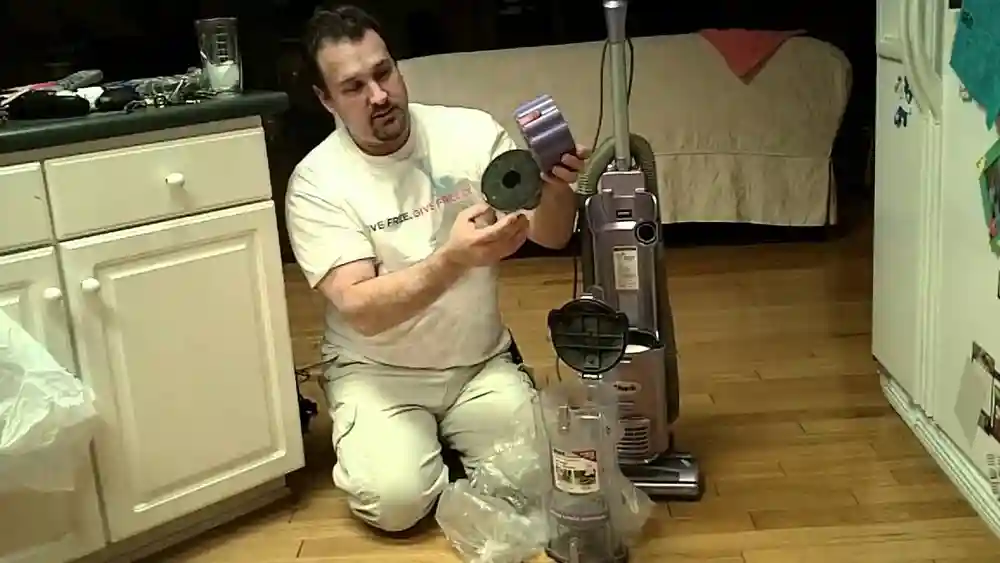
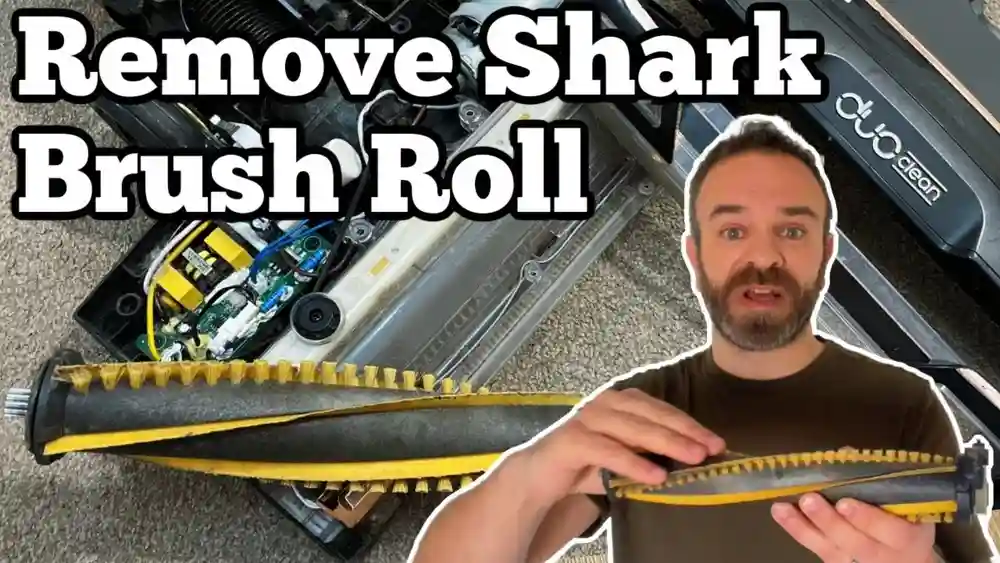
If you own a Shark Swivel Plus vacuum, you know how helpful it can be for cleaning carpets, floors, and hard-to-reach corners. The vacuum is known for its strong suction, flexible swivel, and easy-to-use hose. But sometimes, you might notice an odd problem: the hose works perfectly, but the bottom brush or roller does not pick up dirt as it should.
This issue can be confusing and frustrating. You expect the vacuum to clean well everywhere, but only the hose is working. Why does this happen? Is your Shark Swivel Plus broken, or is there a simple fix?
In this article, you will learn why the hose works but not the bottom of your Shark Swivel Plus. We will explore the causes, give you practical steps to diagnose and fix the problem, and share tips to prevent it in the future. You will also find real examples, common mistakes, and expert advice to get the most from your vacuum. Even if you’re not technical, you’ll finish reading with the confidence to handle this problem yourself.
Understanding Your Shark Swivel Plus Vacuum
Before you start troubleshooting, it's important to know how the Shark Swivel Plus works. This model is designed with a swivel steering system for easy movement and a detachable hose for above-floor cleaning. The vacuum uses a motor to create suction, which pulls dirt and debris into the dust cup.
There are two main parts that clean your floors:
- The hose: Used for cleaning stairs, corners, and furniture.
- The bottom brush roller: Cleans carpets and hard floors when you push the vacuum.
If the hose is working but the bottom is not, the problem is usually with the brush roller, belt, or airflow switch. Knowing how these systems interact is helpful, because sometimes a small problem in one part can affect the whole vacuum.
Key Features Of The Shark Swivel Plus
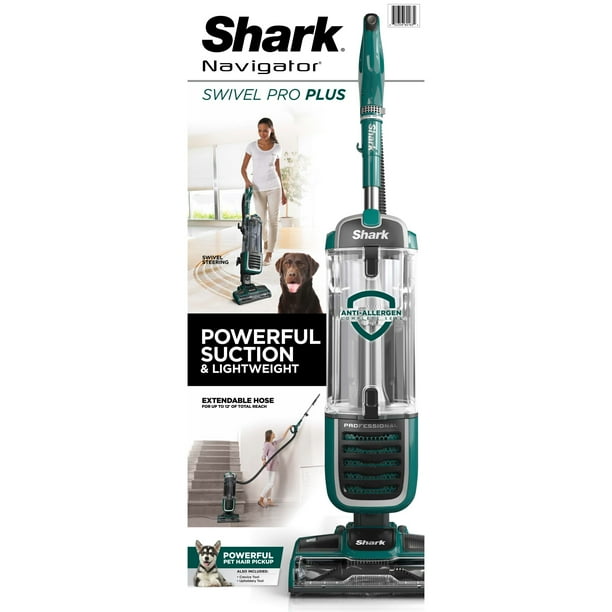
- Swivel Steering: Lets you turn and move around furniture easily. This feature is especially useful in rooms with many obstacles, like chairs or tables. It’s a big advantage over vacuums that only move forward and backward.
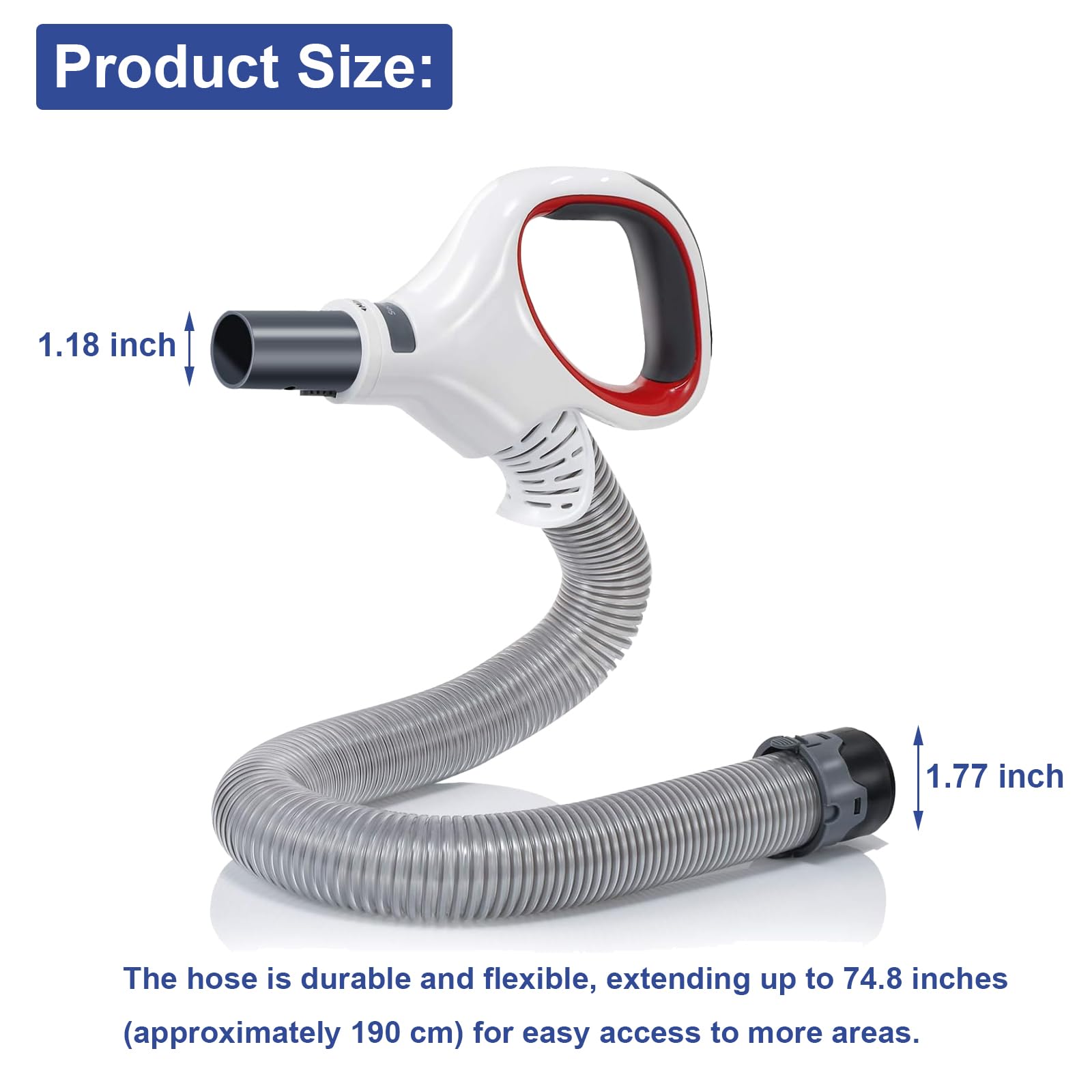
- Detachable Hose: For handheld cleaning. The hose snaps out for cleaning stairs, upholstery, or curtains. This design means the vacuum can switch between floor and above-floor cleaning quickly.
- Brush Roller: Rotates to lift dirt from carpets. The brush roller is powered by a belt or direct drive and is key for deep cleaning, especially on rugs or carpets with thick fibers.
- Multiple Suction Modes: Switch between floor and hose. You can direct suction to where you need it, but if the switch fails, only one mode might work.
- HEPA Filtration: Traps fine dust and allergens. This is important for homes with pets or allergy sufferers.
Non-obvious insight: The way the vacuum switches suction between the hose and the bottom is not just a simple airflow change. There are mechanical parts (like gates and switches) inside. If any of these get dirty or stuck, it can cause the bottom to stop working.
Understanding these features will help you when you check for problems.
Common Reasons The Hose Works But Not The Bottom
There are several reasons why your Shark Swivel Plus hose works but not bottom. Let’s look at the most frequent causes and how they affect your vacuum.
1. Brush Roller Is Not Spinning
The brush roller is the part that sweeps dirt from carpets. If it stops turning, the vacuum won’t pick up much from the floor. The hose, however, will still work because it uses direct suction.
Possible causes:
- The roller is jammed with hair, string, or debris. Even a small amount can stop the roller.
- The belt is broken or slipped off. This happens often if you vacuum up something tough, like a shoelace.
- The roller motor has failed. This is less common but possible, especially in older units.
Practical example: If you hear the vacuum running but the roller is silent or you see no movement, check for jams first. Many people forget that even a small twist-tie or rubber band can stop the roller.
2. Floor/hose Suction Switch Is Stuck
Many Shark models have a suction switch that changes suction from the bottom to the hose and vice versa. If this switch gets stuck in “hose” mode, the bottom will not have suction.
Possible causes:
- Something is blocking the switch. Dust, pet hair, or a small object can jam the mechanism.
- The switch is damaged. For example, the spring inside can break.
- The vacuum is not assembled correctly. If parts aren’t snapped together tightly, the switch may not engage.
Non-obvious insight: The suction switch isn’t just a button—it moves a gate inside the vacuum that redirects airflow. If you don’t hear a “click” when switching modes, this could be your problem.
3. Clogged Air Path To The Bottom
If there is a blockage in the lower air path, suction can’t reach the bottom, but the hose will still work.
Possible causes:
- Debris is stuck in the lower airway. Something as small as a bead or LEGO piece can block airflow.
- The dust cup or filters are dirty. Clogged filters reduce suction, especially to the roller.
- Large objects are stuck near the roller. Sometimes, a sock or paper gets sucked in and blocks the path.
Example: One user found their child’s pencil blocking the bottom airway, which stopped all suction to the roller, but the hose was fine.
4. Belt Problems
The belt connects the motor to the brush roller. If the belt breaks, the roller will not spin, but suction continues through the hose.
Possible causes:
- Old or worn-out belt. Belts stretch over time and lose grip.
- Belt slipped off its track. This can happen if you vacuum over a thick rug edge.
- Belt melted or snapped. Sometimes, if the roller jams, the belt overheats and breaks.
Tip: If you notice a burnt rubber smell, it’s likely a belt problem.
5. Motor Or Electrical Issue
If the motor that drives the roller fails, the bottom will not work, even if suction through the hose is fine.
Possible causes:
- Motor burn-out. Can happen after years of use or if the roller is jammed for too long.
- Loose wiring. Vibration or pulling the vacuum can loosen wires inside.
- Faulty switch. Sometimes, the roller switch fails even if the main motor is fine.
Non-obvious insight: Sometimes, the vacuum sounds normal but the roller motor isn’t getting power. This can happen if a wire near the base is loose.
6. Height Adjustment Set Wrong
Some Shark models have a height adjustment for different floor types. If it’s set too high, the roller might not touch the carpet.
Possible causes:
- Setting left on “high pile” for a low carpet. The roller hovers over the carpet and can’t pick up dirt.
- Adjustment knob stuck or broken. It may look set correctly but is not moving inside.
Example: If you switch from a thick rug to tile, remember to change the setting. Many people forget, leading to poor cleaning.
7. Roller Shut-off Feature Activated
For safety, Shark vacuums often have a shut-off feature if the roller is jammed. This prevents damage but also means the bottom won’t work until reset.
Possible causes:
- Jammed roller. The safety switch triggers to prevent burning out the belt or motor.
- Overheated motor. After long use, the vacuum may shut down the roller to cool.
- Safety switch tripped. Sometimes, even after clearing the jam, you must reset the vacuum.
Tip: Always unplug the vacuum before checking the roller or belt.
Diagnosing The Problem: Step-by-step
To fix your Shark Swivel Plus so both the hose and bottom work, you need to diagnose the problem carefully. Follow these steps:
Step 1: Check The Power And Settings
- Make sure the vacuum is plugged in and turned on. Try a different outlet to rule out power issues.
- Confirm the suction mode is set to floors, not hose. The indicator should be on the correct setting.
- Listen for unusual noises. Clicking, grinding, or silence from the roller area are warning signs.
Extra tip: If your vacuum has a brush roll indicator light, check if it’s on or off.
Step 2: Inspect The Brush Roller
- Turn the vacuum over and look at the roller. Shine a flashlight for a better view.
- Remove any hair, string, or debris. Use tweezers for tightly wound hair.
- Try to spin the roller by hand (it should turn freely).
- If it’s hard to turn, there may be a jam or belt problem.
Non-obvious insight: Sometimes, the roller turns by hand but still jams under power, especially if there’s hidden debris at the ends.
Step 3: Test The Roller While Running
- With the vacuum upright, turn it on.
- Check if the roller spins when you recline the handle (most models only spin when reclined).
- If not, move to the next step.
Tip: Place the vacuum on its side and carefully watch the roller as you switch modes.
Step 4: Examine The Belt
- Unplug the vacuum.
- Remove the bottom plate (usually a few screws).
- Look at the belt: Is it broken, stretched, or off the roller?
- If the belt looks worn or is missing, it needs replacement.
Practical advice: Take a photo before removing parts so you can remember how to reassemble.
Step 5: Check The Suction Switch
- Find the floor/hose switch (if your model has one).
- Move the switch back and forth a few times.
- Check for blockages or broken parts.
- Make sure the vacuum is assembled tightly.
Extra step: Use a can of compressed air to blow dust out of the switch area if needed.
Step 6: Look For Clogs
- Remove the dust cup and look for blockages.
- Check the lower airways with a flashlight.
- Use a long brush or flexible tool to clear clogs.
- Clean or replace filters if dirty.
Non-obvious insight: Clogs can hide just behind the entry to the lower airway, where it’s hard to see.
Step 7: Reset The Roller Shut-off
- If the brush roller stopped due to a jam, unplug the vacuum.
- Wait at least 30 minutes for the motor to cool.
- Plug in and try again.
- Some models have a reset button near the roller.
Tip: If you use your vacuum for long periods, let it cool every 20-30 minutes.
Step 8: Inspect The Height Adjustment
- Find the height knob or switch.
- Set it to match your floor type.
- Test the vacuum again.
Example: Try vacuuming a small patch of each floor type to find the best setting.
Step 9: Check The Motor And Wires
- If nothing else works, there may be a motor issue.
- Look for loose wires or burnt smells.
- This may need a repair shop or a replacement part.
Warning: Never open the main motor compartment unless you are comfortable with electrical repairs.
How To Fix: Practical Solutions
Now that you know how to diagnose the issue, here’s how to fix each common cause.
Cleaning The Brush Roller
- Turn off and unplug the vacuum.
- Use scissors to cut away hair, string, or debris wrapped around the roller.
- Remove the roller (if your model allows) for a deeper clean.
- Wipe with a damp cloth and let dry before reassembling.
Tip: Clean the roller every 1-2 months, especially if you have pets or long hair in your home. If hair builds up at the roller ends, use a toothpick to dig it out.
Replacing The Belt
- Buy a genuine Shark replacement belt (your model number is important).
- Remove the bottom plate with a screwdriver.
- Slide the old belt off (if still attached).
- Loop the new belt onto the motor spindle and roller.
- Reassemble the vacuum.
Common mistake: Using the wrong belt size will cause slipping or early breakage. Double-check your model number online before buying.
Extra tip: After installing a new belt, spin the roller by hand to make sure it moves smoothly.
Clearing Clogs In The Bottom Air Path
- Remove the dust cup and filters.
- Shine a flashlight into the lower airway.
- Push a flexible cleaning brush or straightened coat hanger through to remove debris.
- Check both entry and exit points.
Non-obvious insight: Even small blockages like a piece of paper can reduce suction by 30-40%. If the blockage is wet, let the airway dry completely before using the vacuum again.
Fixing The Suction Switch
- Move the switch back and forth several times to loosen dirt.
- Spray with compressed air if available.
- If the switch is broken, contact Shark support for a replacement part.
Practical tip: Sometimes, removing and reassembling the switch resets internal parts.
Resetting The Roller Shut-off
- Unplug the vacuum for 30 minutes.
- Press the reset button (if available).
- Remove any roller jams before plugging back in.
Tip: If the reset does not work, check again for hidden jams or try a different outlet.
Adjusting Height Settings
- Match the height to your floor type (lower for short carpets, higher for thick rugs).
- Make small adjustments and test on a small area.
Practical tip: Setting too high can leave dirt behind, while too low can make the vacuum hard to push. If in doubt, start low and raise as needed.
Repairing Motor Or Electrical Problems
- Unplug the vacuum and check for loose wires.
- If the motor smells burnt or doesn’t run, seek professional repair.
- Motor replacement is complex and may cost more than a new vacuum.
Non-obvious insight: If your vacuum is old and the motor fails, consider the cost and time of repair versus getting a new model.
Preventing Future Problems
Regular care keeps your Shark Swivel Plus working well. Here’s how to avoid the hose-only issue:
- Clean the roller every few weeks. Remove tangled hair and debris before it builds up.
- Check for blockages monthly, especially if suction drops. Even a partial blockage can reduce cleaning power.
- Replace the belt once a year, or sooner if it’s noisy or loose. Belts are cheap and easy to change.
- Clean or change filters as recommended by Shark. Clogged filters can overheat the motor.
- Store the vacuum in a dry place to prevent motor or wiring damage. Moisture can cause rust or short circuits.
- Listen for changes in sound or suction—these often signal a problem early.
Non-obvious insight: Using the vacuum on wet surfaces or large debris (like stones or glass) can break the belt or jam the roller quickly. Also, running the vacuum over power cords or rug fringes can pull the roller off track.
Extra tip: After every big cleaning job (like after a party or pet shedding season), do a quick check of the roller, belt, and air paths.
Comparing Shark Swivel Plus With Other Shark Models
It’s helpful to see how the Swivel Plus compares to similar Shark vacuums. This will show if your problem is unique to this model or common in others.
| Model | Brush Roller System | Common Bottom Issues | Reset Feature |
|---|---|---|---|
| Shark Swivel Plus | Manual Belt, Swivel Steering | Belt slips, roller jams | Yes, reset button |
| Shark Navigator | Automatic Belt, Swivel | Clogs, worn belt | Some models |
| Shark Rotator | Direct Drive, LED indicator | Rare belt issues, more motor faults | Yes, with light indicator |
Key takeaway: The Swivel Plus is similar to the Navigator in how problems appear, but the Rotator has more advanced alerts and fewer belt problems.
Non-obvious insight: If you want fewer belt issues in the future, consider models with direct drive rollers, but expect a higher price and more electronics.
Credit: www.amazon.com
When To Repair And When To Replace
Sometimes, fixing your Shark Swivel Plus is the smart choice. Other times, buying a new vacuum saves you money and hassle.
Repair
- The problem is a simple clog or jam.
- You need to replace the belt (low cost, easy to do).
- The vacuum is less than 5 years old.
- Replacement parts are easy to find.
Example: If you find hair or a sock jammed in the roller, cleaning it out can save your vacuum.
Replace
- The motor is burnt out (expensive to fix).
- There are multiple electrical failures.
- The vacuum is over 7-8 years old.
- Replacement parts are discontinued.
Non-obvious insight: If your vacuum has needed more than two major repairs in a year, buying a new model is usually cheaper in the long run.
Example: If your vacuum has a broken motor and a cracked hose, it may cost more than buying a new model.
Real-life Scenarios And Solutions
Let’s look at examples from Shark Swivel Plus owners.
Case 1: The Pet Hair Jam
Maria noticed her hose worked, but her vacuum left hair on the carpet. She flipped the vacuum over and saw a thick band of pet hair wrapped around the roller. After cutting away the hair and cleaning the roller, the vacuum worked like new.
Lesson: Regular roller cleaning prevents most bottom problems.
Case 2: The Hidden Paper Blockage
James’s bottom roller stopped picking up dirt, but the hose was fine. He found a small piece of paper stuck in the lower air path, blocking suction. After removing it with a long brush, the problem was solved.
Lesson: Even small objects can block airflow and kill performance.
Case 3: The Slipped Belt
Ayesha’s vacuum roller would not spin, though the hose worked. She opened the bottom plate and found the belt had slipped off. She reattached it, and the roller worked again.
Lesson: If the roller is free of hair but won’t spin, check the belt.
Case 4: The Stuck Suction Switch
Lee’s vacuum only worked through the hose. He found the suction switch was jammed with dust. After cleaning and moving the switch, the vacuum worked for both hose and bottom.
Lesson: The switch needs to be checked if only one mode works.
Case 5: The Overheated Motor
Priya used her Shark Swivel Plus for a long time, and the roller stopped. The hose still worked. After letting the vacuum cool and pressing the reset button, the roller started again.
Lesson: If the motor overheats, always let it cool and use the reset feature.
Extra scenario: Raj noticed his vacuum left lines of dirt on the carpet. The problem was not the roller—it was a clogged filter reducing suction to the roller. Cleaning the filter fixed it.
Cost Of Repairs And Parts
Understanding the cost helps you decide whether to fix or replace your vacuum.
| Part or Service | Average Cost (USD) | DIY or Professional |
|---|---|---|
| Brush Roller Cleaning | Free | DIY |
| Belt Replacement | $10 - $20 | DIY |
| Suction Switch | $15 - $30 | DIY/Professional |
| Motor Repair | $80 - $150 | Professional |
| Full Replacement | $150 - $250 | Buy new |
Advice: Most problems can be fixed for under $30 if you do it yourself. But major motor repairs can cost as much as a new vacuum.
Non-obvious insight: Some repair shops offer free inspections, so you can find out the problem before paying.
How To Find Parts And Help
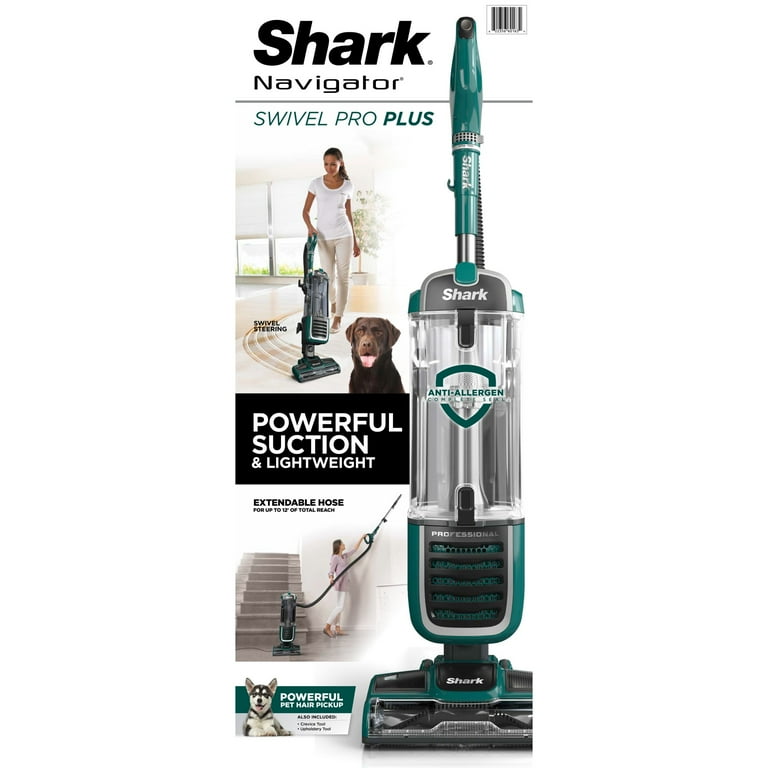
When you need parts, always use genuine Shark parts to avoid fit or performance issues. You can find them on the Shark website, major online stores, or by contacting Shark customer service.
If you’re not comfortable with repairs, local vacuum shops can help. Always ask for a price quote before agreeing to a repair.
For more repair information, check the official Shark Clean website.
Practical tip: Keep your vacuum’s model number and serial number handy when shopping for parts or contacting support.
Credit: www.walmart.com
Extra Tips For Shark Swivel Plus Owners
- Keep the manual: It has part numbers and cleaning advice. Download a PDF if you lost the paper copy.
- Register your vacuum: For warranty and support. This helps if you need free parts or repairs under warranty.
- Label your filters: Date them when you install new ones. This helps you remember when to replace them.
- Clean after big messes: After vacuuming up lots of hair or dust, check the roller and filters.
- Don’t ignore noises: Clicking or whining sounds can signal belt or roller issues.
- Store tools together: Keep all attachments and screws in a bag so nothing gets lost.
- Vacuum in different directions: This helps catch dirt the roller might miss on the first pass.
Non-obvious tip: Before each use, check the cord for damage. A frayed cord can cause power loss or be a safety hazard.
Frequently Asked Questions
Why Does My Shark Swivel Plus Hose Work But Not The Bottom?
The most common reasons are a jammed brush roller, a broken or slipped belt, a stuck suction switch, or a clogged air path. Each stops the bottom from working while leaving the hose unaffected.
How Do I Know If My Belt Is Broken?
If the roller doesn’t spin when the vacuum is on and the hose still works, the belt may be broken. Remove the bottom plate and check if the belt is snapped, loose, or missing.
Can I Fix My Shark Swivel Plus Myself?
Yes, many common problems like roller jams, belt replacement, and clearing blockages can be fixed at home with basic tools. Only attempt motor or electrical repairs if you have experience.
How Often Should I Clean The Brush Roller And Filters?
Clean the roller every 1-2 months, or more often if you have pets or long hair in your home. Replace or clean filters as recommended—usually every 3-6 months.
Where Can I Get Genuine Shark Replacement Parts?
Order directly from the Shark website, major retailers, or local vacuum stores. Always use the correct model number to get parts that fit your Swivel Plus.
A working Shark Swivel Plus makes cleaning easy and fast. When the hose works but not the bottom, use the steps above to find and fix the problem. With regular care and quick action, you’ll keep your vacuum running strong for years. If you ever feel unsure, don’t hesitate to ask for expert help or consult Shark’s support resources. By understanding your vacuum and following these tips, you’ll get the best cleaning results every time.
Credit: business.walmart.com